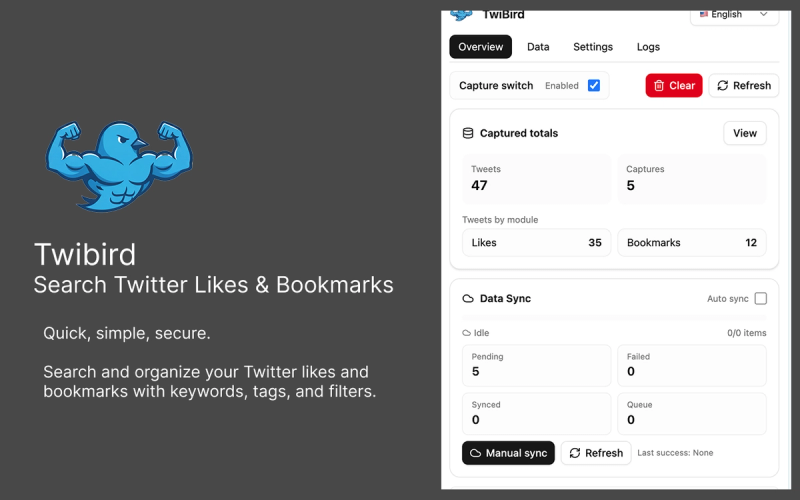
Twibird is a browser-based workspace for Twitter/X likes and bookmarks that turns your saved tweets into a searchable, organized library with full-text search, tags, folders, and offline access.
What is Twibird?
Twibird is a tool for managing Twitter/X likes and bookmarks. It runs as a Chrome extension that fetches your saves directly from the browser — no OAuth or password sharing required. It provides a unified inbox where you can search by keyword, author, or hashtag, organize with tags and folders, and export collections to CSV or Notion. Twibird is developed by the Twibird team.
Key Features
- Full-text search — Search across likes and bookmarks by content, handles, hashtags, and notes with typo-tolerant results.
- Tags & folders — Create multi-level folders, smart tags, and saved filters to organize by topic, project, or client.
- Background sync — Automatically pull new likes and bookmarks via the Chrome extension without manual exports.
- Offline mode — The Chrome extension supports offline data, local search, and local storage for privacy.
- Exports — Export any collection to CSV or Notion, or download a full backup.
- Smart reminders — Set follow-up reminders on tweets to never forget to reply or read.
- Privacy-first — Twibird never posts on your behalf; only reads likes and bookmarks.
Who is it for?
- Researchers — Search and categorize saved tweets as sources for papers or articles.
- Writers — Collect and organize inspiration from Twitter into folders and tags.
- Curators — Maintain themed collections of tweets for newsletters or social media.
- Teams — Share collections with teammates and collaborate on Twitter content.
What can you do with Twibird?
- Search saved content instantly — Use full-text search to find any liked or bookmarked tweet by keyword, hashtag, or author.
- Organize by project — Create folders and tags to group tweets by client, topic, or event.
- Share collections — Export CSV or share links to curated sets with colleagues or clients.
How does Twibird work?
- Install the Chrome extension from the Twibird website.
- The extension fetches your likes and bookmarks directly from your browser.
- Organize with tags and folders in the dashboard.
- Set up incremental sync to keep data current; export or share as needed.
Pricing
Freemium with a free trial available.
FAQ
Is Twibird safe to connect my account?
Yes. Twibird fetches your likes and bookmarks through the Chrome extension in your browser — no OAuth tokens, no password sharing, and nothing is posted on your behalf.
Will new likes sync automatically?
Yes. The extension runs incremental syncs to capture new likes and bookmarks without manual exports.
Can I export my saves?
Yes. Export any collection to CSV or Notion, or download a full backup at any time.
How do I organize fast?
Use tags, folders, and saved filters to batch-sort content, then pin important threads to keep focus.
Can I remove my data?
Yes. You can disable the Chrome extension to stop new syncs and request deletion of stored data via support.