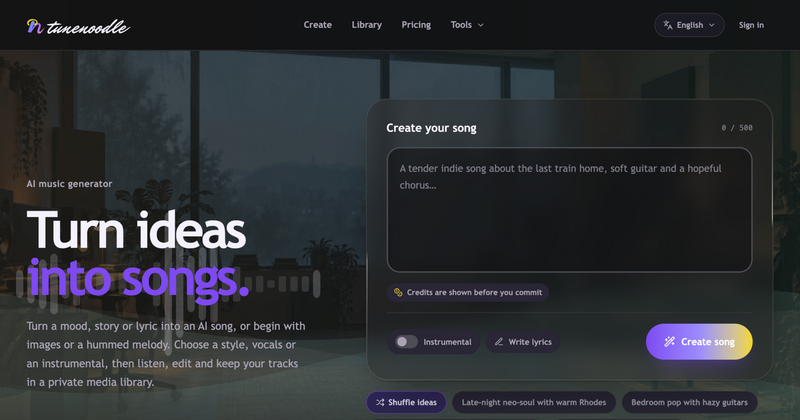
Tunenoodle is a browser-based AI music generator that turns a written description, your own lyrics, up to five reference images, or a hummed melody into a finished song you can play back, edit and download.
What is Tunenoodle?
Tunenoodle is a web app for generating songs from a prompt or other input. You describe the subject, mood, rhythm and instruments in a box limited to 500 characters, optionally flag the track as instrumental, then submit and the generated song lands in a private media library for playback and download. Alongside generation it ships a set of free browser tools — BPM tapper, chord progression generator, slowed + reverb and an audio speed and pitch changer — that need no account. No maker or company is named on the page.
What makes Tunenoodle stand out?
- Four input types — text descriptions, your own lyrics, up to five images in Simple mode, or a recorded/uploaded hummed melody in Hum to Song.
- Style template library — browse production presets such as trap, electronic, hip-hop, R&B/soul-funk and lo-fi, then select Use to load the preset prompt and edit it as your own starting point.
- Stem separation — split vocals and instruments out of an uploaded file or a generated song, preview the individual stems (source audio, vocals, drums, bass, other instruments) and download them for remixing or practice.
- Song mashup — pick two tracks as references, describe the direction you want, and generate a new piece from their combined inspiration.
- Section-level editing — extend a song from a chosen point, regenerate a passage, or blend two library tracks; every AI edit creates a new version so the original stays intact.
- Private media library — generated songs and uploaded audio sit in one place, filterable by title, source and favorites, with download and delete controls.
- Local-only audio tools — speed/pitch changes, slowed + reverb and trimming process files in the browser; the slowed + reverb tool exports a 16-bit WAV and the file never leaves your machine.
- Upfront credit cost — the credit cost of a generation is shown next to the Create button before you commit.
Who should use Tunenoodle?
- Songwriters and hobbyists: turn a mood line or a set of lyrics into a demo with vocals or as an instrumental, then extend or regenerate sections until it fits.
- Content creators: generate background tracks from a style template, keep them in the private library and download finished songs.
- Remixers and practice-minded musicians: run a track through stem separation to pull vocals, drums, bass and other instruments as separate files.
- Curious non-musicians: experiment with the no-sign-in tools first — tap a tempo, build a chord progression in a chosen key, or slow a local file down.
What can you do with Tunenoodle?
- Turn a prompt into a track: describe style, tempo, instruments and vocal preference, submit, and the result appears in your library for playback and download.
- Soundtrack images or a hummed idea: add up to five images or a hummed reference, give it a mood and style, and develop it into a song.
- Blend or rework existing songs: mash two references into a new piece, or extend and replace sections of something you already generated.
- Practice and prep with free tools: estimate BPM by tapping, convert tempo to delay values, generate chord progressions to drop into a DAW, or slow a recording without changing its key.
How does Tunenoodle work?
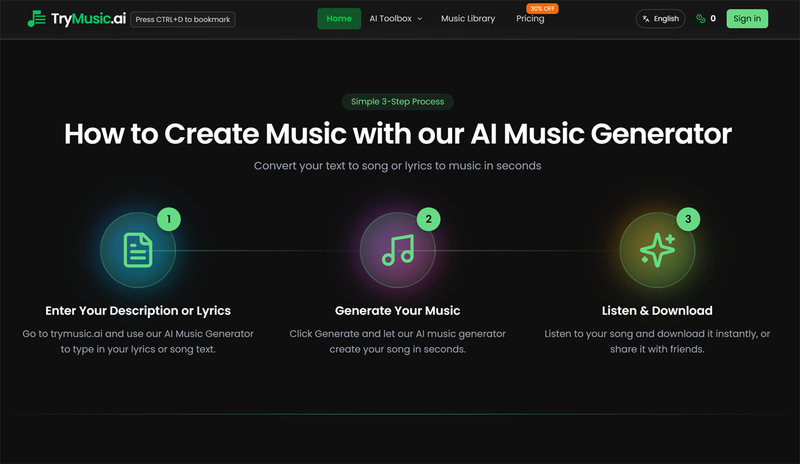
The page describes three steps: describe your song (subject, style, instruments, or bring lyrics, images or humming), sign in and submit (checking settings and credit cost first), then play it back and keep it — listen and download from your library, or keep working in the editor. Signing in is required to generate songs, upload reference media and save to the library; template previews and the local tools do not need it.
Pricing
Tunenoodle is freemium. New accounts receive 20 starter credits at signup, enough for up to 20 songs, and each generation costs the number of credits shown next to the Create button. More credits come either from a one-time pack that never expires or from a membership that grants credits each paid period. Browsing templates, playing songs and every local audio tool are free, but downloading the songs you save requires a purchased credit pack or an active membership.
FAQ
Is Tunenoodle free?
Creating songs, playing them, browsing templates and all local audio tools are free, and new accounts start with 20 credits. However, downloading songs saved in your library requires a purchased credit pack or an active membership, so the free tier covers generating and listening rather than exporting.
Do I need an account?
Not for the homepage templates or the free local tools. Signing in is required to generate songs, upload reference media (images, audio or a hummed melody) and save to the private library. Generation always shows its credit cost before you submit.
Can Tunenoodle separate vocals and instruments?
Yes. The stem separation feature works on uploaded audio or on a song you generated, splitting out vocals and instruments. It shows the individual stems — source audio, vocals, drums, bass and other instruments — for preview, and lets you download them for practice, remixing or a mix.
Can I use my own lyrics or make music without vocals?
Both are supported. You can write verses and choruses yourself or revise an AI-written draft, and an Instrumental toggle creates music with no vocals. Custom mode adds style and vocal preferences, while Simple mode handles quick text-to-song along with image input.
Can I keep editing a song after it is generated?
Yes. You can extend from a chosen point, regenerate a section, or blend two library tracks into a new song, and audio trimming covers excerpting. Each AI edit produces a new version that can be compared against the original rather than overwriting it.