
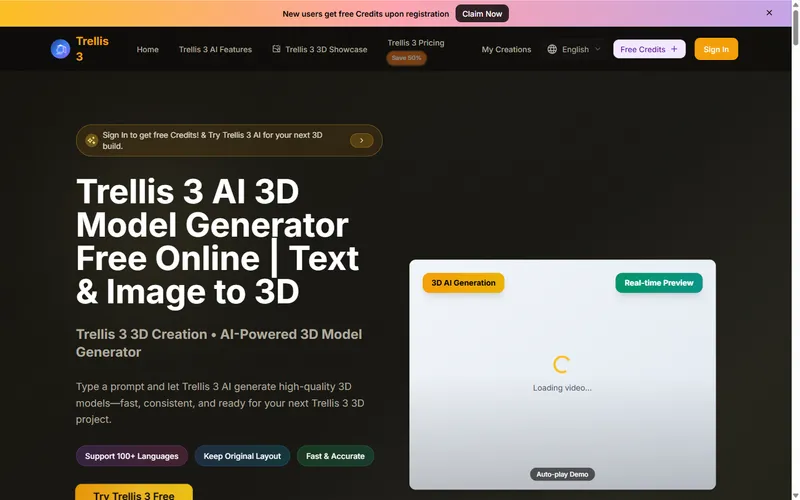
Trellis 3 is a free online AI 3D model generator that converts text prompts and reference images into rotatable, production-ready 3D models directly in the browser.
What is Trellis 3?
Trellis 3, branded as Trellis 3 AI, is a web-based 3D model generator available at trellis3.com. It takes either a text description or an uploaded image (JPG, PNG, or WEBP up to 6MB) and produces a 3D model with surface texture and geometry. The tool runs entirely in the browser, offers real-time preview with drag-to-rotate, and supports over 100 languages in prompts. The site does not name a parent company, but the product is associated with the Trellis line of AI 3D generators.
Key Features
- Text-to-3D generation – Type a natural-language prompt in any of 100+ languages and Trellis 3 builds a matching 3D model.
- Image-to-3D conversion – Upload a photo or illustration (JPG, PNG, WEBP, max 6MB) and get a 3D version of that subject.
- Quality modes – Rapid mode uses 20 credits for a quick preview; Standard mode uses 100 credits for clean geometry, better textures, and production-ready output.
- Art style presets – Choose from 16 styles including Photorealistic, Anime, Cyberpunk, Oil Painting, Low Poly, Pixel Art, and Clay Render to steer the output look.
- Real-time preview – View the generated 3D model in the browser, drag to rotate, or enable auto-rotation before exporting.
- Engine-ready exports – Download models in OBJ, FBX, GLB, or STL with optimized meshes and PBR materials suited for Unity, Unreal, Three.js, and other engines.
- Free starter credits – New users get free credits upon registration, allowing several preview runs without payment.
- No 3D experience required – The workflow is prompt-driven, so beginners can create assets without modeling or texturing knowledge.
Who is it for?
Trellis 3 suits creators who need quick 3D drafts or final assets without leaving the browser. Game developers can prototype characters and props from text prompts. Product designers can convert reference photos into rotatable 3D visuals for mockups. 3D artists can use it to explore variations in different art styles before committing to detailed modeling. Marketing teams can generate on-brand 3D images for social posts or campaign visuals using the style presets.
What can you do with Trellis 3?
- Game asset prototyping: Describe a "low-poly sci-fi drone" or upload a concept sketch, then generate a model to drop into a game engine for blocking out levels.
- E-commerce previews: Turn a product photo into a 360° rotatable 3D model that customers can inspect from all angles.
- Character animation concepts: Use the Character Animation showcase to visualize how a generated model might move, even though the core export is a static mesh.
- Client presentations: Generate multiple stylized versions of an object (e.g., photorealistic vs. watercolor) from the same prompt to show creative directions.
How does Trellis 3 work?
The workflow is three steps: first, write a clear prompt describing the subject, materials, and lighting, or upload a reference image; second, pick an art direction from the gallery (photorealistic, anime, etc.); third, generate the model, preview it in the browser, and export the chosen version. Trellis 3's Rapid mode gives a fast, lower-quality preview to test prompts, while Standard mode produces the final asset.
Pricing
Trellis 3 is freemium. New users receive free credits on sign-up to run preview generations. Paid plans – Basic, Professional, and Enterprise – provide larger credit allowances per year, unlimited downloads, permanent history, and a commercial use license. The site currently advertises a 50% flash sale on annual plans.
FAQ
Is Trellis 3 free?
Trellis 3 offers free credits to new users, which can be used for preview runs. Each generation consumes credits; when the free balance is gone, you need a paid plan to continue generating Standard-quality models.
What file formats can I export?
Trellis 3 supports export in OBJ, FBX, GLB, and STL. The actual available exports may vary by plan or model, but these formats cover most game engines and 3D software.
Do I need 3D modeling experience?
No. Trellis 3 is prompt-driven: you describe what you want in plain language and the AI builds the 3D model. The tool is designed for beginners as well as professionals.
How long does generation take?
Most generations complete in seconds, according to the site. Prompt complexity and server load can affect speed, but you generally get a preview within a few seconds and can immediately download the result.
What image formats are accepted for image-to-3D?
Upload JPG, PNG, or WEBP files. The maximum file size is 6MB. The tool also provides example images you can try if you don't have one ready.


