Newsletter
Join the Community
Subscribe to our newsletter for the latest news and updates
Browser-based studio for designing custom Tesla wraps on official Tesla templates, previewing them in 3D, and exporting Paint Shop PNGs.
Submit your own product to reach creators and founders looking for the next tool to try.
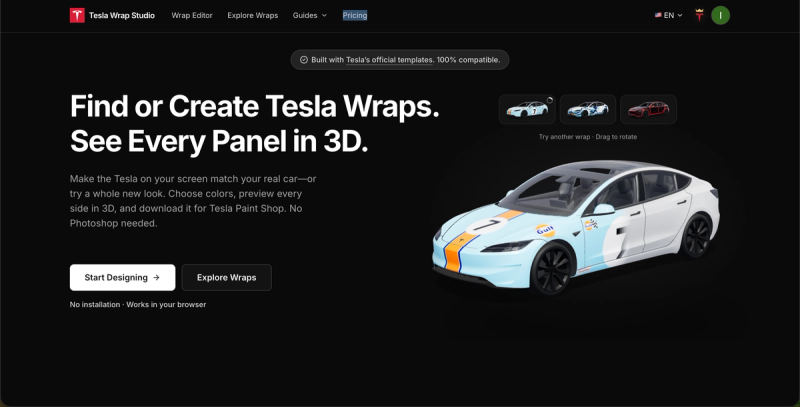
Tesla Wrap Studio is a browser-based Tesla wrap design tool that lets owners build, preview in 3D, and export custom Paint Shop wraps as PNG files.
Tesla Wrap Studio is a web app for designing custom Tesla vehicle wraps on Tesla's official wrap templates and exporting them as a PNG that Tesla Paint Shop can read. You pick your model and version, choose colors, add graphics, text or AI-generated art, preview the design in 3D from every side, and download the result — no Photoshop and no installation required. It runs entirely in the browser and is made by an independent team that states it is not affiliated with Tesla, Inc.
The editor follows three steps: choose your Tesla model and version, design and preview in 3D using colors, text, brushes, shapes or AI, then export the PNG. To apply it, upload the Paint Shop PNG through the Tesla app or copy it to a USB drive, then select the design in Paint Shop on the car's touchscreen.
Tesla Wrap Studio is freemium. Designing with colors, text, brushes, shapes and 3D previews is free without an account, and designs and previews containing no uploaded images are free to download. A membership adds custom image uploads, downloads containing uploaded images, cloud saves and AI creation; AI generation additionally uses credits.
Yes, with limits. Colors, text, brushes, shapes and 3D previews work without an account, and designs without uploaded images download free. Uploading your own images, downloading designs that contain them, cloud saves and AI creation require a membership, and AI generation consumes credits.
Model Y (five versions), Model 3 (three), Model S (two), Model X (one) and Cybertruck (one) — covering all Paint Shop templates Tesla currently publishes. Cybercab, Roadster and Semi are listed as coming soon and cannot be designed yet.
Download the Paint Shop PNG, upload it through the Tesla app or transfer it with a USB drive, then select the design in Paint Shop on your car's touchscreen. A separate 3D preview image can also be downloaded for sharing.
Yes. Members can save designs to the cloud and reopen them later to continue where they left off; clicking Save after editing keeps the latest changes.
No. It uses Tesla's publicly available official wrap templates to help owners design, preview and export custom wraps, but it operates independently and is not affiliated with Tesla, Inc.