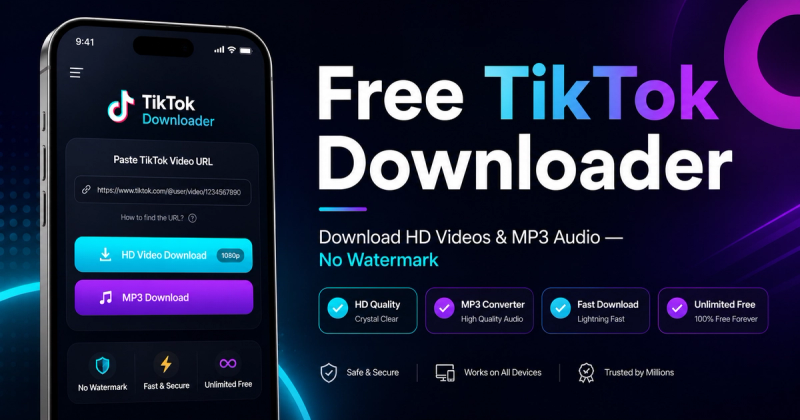
Ssave.cc is a free, web-based TikTok video downloader that removes watermarks and extracts high-quality MP3 audio from any public TikTok link.
What is Ssave.cc?
Ssave.cc is an online tool that takes a TikTok video URL as input and returns a watermark-free video file in the highest available resolution, typically Full HD. It also can extract the audio track as a 320kbps MP3 from the same link. The service runs entirely in the browser on iOS, Android, Windows, and Mac, with no app installation required. The tool is accessible at ssave.cc and is sometimes referred to as "SaveCC" or "Save CC".
Key Features
- Watermark-free video downloads — Downloads the highest available resolution, usually Full HD, with no TikTok watermark.
- 320kbps MP3 extraction — Converts any TikTok video's audio into a high-bitrate MP3 file suitable for music or editing.
- No registration or limits — Unlimited downloads with no daily caps, no hidden costs, and no subscription required.
- No ads or CAPTCHA — Unlike many competitors, Ssave.cc shows zero pop-up ads and never interrupts downloads with verification screens.
- Privacy-friendly — Does not store downloaded videos or keep a history of pasted links; all processing happens in real-time and files go directly to the user's device.
- Cross-platform access — Works in mobile browsers like Safari and Chrome on Android and iOS, as well as desktop browsers on Windows and Mac.
Who is it for?
- TikTok enthusiasts who save videos offline: Paste the share link and save any public video directly to their camera roll or computer.
- Content creators repurposing TikTok clips: Download watermark-free versions of videos to reuse in compilations, reactions, or edits without the app's branding.
- Music and sound collectors: Extract the audio from a TikTok video as an MP3 at 320kbps for offline listening or sampling in their own projects.
What can you do with Ssave.cc?
- Save TikTok videos to your device: On mobile, open Ssave.cc in Safari or Chrome, paste the URL, tap Download, and the video is saved without a watermark.
- Convert TikTok videos to MP3: Use the same link to extract the audio track in 320kbps MP3 format for personal use or editing.
- Download HD versions: Get the highest resolution TikTok provides, typically Full HD, as long as the source video is public.
How does Ssave.cc work?
Copy the TikTok video URL from TikTok's Share menu, paste it into the search box on ssave.cc, and click Download. The processing engine converts the video in seconds and passes it directly to your device without storing anything on their servers.
Pricing
Ssave.cc is completely free. There are no hidden costs, no daily limits, no subscription, and no premium tiers — all features, including HD downloads and MP3 extraction, are accessible without payment.
FAQ
Is Ssave.cc free to use?
Yes, Ssave.cc is completely free. The service has no hidden costs, no daily limits, and no subscription. You can download unlimited TikTok videos, Stories, and MP3s without paying anything.
Can I download TikTok videos in HD?
Yes. Ssave.cc extracts the highest available resolution for every video, typically Full HD when TikTok provides it. You can choose watermark-free HD video or extract 320kbps MP3 audio from the same link.
Does Ssave store the videos I download?
No. Ssave does not store any videos on its servers, nor does it keep a history of the links you paste or files you download. All processing is done in real-time and the file is passed directly to your device.
Why is my TikTok link not working?
Make sure the video is public and the URL is copied correctly from TikTok's Share menu. Private, deleted, or region-restricted videos cannot be accessed. If the link still fails, try refreshing the page or using the full share URL rather than a shortened link.