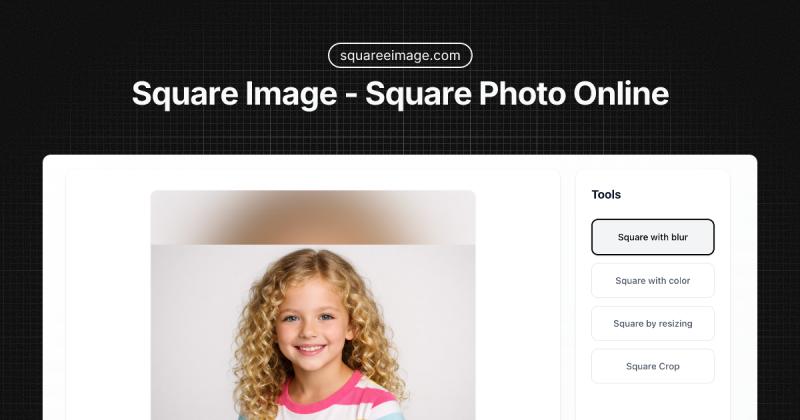
Square Image is a free online tool that converts any photo into a perfect square format for social media, using blur backgrounds, solid colors, resize, or crop — all processed locally in your browser with no uploads.
What is Square Image?
Square Image is a web-based image converter that takes any rectangular photo (JPG, PNG, WEBP) and outputs a square image without cropping. It runs entirely in the browser, so your files never leave your device. The tool is created by an independent developer and is completely free with no signup or watermarks.
Key Features
- Four conversion methods — Blur background (artistic fill), color background (solid border), resize (proportional fit), and crop (manual selection). Each method preserves the full original image or lets you zero in on a specific area.
- Local processing — All computation happens in your browser. Images are never uploaded to any server, ensuring privacy and providing instant results.
- Format support — Upload JPG, PNG, WEBP, and download in the same formats. PNG maintains transparency in the original image; JPEG and WEBP offer smaller file sizes.
- Export up to 10000px — Download square images from 1px to 10000px, with a default of 1200x1200px perfect for Instagram and most social platforms.
- Responsive design — Works on desktop, mobile, and tablet. Touch gestures (pinch to zoom, drag) are supported for the crop tool.
- No signup required — Start converting immediately with no account, no email, and no hidden fees.
Who is it for?
- Social media creators — Easily make square Instagram posts, LinkedIn profiles, and Twitter headers with blur or color backgrounds to keep your entire photo visible.
- Designers — Quickly create uniform square product images or portfolio thumbnails without firing up desktop software.
- Casual users — Turn a portrait or landscape photo into a profile picture for Discord, TikTok, or Facebook, all from your phone or computer.
What can you do with Square Image?
- Instagram posts and stories — Use the blur background mode to add a professional depth-of-field effect behind your subject, or the color mode to match your brand palette.
- YouTube thumbnails — Crop or resize to 1080x1080px with precise control over the visible area to attract clicks.
- E-commerce product images — Use the resize or color background modes to present consistent square product shots without distortion.
- Personal avatars — Make a square version of any photo for gaming profiles, messaging apps, or online forums.
How does Square Image work?
Upload your image from your device, then choose one of four modes: blur background, color background, resize, or crop. Use the on-screen sliders to adjust zoom, blur intensity, and output size. A real-time preview shows the result. Finally, select your preferred format and download the square image. The entire workflow takes seconds and never requires an internet connection after the initial page load.
FAQ
Is Square Image really free?
Yes, it is completely free with no watermarks, signup requirements, or usage limits. All features — including blur backgrounds, color backgrounds, resize, and crop — are available to everyone forever.
Can I make an image square without cropping?
Yes, use the blur background or color background modes. These add a blurred or colored border to fill the square space while keeping your entire original image visible and centered.
What formats are supported for upload and download?
You can upload JPG, PNG, WEBP, and most common image formats. Download your squared image as high-quality JPEG, PNG (with transparency support), or WEBP.
What is the best size for Instagram?
The default 1200x1200px is ideal for Instagram posts, profiles, and stories. You can also choose a custom size up to 10000px for other platforms like YouTube thumbnails (1080x1080px).
Does Square Image work on mobile?
Yes, the tool is fully responsive and works on iPhone, Android, and tablets. Touch gestures are supported for crop adjustments.