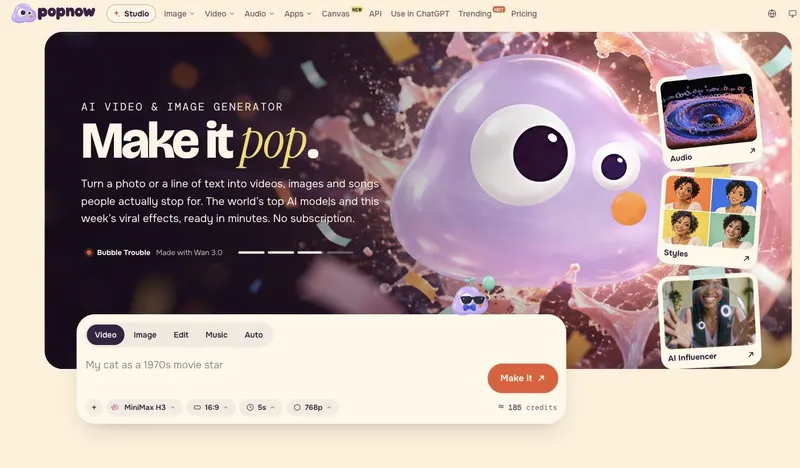
Seedance 2 is a multi-modal AI video generation model that enables precise control over style, subject, motion, camera, and audio through reference-anything technology, available on the Seedance Pro web platform.
What is Seedance 2?
Seedance 2 is a multi-modal video generation model developed by Seedance Pro that accepts text, image, video, and audio inputs and produces synchronized video with optional audio output. It runs entirely in the browser on seedance-pro.org, supporting up to 9 images, 3 videos (total under 15 seconds), and 3 audio files (total under 15 seconds) per generation, with output durations from 4 to 15 seconds and resolutions up to 2K.
Key Features
- Reference-Anything Control — Assign any input as a reference for style, subject, motion, camera, or audio using
@tags in the prompt. You can mix multiple references to precisely dictate every aspect of the output. - Multi-Modal Inputs — Combine up to 12 files (images, videos, audio) with a text prompt. Supports text-to-video, image-to-video, and video-to-video workflows in a single generation.
- Motion & Camera Replication — Replicate complex camera movements (Hitchcock zoom, orbit shots, tracking) and character actions from reference videos, enabling consistent multi-shot sequences.
- Video Extension & Editing — Extend existing clips by specifying duration (up to 15s total) or replace specific elements (characters, props, backgrounds) via text instructions without re-recording.
- Built-In Audio Generation — Generate dialogue, ambience, and sound effects synced to the video content and rhythm. Short audio cues improve lip-sync accuracy.
- Omni-Reference Mode — For multi-asset mixing, use Omni-Reference to assign distinct roles to each input (first frame, style, motion, camera, audio) for maximal control.
- Duration & Resolution Flexibility — Output lengths adjustable from 4 to 15 seconds; supports 720p default and up to 2K resolution on supported configurations. Aspect ratios include 16:9 and others.
Who should use Seedance 2?
- Video content creators who need precise control over character consistency and camera moves across scenes, for example replicating a specific actor’s performance from a reference video.
- E-commerce marketers producing product showcase ads (e.g., luxury bags, electronics) where material, lighting, and motion must match brand guidelines exactly.
- Filmmakers and animators storyboarding complex sequences like chase scenes or POV shots with consistent character and environment references.
- Social media managers rapidly generating short-form videos with synced music and sound effects for platforms like TikTok or Instagram Reels.
What can you do with Seedance 2?
- E-commerce product shots: Generate cinematic ads for items like bags or tablets, controlling surface material, camera motion, and background ambiance using uploaded reference images.
- Character-driven storytelling: Maintain character identity across multiple shots (e.g., a family reunion scene) by referencing a single image for the subject and a video for motion and camera.
- Music visualization: Sync video transitions and visual style to the rhythm of an uploaded audio track, matching beat and mood for music videos or promotional clips.
- Video extension and editing: Extend an existing video clip by 5 seconds while preserving all visual and audio continuity, or replace a character’s outfit in a generated video without re-rendering.
How does Seedance 2 work?
- Add prompt and assets: Write a text description and upload up to 9 images, 3 videos, and 3 audio files (total under 12 files). Set duration (4–15s) and resolution.
- Assign references: Use
@image1,@video1,@audio1tags in your prompt to specify which asset controls first frame, style, subject, motion, camera, or audio. Choose First/Last-frame mode for simple image-to-video or Omni-Reference for full control. - Generate, extend, or edit: Preview assets, then generate the video. Use extension commands (e.g., "extend @video1 by 5s") or editing commands (e.g., "replace the woman's hair with long red hair") for iterative refinement.
FAQ
What inputs does Seedance 2 support?
Seedance 2 accepts text prompts, images (up to 9), videos (up to 3, total under 15 seconds), and audio files (up to 3, total under 15 seconds). Total files per generation must not exceed 12.
How do I use @ references in Seedance 2?
Prefix asset names with @ (e.g., @image1) in your prompt to assign specific roles: first frame, style, subject, motion, camera, or audio. For example, "@image1 as first frame; @video1 for camera/motion; @audio1 for rhythm."
Can Seedance 2 extend or edit videos?
Yes. Use prompts like "extend @video1 by 5s" to lengthen clips or specify replacements such as "replace the bag with @image3." Editing preserves continuity and can target characters, props, or scenes.
Does Seedance 2 generate audio?
Yes, it can generate dialogue, ambience, and sound effects that sync with the video. Providing short audio clips for voice or rhythm cues improves syncing accuracy.
Is Seedance 2 free?
Seedance Pro offers a freemium model with free credits to start. Visit Seedance Pro for current pricing details.