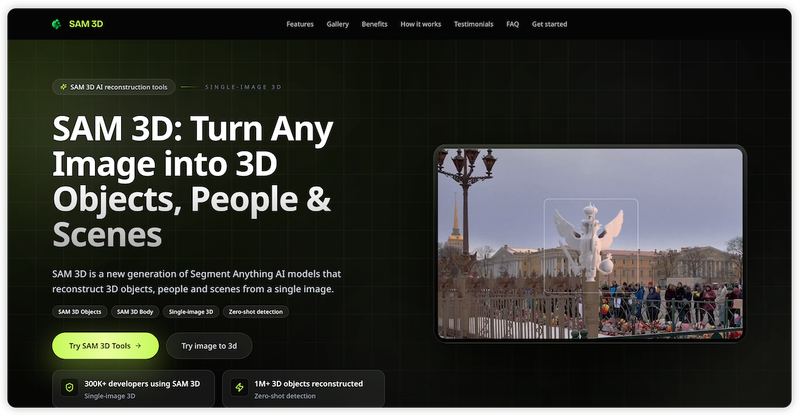
SAM 3D is an AI platform by Meta that reconstructs 3D objects, people, and scenes from a single image. It combines SAM 3 segmentation with dedicated models—SAM 3D Objects and SAM 3D Body—to deliver production-ready 3D assets in minutes.
What is SAM 3D?
SAM 3D is a family of foundation models from Meta that transforms single 2D images into 3D reconstructions. It accepts any real-world image (product photos, scenes, portraits) and outputs 3D meshes with textures in formats like GLB, PLY, and OBJ. The platform runs in the browser via demo tools and also offers an HTTP API for integration into custom pipelines.
Key Features
- SAM 3D Objects — Reconstructs full 3D shape, material, and layout of objects and scenes from one image, handling clutter and occlusions with zero-shot detection.
- SAM 3D Body — Estimates accurate 3D human pose and body shape from a single photo, suitable for avatars, virtual try-on, and motion analysis.
- Zero-shot 3D detection — No training or fine-tuning needed; works on unseen object categories out of the box.
- Export-ready formats — Download in GLB, PLY, and OBJ for direct use in Blender, Unity, Unreal Engine, and WebGL.
- REST API — Integrate SAM 3D Objects and SAM 3D Body via simple HTTP calls for batch processing and automated workflows.
- Scene-level understanding — Simultaneously reconstruct multiple objects in a scene with correct spatial layout.
- Production speed — Conversion takes 2–3 minutes per image, compared to traditional 2–3 days.
Who is it for?
- Game developers — Rapidly create 3D props and environments from reference photos for prototyping and asset libraries.
- E-commerce teams — Turn product photos into 3D models for interactive customer views and AR try-on.
- AR/VR creators — Build immersive experiences with realistic 3D objects and human avatars from minimal input.
- Research engineers — Use the API to integrate single-image 3D reconstruction into medical imaging, robotics, or digital twin projects.
What can you do with SAM 3D?
- Product modeling — Upload a standard product photo, select the object, and export a 3D model for online catalogs or 360° spinners.
- Scene extraction — Use SAM 3 to segment multiple objects in a complex photo (e.g., a room) and reconstruct each as a separate 3D asset.
- Human pose estimation — From a single portrait, generate a 3D body mesh with accurate pose for virtual try-on or animation.
- API automation — Call SAM 3D endpoints to process thousands of images in a batch pipeline integrated into existing apps.
How does SAM 3D work?
- Upload any image (product, scene, or person).
- Select the object or person using SAM 3’s click-based or prompt-based segmentation.
- Reconstruct with SAM 3D Objects or SAM 3D Body (handled automatically).
- Download the 3D asset in GLB, PLY, or OBJ.
FAQ
What is the difference between SAM 3D Objects and SAM 3D Body?
SAM 3D Objects reconstructs inanimate objects and entire scenes with shape, texture, and spatial layout. SAM 3D Body specializes in human pose and body shape estimation from a single photo.
Can I integrate SAM 3D into my own app?
Yes. SAM 3D provides an HTTP API for both SAM 3D Objects and SAM 3D Body, allowing you to build automated 3D reconstruction workflows into your software.
The platform accepts common image formats like JPEG and PNG. For best results, use high-resolution photos with clear subject visibility.
Is there a free tier?
The product is listed as freemium; basic usage may be free via the demo tools, while advanced API access and batch processing likely require a paid plan (no pricing details are published on the site).