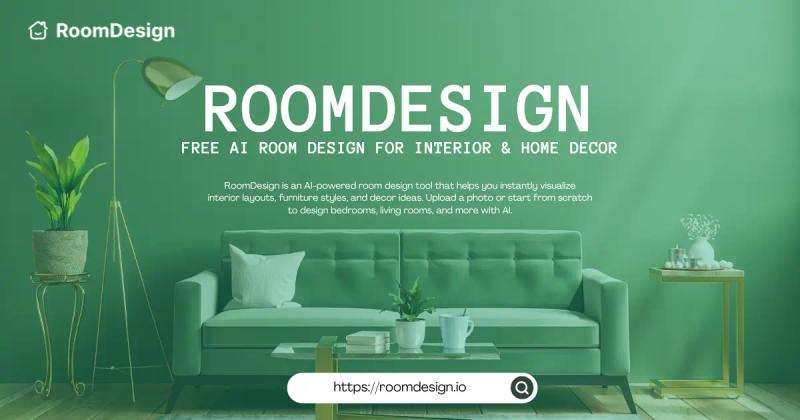
RoomDesign is an AI-powered online tool that generates photo-realistic room designs from user-uploaded photos or blank canvases, helping anyone visualize interior layouts and decor ideas instantly.
What is RoomDesign?
RoomDesign is a practical, web-based planning tool that turns early room ideas into clear, realistic concepts. Users upload a photo of their space or start from scratch, select a design style or describe changes, and receive high-resolution visualizations of furniture arrangements, color schemes, and decor themes. No account is required, and results are generated in minutes.
Key Features
- Photo-realistic visualizations — Upload a room photo or start from a blank canvas to generate realistic design previews that accurately show proportions, layout flow, and style balance.
- Multiple style options — Choose from 9 curated styles: Modern, Scandinavian, Christmas, Industrial, Bohemian, Luxury, New Chinese, European, and Mediterranean.
- Style Swap and Color Refresh — Instantly experiment with different color palettes and decor themes to compare looks before committing.
- Layout Shift and Space Makeover — Rearrange furniture and optimize room layouts for better flow, usability, and visual harmony.
- Fast results without sign-up — Generate polished room designs in minutes directly in a browser; no registration or download required.
- Shareable downloads — Download high-resolution images to share with family, friends, or interior professionals for feedback or planning.
- Rated 4.9+ by users — Over 50,000 rooms designed, trusted by 100+ organizations, and featured by media outlets including Forbes, BBC, and Business Insider.
Who is it for?
- Homeowners planning a renovation — Test multiple style and layout options before making purchase or construction decisions.
- Renters optimizing small spaces — Explore creative configurations for maximizing storage and comfort without permanent changes.
- Interior design enthusiasts — Experiment with decor ideas and furniture arrangements to develop a personal style.
- Content creators and freelancers — Generate realistic room concepts for staging, inspiration, or client presentations quickly.
What can you do with RoomDesign?
- Explore styles before renovation: Try different color schemes, furniture combinations, and decor themes to find a matching style for a planned makeover.
- Plan furniture and layouts: Test furniture placement in a realistic preview to see how different arrangements affect flow, usability, and visual balance.
- Make the most of small spaces: Test multiple layout ideas for small rooms or awkward corners to find efficient setups that maximize every square foot.
How does RoomDesign work?
- Upload a room photo — Capture the layout, size, and key features of your space.
- Choose a style or describe changes — Select one of nine design styles or type a description of desired modifications.
- Generate and share — RoomDesign quickly produces a photo-realistic preview. Download the high-resolution image or share it directly.
Pricing
RoomDesign is free to use with no sign-up required. Core features including style selection, photo upload, and design generation are fully available without payment.
FAQ
Is RoomDesign free?
Yes, RoomDesign is free to use. You can upload photos, select styles, and generate room designs without any payment or account.
Do I need design experience?
No prior design knowledge is needed. The interface is intuitive, and the tool handles all rendering automatically based on your choices.
Can I download and share my designs?
Yes. RoomDesign allows you to download high-resolution images of your designs, which you can share with family, friends, or professionals.
How fast can I see results?
Results appear within minutes after uploading a photo and selecting a style. The tool is optimized for speed to let you evaluate multiple options quickly.