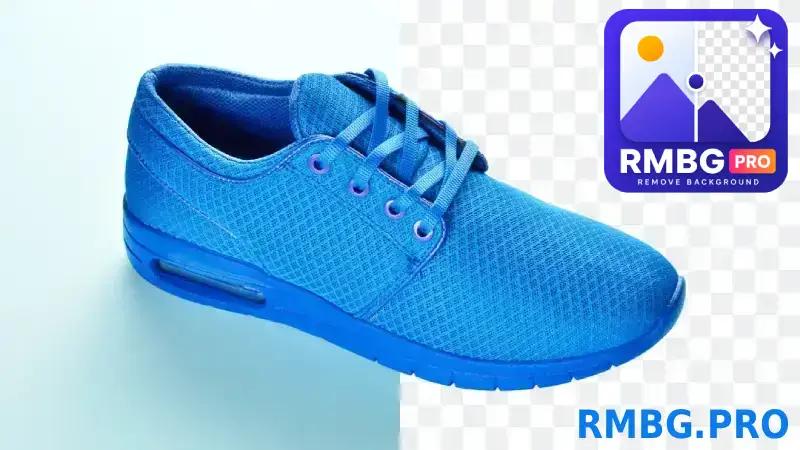
RMBG.PRO is an AI background removal web app that cuts a subject out of a photo in under five seconds and returns a transparent cutout you can place on a solid color, a custom image, or a branded layout.
What is RMBG.PRO?
RMBG.PRO is a browser-based image editing tool whose core job is removing the background from a photograph. You upload an image, its AI engine builds a precision mask using smart edge detection, and you get back a cutout ready to export — the page states a processing time of under five seconds. The mask is tuned for real-world images, including soft edges such as hair and fabric and harder cases like reflective surfaces. On top of removal, the same workspace adds a background color or image, places a logo or watermark, erases unwanted objects, and processes batches. It runs without installing software, and the same capability is also packaged as a WordPress plugin and a RESTful API for developers. The page does not name a parent company.
What makes RMBG.PRO stand out?
- AI background removal — upload a photo and receive a transparent cutout; the stated processing time is under five seconds, with mask handling for hair, fabric, and reflective surfaces.
- Watermark and object removal — brush over logos, text, timestamps, or distracting objects in a client-side mask editor with brush and eraser tools, then compare the original and cleaned result side by side.
- Custom background color or image — set any color via a color picker, save color presets, or drop in your own background image.
- Logo / watermark overlay — upload a logo by drag and drop, then adjust its opacity and position on the image.
- Batch processing — upload several images at once, track progress, and bulk download the results.
- RESTful API — an API key issued from the profile page, developer documentation, and a Postman collection shown on the page.
- WordPress plugin — bulk background removal inside the WordPress media library, with custom background options; the page positions it for WooCommerce storefronts.
- RMBG Cloud Image Library — store processed images, group them into public or private collections, publish a public portfolio, and track views on images and collections.
- One-click license plate anonymization — listed among the tool's use cases for hiding plate numbers.
Who should use RMBG.PRO?
- Online store owners and WooCommerce sellers: produce consistent catalog shots by removing studio or street backgrounds, then applying a uniform background color or brand image across a whole product set.
- Portrait and product photographers: retouch client images where hair and fabric edges matter, using the mask output plus custom background placement instead of manual clipping paths.
- Developers and engineering teams: call the RESTful API with an API key to strip backgrounds inside an existing application, or run the WordPress plugin directly in a media library.
- Digital marketing and content teams: process hundreds of images per day for ads, landing pages, and social campaigns, then publish and track them through the cloud image library.
What can you do with RMBG.PRO?
- E-commerce catalog production: upload product photos in bulk, remove backgrounds, add a saved background color preset, and bulk download a consistent set for listings.
- Watermark and clutter cleanup: paint over a stock logo, timestamp, or stray object with the mask editor and rebuild the area, then check the before/after view before saving.
- Branded social and ad assets: cut out a subject, drop in a gradient or brand image, and stamp a logo at a chosen opacity and position.
- Developer integration and automation: generate an API key, follow the documentation, and wire background removal into your own stack so repetitive image tasks run without manual editing.
How does RMBG.PRO work?
- Open the remove-background tool and upload a single image or several images at once for batch processing.
- The AI engine generates a precision mask and returns the cutout in under five seconds, preserving edges and color fidelity.
- Optionally set a background color or image, add a logo, or clean up watermarks and objects with the brush-and-eraser mask editor.
- Export the finished image, or bulk download the batch; processed files can be saved to the RMBG Cloud Image Library for collections, sharing, and view tracking. https://rmbg.pro/
FAQ
Is RMBG.PRO free to use?
The site presents itself as a free AI background removal tool. An account is needed to obtain an API key from the profile page for programmatic use, and the page does not publish dollar amounts or named pricing tiers, so check the site for current limits.
Can RMBG.PRO remove watermarks, logos, and text?
Yes. The remove watermark/object tool lets you paint over logos, text, timestamps, or distracting objects with a brush and eraser, then compare the original and cleaned image side by side. The masking happens client-side in the editor.
Can it process multiple images at once?
Yes. The bulk upload workflow accepts multiple images in one go and includes batch processing, progress tracking, and bulk download of the finished files.
Does RMBG.PRO integrate with WordPress?
Yes. It ships a WordPress plugin that works inside the media library, supports bulk image processing, and offers custom background options; the page markets it for WooCommerce product photography. A RESTful API with documentation covers other stacks.
What can I do with processed images after removal?
Finished cutouts can be stored in the RMBG Cloud Image Library, organized into public or private collections, shared through a public portfolio profile, and tracked for views via built-in analytics.