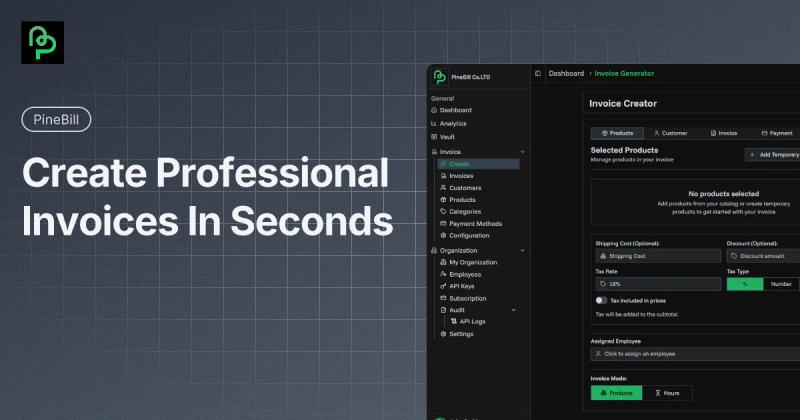
PineBill is an all-in-one invoicing and business management platform for freelancers and small teams to create invoices, manage clients and projects, and get paid faster. Start with a 7-day free trial (no credit card required).
What is PineBill?
PineBill is a cloud-based business management tool that takes client, project, and invoice data as input and produces professional invoices, estimates, and analytics as output. It runs on the web and is developed by PineBill corp inc. The platform offers a 7-day free trial of Pro features, then transitions to view-only until a paid plan is selected.
Key Features
- Smart Invoice Creation — Generate invoices with custom templates, multi-currency support (12 languages), smart numbering, and options for password protection, expiration dates, and view limits.
- AI Chat & Voice Assistant — Use AI to create invoices, find customer information, summarize outstanding balances, and handle routine tasks (credits depend on plan: 500 for Solo, 3,000 for Pro, 10,000 for Enterprise).
- Automated Recurring Invoicing — Set up weekly, biweekly, monthly, quarterly, or yearly schedules to automatically generate and email invoices; pause or resume anytime.
- Estimates & Quotes — Send professional estimates with validity tracking, and convert accepted quotes into invoices with one click.
- Project & Task Management — Organize client deliverables, track billable hours via timers, and convert completed work into invoices in under 60 seconds.
- Secure File Vault — Store documents with AES-256 encryption, S3-compatible storage, signed URLs, version history, and bulk uploads.
- Advanced Analytics — Real-time dashboards for revenue, expenses, cash flow, invoice status (paid, sent, overdue, draft, cancelled), sales pipeline (win rate), expense categories, and customer lifetime value.
- Role-Based Access — Invite team members with Admin, Member, or Guest permissions; link invoices to specific employees.
- RESTful API — Powerful API with granular permission controls for custom workflows (up to 10,000 calls/month on Pro, unlimited on Enterprise).
Who is it for?
- Freelancers & Creatives — Manage project-based billing, licensing fees, and usage rights with professional invoices and estimates.
- Small Business Owners — Run the entire business from one dashboard: clients, projects, invoices, expenses, and analytics.
- Construction & Trades — Use job costing, progress billing, and material tracking features.
- IT & Software Teams — Handle recurring billing, SaaS subscriptions, and project invoicing with automatic reminders.
What can you do with PineBill?
- Create and send invoices with password protection, expiration dates, and view limits; automated reminders ensure faster payments.
- Track finances with visual dashboards showing net profit, cash flow, invoice status breakdown (paid, sent, overdue, etc.), and expense categories (software, office, travel, marketing, other).
- Manage customer relationships with a comprehensive database, advanced segmentation, and lifetime value tracking (shown per customer in dollars).
- Automate repetitive tasks like recurring invoices, estimate follow-ups, and payment reminders.
Pricing
PineBill offers a freemium model with a 7-day free trial of Pro features. Paid plans are billed monthly or annually (annual saves 17–25%):
- Solo: $7.50/month billed annually — 100 invoices/month, 100 estimates, 500 AI credits, 100 customers, 100 products, 25 projects, 250 tasks, 50 email invoices, 10 categories, 1 team member.
- Pro: $16.58/month billed annually — 3,000 invoices/month, 3,000 estimates, 3,000 AI credits, 2,000 customers, 1,000 products, 250 projects, 3,000 tasks, 200 email invoices, 200 categories, 10,000 API calls/month.
- Enterprise: $75.00/month billed annually — unlimited invoices, estimates, customers, projects, tasks; 10,000 AI credits; 1,000 email invoices; 10,000 products; unlimited categories and API calls.
FAQ
Is PineBill free?
PineBill offers a 7-day free trial of Pro features with no credit card required. After the trial, you must subscribe to continue full access; otherwise the account becomes view-only.
How does recurring billing work?
You can set up invoices on weekly, biweekly, monthly, quarterly, or yearly schedules. PineBill generates each invoice automatically and can email it to clients. You can pause or resume anytime.
Is my data secure?
Yes. Files are encrypted at rest with AES-256 and protected with TLS in transit. Storage is on redundant infrastructure with 99.99% uptime and automatic backups across multiple data centers. PineBill never sells your data.
Can I invoice in multiple currencies?
Absolutely. You can generate invoices in any currency with automatic exchange-rate tracking and conversion. Set a default currency and override per invoice or customer.
What payment methods can I show on invoices?
You can display bank transfer details, PayPal, cryptocurrency wallets, and custom methods like Zelle, Venmo, or Cash App. Add multiple methods per invoice.