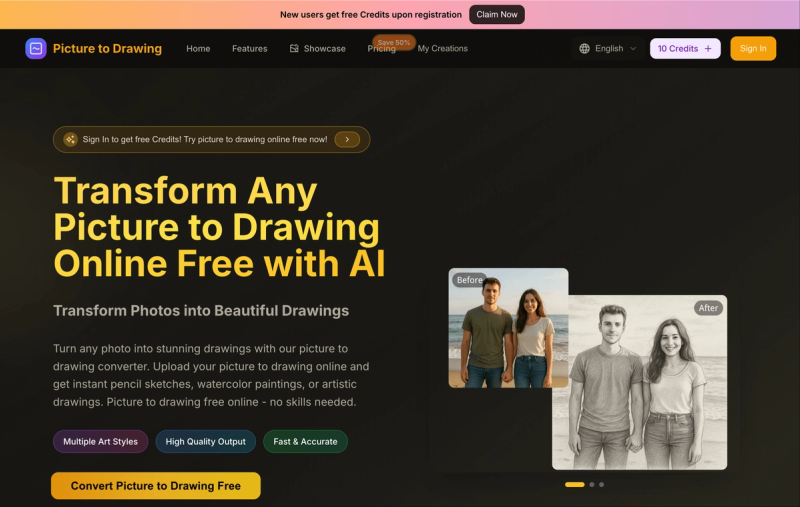
Picture to Drawing is a free online AI image generator that converts any uploaded photo into a pencil sketch, watercolor painting, or other artistic drawing style in seconds. No download or sign-up required to start — new users receive 10 free credits upon registration.
What is Picture to Drawing?
Picture to Drawing is a web-based AI tool that transforms photos into artistically styled drawings. Users upload an image (JPG, PNG, WEBP, or HEIC), select from over 10 drawing styles (e.g., pencil sketch, ink art, watercolor, charcoal, line drawing), and receive a high-resolution output in PNG or JPEG format. The tool runs entirely in the browser and is developed by an unnamed team behind picturetodrawing.app.
Key Features
- Multiple art styles — Choose from Pencil Sketch, InkArt, Line Drawing, Line Art, Architectural Outline, Charcoal Drawing, Watercolor Painting, Color Pencil Drawing, Van Gogh (Impressionism), and more.
- Fast conversion — Most transformations complete in under 10 seconds, even for high-resolution images.
- Credit system — Each conversion costs 10 credits; free users get 10 credits on sign-up, paid plans offer 1,200–120,000 credits per year.
- Multiple aspect ratios — Supports Auto, 1:1, 3:4, 4:3, 9:16, and 16:9 for cropping before conversion.
- High-resolution output — Download drawings as PNG or JPEG at original image quality, suitable for printing.
- Sample images — Test the tool with provided sample pictures before uploading your own.
- No watermark — All outputs are watermark-free regardless of plan.
Who is it for?
- Hobbyists and beginners — Turn personal photos into artistic keepsakes without any drawing skills.
- Graphic designers — Rapidly generate sketch-style assets for client presentations, social media graphics, or branding materials.
- Content creators — Produce unique, engaging visuals for Instagram, YouTube thumbnails, or blog posts using cartoon, anime, or watercolor effects.
- Photographers — Offer clients artistic versions of portraits, landscapes, or still life shots as a value-added service.
What can you do with Picture to Drawing?
- Convert portraits to pencil sketches — Upload a selfie or headshot and output a realistic pencil portrait with detailed shading, ideal for personalized gifts.
- Transform landscape photos into watercolor paintings — Turn vacation or nature shots into dreamy watercolor art with automatic color and contrast adjustments.
- Create coloring book pages — Use the Line Drawing or Coloring Book style to produce bold outlines from any photo, perfect for educational materials or DIY activities.
- Generate architectural line drawings — Upload building or interior photos to get clean architectural outlines useful for design presentations or real estate marketing.
Pricing
Picture to Drawing operates on a freemium model. Free users receive 10 credits (enough for one conversion). Paid plans are billed annually:
- Basic: $9.9/month — 12,000 credits/year (~1,200 images)
- Professional: $23.9/month — 30,000 credits/year (~3,000 images)
- Enterprise: $63.9/month — 120,000 credits/year (~12,000 images)
All plans include commercial use license and permanent image history.
FAQ
Is Picture to Drawing free?
Yes, you get 10 free credits after signing up, which covers one conversion. No credit card is required for the free trial.
How many credits does one conversion cost?
Each conversion costs 10 credits, regardless of style or image size.
Uploads: JPG, PNG, WEBP, HEIC. Downloads: PNG and JPEG.
Can I use the drawings commercially?
Yes, all plans include a commercial use license, allowing you to sell or use the generated images in your business.
Is there a watermark on free drawings?
No, all outputs are watermark-free, even on the free plan.