What is Photo Extender?
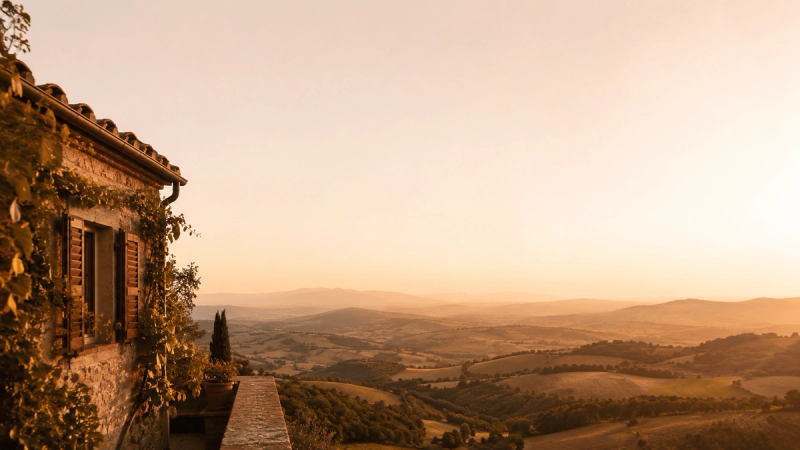
Photo Extender is an AI-powered web app that takes an uploaded image and generates an extended version with new background content on one or both sides, so the photo fits a different aspect ratio. It accepts JPG, PNG, and WebP files up to 4MB, and outputs a full-resolution image ready for download. The service is built for absolute beginners: no design skills, no software installation, and no account are required. The product is operated by Photo-Extender.com, with AI processing handled by their partner using the gpt-image-2 model.
Key Features
- Real AI outpainting — Uses the gpt-image-2 model to imagine new background detail instead of blurring or stretching pixels, preserving the original subject untouched.
- Any aspect ratio — Supports square (1:1), portrait (4:5), widescreen (16:9), story (9:16), ultrawide (21:9), and fully custom ratios.
- No sign-up or watermark — Upload and extend photos without creating an account or a login; results come without any watermark.
- Secure HTTPS processing — Photos are transferred over encrypted HTTPS and used only to generate the requested result; no account means no stored profile.
- Full-resolution export — Downloaded results retain original quality; no forced downsizing on the service's end.
- Beginner-friendly workflow — A three-step flow: upload, pick ratio and direction (both sides, start, or end), and download; no learning curve.
- Multiple direction options — Extend the background on both sides, or only at the start or end of the photo.
- ~60–120 second generation — Each extension runs a real AI generation with clear progress feedback; a one-click human check prevents abuse instead of a login wall.
Who is it for?
- Social media creators — Turn any photo into a perfect Instagram post, Story, or TikTok cover by extending to 1:1, 4:5, or 9:16 without cropping the subject.
- E-commerce sellers — Extend product photos to fit listing banners, marketplace templates, or promotional graphics without a reshoot or hiring a designer.
- Real estate agents — Reframe listing photos to widescreen or print-ready ratios while keeping the room intact, rather than cropping a shot.
- Anyone restoring old family photos — Bring back the background that a tight old crop cut off, using AI to guess what was likely there so the photo fits a new frame size.
What can you do with Photo Extender?
- Social media posts — Extend a square photo to a tall 9:16 Story or a wide 16:9 cover in one step, with the subject kept in frame.
- Product backgrounds — Widen product shots to fill banners, listings, and marketplace templates without losing detail or paying for a reshoot.
- Real estate listings — Convert landscape listing photos to widescreen or print-ready formats without cropping a room or paying for a re-edit.
- Print and wallpaper — Expand a snapshot to fill a poster, canvas print, or desktop wallpaper size perfectly, using full-resolution export.
How does Photo Extender work?
The tool follows a three-step process: upload a JPG, PNG, or WebP file up to 4MB; choose a target aspect ratio (1:1, 4:5, 16:9, 9:16, 21:9, or custom) and an extension direction (both sides, start, or end); then download the result. Behind the scenes, the image is securely sent over HTTPS to the AI processing partner (gpt-image-2), which generates new background content that matches the original's lighting and texture. Generation typically takes 60–120 seconds, and the result is delivered in full resolution with no watermark.
Alternatives
- Fotor AI Image Extender — Requires an account after one free use, according to the site's comparison.
- Adobe Firefly (Generative Expand) — Requires sign-up and has limited monthly credits.
- Canva Magic Expand — Requires a Pro plan for full use.