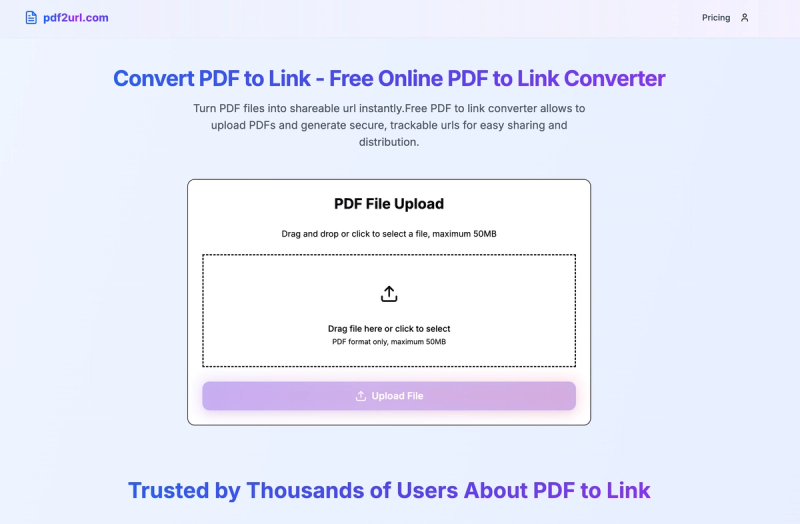
PDF to Link is a free online tool that converts PDF files into secure, trackable shareable URLs instantly, without requiring registration.
What is PDF to Link?
PDF to Link is a web-based converter that accepts PDF files up to 5 MB and generates a unique, shareable URL. The platform runs in any modern browser and is provided as a free service with optional paid plans for larger file sizes. It focuses on security and analytics, offering password protection and expiration settings for each link.
Key Features
- Lightning Fast Conversion — Upload a PDF and receive a shareable link within seconds; optimized infrastructure ensures instant processing with no waiting.
- Secure & Private — Enterprise-grade encryption protects files during upload and storage; optionally add password protection and set expiration dates (default 7 days) to control access.
- Detailed Analytics — Track every view, click, and download; the dashboard shows viewer locations, devices, and traffic sources for each link.
- No Registration Required — Start converting PDFs to links immediately without signing up; the tool is ready to use right from the homepage.
- Mobile Friendly — Responsive design works seamlessly on smartphones, tablets, and desktops, allowing access from any device.
- Unlimited Conversions — Convert as many PDFs as needed with no restrictions; the free tier does not cap the number of conversions.
Who Is PDF to Link For?
- Business professionals — Share proposals, contracts, and reports with clients securely while tracking engagement.
- Educators — Distribute course materials, assignments, and study guides to students via simple links, with analytics to see what's accessed.
- Marketers — Share brochures, catalogs, and product sheets by embedding links in emails and social media for seamless distribution.
- Freelancers — Securely share legal documents or portfolio pieces with password protection and control access expiration.
How Does PDF to Link Work?
- Upload Your PDF File — Drag and drop or click to select a PDF (max 5 MB). The file is processed instantly.
- Get Your Shareable URL — A unique, secure link is generated immediately. Optionally customize with password protection and an expiration date.
- Share and Track Your PDF Link — Copy the link and share via email, social media, or embed on a website. The analytics dashboard tracks views, clicks, and viewer details.
Frequently Asked Questions
How do I convert PDF to link?
Upload your PDF file using the converter on the homepage, and within seconds you receive a unique shareable link. The tool maintains the original quality and makes the document accessible online instantly.
Is the PDF to link converter free to use?
Yes, the converter is completely free with no registration required. You get unlimited conversions for files up to 5 MB. Paid plans raise the file size limit.
Can I track who views my PDF after converting?
Absolutely. Detailed analytics show view counts, timestamps, viewer locations, devices, and traffic sources for every link you create, helping you understand engagement.
How long does a PDF to link remain active?
By default, links remain active permanently. You can set a custom expiration date during conversion to control how long the link stays accessible.
Can I add password protection?
Yes, you can enable password protection when converting. Only users with the password can access the PDF link, adding an extra layer of security.