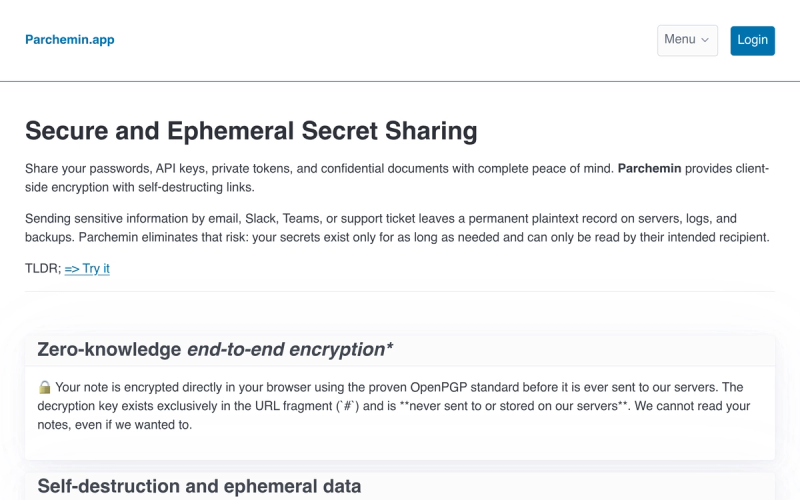
Parchemin is a browser-based secret-sharing service that encrypts passwords, API keys, tokens, and documents client-side with OpenPGP and delivers them through single-use, self-destructing links.
What is Parchemin?
Parchemin is a client-side encrypted secret sharing tool: you write a message, upload a file, or record an audio note in a browser, and it returns a unique link whose decryption key lives only in the URL fragment. Encryption happens with the OpenPGP standard before anything is sent, so the note, the key, and the recipient's name stay unreadable to Parchemin's servers. Recipients open the link in any modern browser and decrypt it without an account or app install.
What makes Parchemin stand out?
- Client-side OpenPGP encryption — Notes are encrypted in the browser before upload, and the decryption key exists exclusively in the URL fragment after the
#, which is never sent to or stored on Parchemin's servers. - No ads or third-party analytics — The site states it carries no advertising, no tracking pixels, and no third-party analytics scripts, contrasting itself with legacy tools such as Privnote.
- Text, file, and audio input — A secret can be a written message, an uploaded document, or an audio note recorded in the browser.
- Account-free recipient access — Anyone with the link decrypts it instantly in a modern browser, with no sign-up and no application to install.
- Administrator guardrails — Admins can enforce a mandatory expiration cap, require a secondary password for specific domains or workspaces, and force strict single-read destruction for team members.
Who should use Parchemin?
- Developers and DevOps engineers: send an API key or private token to a teammate without leaving a plaintext copy in chat history, mail servers, or ticket logs.
- IT and security administrators: enforce organization-wide rules — an expiration ceiling, a required secondary passphrase per workspace, or forced single-read — across confidential sharing.
- Customer-facing teams: hand an external provider, customer, or colleague a temporary credential or document that dies after one opening.
- Individuals sharing credentials: move a password out of email, Slack, Teams, or a support ticket where it would persist indefinitely on servers and backups.
What can you do with Parchemin?
- Send a one-time password: paste the credential into a note, enable burn-after-reading, and share the generated link over your usual channel so the secret is unreadable after the first open.
- Ship a confidential file: upload the document and attach an expiry window between one hour and thirty days instead of emailing an attachment that lives on mail servers indefinitely.
- Record a verbal handover: capture an audio note in the browser for a spoken secret, encrypted the same way as text and files.
- Enforce company policy: as an administrator, set a mandatory expiration cap and require a secondary password for certain domains so team notes cannot outlive internal policy.
How does Parchemin work?
- Create the note: write a message, upload a file, or record an audio note.
- Set security options: choose an expiration period, enable burn-after-reading, or add a password — team members inherit company policy automatically.
- Share the link: Parchemin generates a unique single-use link containing the client-side decryption key.
- Destruct: once read or expired, the encrypted content is irreversibly deleted from the database.
Alternatives
- Privnote — a legacy encrypted-note service that Parchemin explicitly contrasts with its own no-advertising, no-tracking-pixel, no-third-party-analytics stance.
FAQ
Can Parchemin read my notes?
No. Encryption is done in your browser with OpenPGP before the note is uploaded, and the decryption key sits only in the URL fragment after the #, which the site states is never sent to or stored on its servers. Staff cannot decrypt the payload even if they wanted to.
How long can a shared note live?
You choose an automatic expiration period ranging from 1 hour to 30 days, or you can enable burn-after-reading instead. Once the note is viewed or the timer runs out, the encrypted content is permanently and irrevocably deleted from the system.
Do recipients need an account or app?
No. Recipients open the encrypted link and decrypt it instantly in any modern browser, with no account creation and no software installation. The sender does not need a credit card, and the page describes sign-up as simple.
Is Parchemin free?
No. It is currently free while in still in beta, but should become paid-for fairly soon.
What kinds of secrets can I send?
Passwords, API keys, private tokens, and confidential documents. Input formats are a written message, an uploaded file, or an audio note recorded in the browser, all encrypted client-side and delivered as a single-use link.