
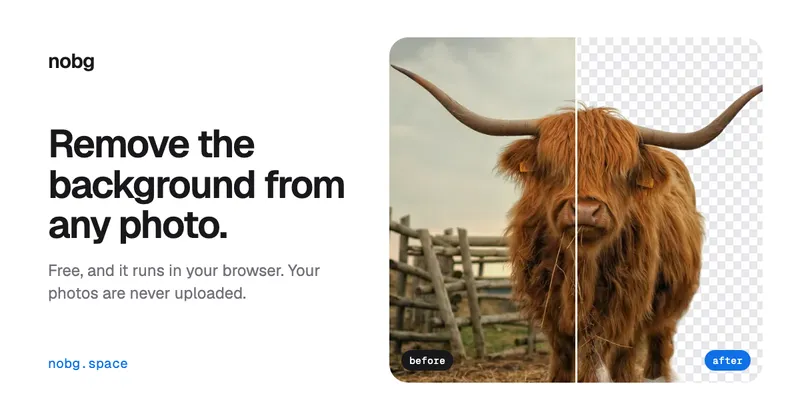
NoBG.space is a free AI background remover that runs entirely inside your browser, cutting subjects out of photos on your own device and returning a transparent PNG download with no watermark or account required.
What is NoBG.space?
NoBG.space is an in-browser background removal tool. You drop in a photo — PNG, JPG, WEBP or HEIC, including high-resolution files — and the segmentation model runs locally rather than on a server, then hands back a PNG with a transparent background. It handles product shots, people, animals, cars, graphics and illustrations, and includes zoom-in erase and brush tools for fixing edges. The page states no maker or company name beyond the NoBG.space site itself.
What makes NoBG.space stand out?
- On-device processing — the cut-out model runs in the browser, so the source photo is never uploaded to a server according to the site; zero cloud uploads is the stated default for the web app.
- Broad input formats — accepts high-res PNG, JPG, WEBP and HEIC, and supports drag-and-drop, a file picker, or pasting with Ctrl+V.
- Transparent PNG output — downloads a PNG with an alpha channel, no watermark and no account creation.
- Manual edge touch-up — zoom in and correct stray pixels with erase and brush tools before exporting.
- Subject coverage — the gallery and demos cover products, people, animals, cars and flat graphics, and the copy calls out hair and product edges specifically.
- Batch removal — the online-store section mentions bulk removal of a whole folder of product photos.
- Background replacement preview — sample scenes (beach, alley, flower wall, white room) show the same cut-out dropped onto different backdrops.
- Developer API — a REST endpoint accepts an image file with an API key header and returns a PNG, billed per image via credits rather than a subscription.
Who should use NoBG.space?
- Online store owners — turn supplier or phone photos into clean white or transparent product images, with bulk removal for a whole folder.
- Photographers — cut portrait and studio subjects out without hand-drawing masks in an editor.
- Designers and marketers — produce transparent PNGs for ads, thumbnails and social posts, then composite them onto new backgrounds.
- Developers — call the API from their own app for automated, pay-per-image background removal.
What can you do with NoBG.space?
- E-commerce catalog cleanup: drop a folder of sneaker or product shots in and get transparent PNGs ready for listing pages.
- Ad and thumbnail compositing: export a person or object cut-out and place it over a beach, alley, flower wall or plain white room scene.
- Portrait retouching prep: isolate a subject from a studio shot, then fix hair and edge details with the built-in brush tools before export.
- App automation: POST an image file to the API endpoint with an API key and receive a processed PNG back in your own pipeline.
How does NoBG.space work?
The workflow is four steps and requires no install. Add a photo by dropping it in, picking a file, or pasting with Ctrl+V; the on-device model runs for a few seconds; zoom in and touch up edges with erase and brush tools if needed; then download a transparent PNG. No watermark and no account are required.
Pricing
The browser tool is free, with no signup and no watermark on downloads. The developer API is the paid path: it is billed per image using credits, with no subscription, and images are only uploaded to servers when a developer sends them to the API.
FAQ
Are my photos uploaded anywhere?
No. The web background remover runs inside your browser on your own device, so the photo never leaves your computer or phone. The exception is the paid API, which does upload images — but only when a developer explicitly posts them to that endpoint.
Is NoBG.space really free?
Yes for the browser tool: removal and transparent PNG downloads cost nothing, need no signup, and add no watermark. The API is the paid component, charged per image through credits rather than a recurring subscription.
Can I fix a bad cut-out?
Yes. After processing you can zoom in and repair edges with the erase and brush tools before downloading the PNG, which helps with hair strands and thin product edges.
Do I need to install anything?
No installation is needed. The remover runs in a browser tab, and images can be added by dropping a file, choosing one from the file picker, or pasting directly with Ctrl+V.


