
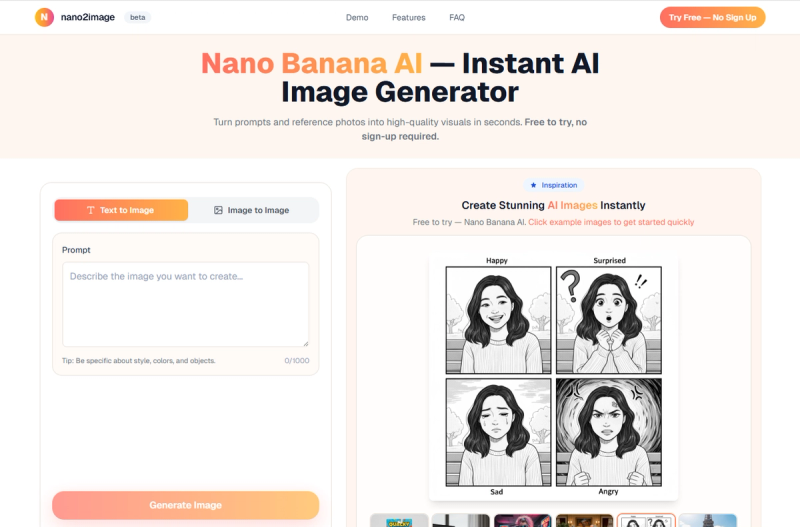
Nano2Image is a fast AI image generation platform for creating product photos, virtual try-ons, portrait variations, and controlled edits, offering Text-to-Image (T2I) and Image-to-Image (I2I) modes with a focus on repeatable commercial workflows.
What is Nano2Image?
Nano2Image is a web-based AI image workflow platform that takes text prompts or reference photos as input and produces high-quality images up to 1024x1024 resolution (standard). It runs in any modern browser and is powered by Nano Banana, a quick preset mode for vibrant, colorful results. An account is required to generate images, but initial exploration of the interface and prompt library is free.
Key Features
- Text-to-Image & Image-to-Image — Generate images from written descriptions or transform uploaded photos using text instructions.
- Ultra-low-latency generation — Most images are produced in 2–5 seconds, enabling rapid iteration.
- Fine-grained controls — Adjust strength, guidance scale, aspect ratio (1:1, 3:4, 4:3, 16:9, 9:16), and seed for consistent outputs.
- Pre-built style presets — One-click templates for 3D figurine, vintage portrait, vacation resort, virtual try-on, portrait variations, Japandi interior, and product cutout.
- Edit photos with text — Modify colors, lighting, objects, or mood by typing changes (e.g., "add soft glow").
- Multiple variations — Generate several versions of an image to find the perfect result.
- Commercial-ready outputs — All paid plans include full commercial usage rights for marketing, e-commerce, and brand assets.
- Safety & provenance — Built-in safety checks and optional invisible provenance markers.
Who should use Nano2Image?
- E-commerce sellers — Create catalog-ready product photos with white backgrounds and professional lighting.

- Social media managers — Generate viral-style 3D figurine portraits and retro film aesthetics for engaging content.
- Fashion designers & stylists — Perform virtual try-ons with realistic garment fitting and produce vacation resort lookbooks.
- Interior designers — Transform room photos into serene Japandi-style spaces for client presentations.
What can you do with Nano2Image?
- Turn selfies into 3D collectible figurines — Apply the 3D figurine preset to create toy-box-style images with accessories.
- Create vintage portrait photos — Apply retro film aesthetics with dramatic lighting for artistic portraits.
- Generate vacation resort looks — Build a complete wardrobe of elegant resort wear using the vacation preset.
- Perform virtual clothing try-on — Seamlessly apply different outfits while maintaining photorealistic lighting and draping.
- Produce professional portrait variations — Generate multiple studio-quality headshots with subtle pose and expression changes.
- Transform interiors to Japandi style — Apply minimalist, natural-material aesthetics to interior photos.
- Make product cutouts — Remove backgrounds and create clean, white-background product shots for listings.
How does Nano2Image work?
Choose a preset or start from scratch. Upload a reference photo (for I2I) or type a text prompt (for T2I). Adjust controls like strength and aspect ratio, then click Generate. Results appear in seconds. You can further refine by editing with text commands or generating new variations. All generated images are saved to your account history.
Pros and cons
- Pros: Very fast generation (under 3 seconds average), intuitive interface, wide variety of style presets, commercial license included, no need for advanced skills.
- Cons: Standard output resolution limited to 1024x1024 (no native 4K in base plans), account required to generate (no true anonymous use), free tier not available beyond initial trial.
Pricing
Nano2Image offers a freemium model with three monthly subscription tiers:
- Starter — $10/month for 100 images.
- Pro — $25/month for 400 images (most popular).
- Enterprise — $50/month for 1000 images.
All plans include commercial usage rights, multiple aspect ratios, and standard resolution. A yearly option is available, saving 30%.
FAQ
Is Nano2Image free?
You can explore the interface and prompt library without an account, but generating images requires signing up and choosing a paid plan. There is no permanent free tier.
What image sizes are supported?
Common aspect ratios (1:1, 3:4, 4:3, 16:9, 9:16) with a standard output resolution of 1024x1024 pixels.
Can I use the images commercially?
Yes, all paid plans include full commercial usage rights for websites, marketing, e-commerce, and social media.
Do I need to sign up to try it?
Yes, an account is required to generate images. However, you can view examples and the prompt library without registration.






