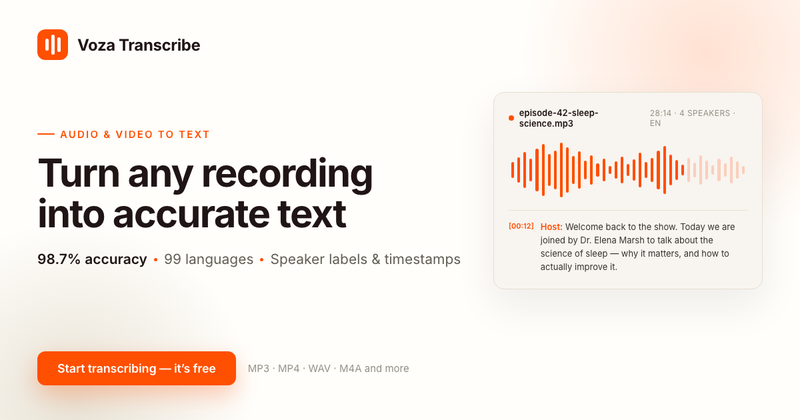
MP3 to Transcript is a free online audio-to-text converter that uses AI speech recognition to turn MP3, WAV, M4A, and 45+ other audio formats into accurate, timestamped transcripts in 99 languages.
What is MP3 to Transcript?
MP3 to Transcript (powered by Voza Transcribe) is a browser-based transcription tool that converts audio files into editable text. You upload an audio file or paste a public link, and the AI transcribes it automatically with word-level timestamps and speaker labels. Transcripts can be downloaded as TXT, Markdown, DOCX, PDF, SRT, VTT, or JSON files. It runs entirely in the web browser, requiring no software installation.
Key Features
- Lightning-fast conversion — A 1-hour MP3 file is transcribed in just a few minutes, compared to 4-5 hours of manual work.
- 98.7% average accuracy — The AI speech recognition handles background noise, accents, and fast speech across supported languages.
- 99-language support — Automatic language detection and regional accent handling for a wide range of languages.
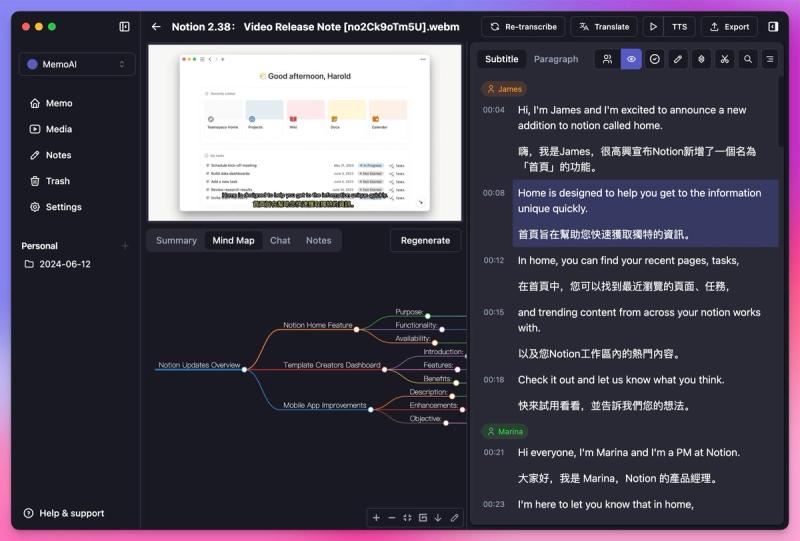
- Speaker labels & word-level timestamps — Automatically distinguishes speakers and provides precise timestamps for easy quoting and navigation.
- Multiple export formats — Download transcripts as TXT, Markdown, DOCX, PDF, SRT, VTT, and JSON; SRT and VTT are ready for YouTube subtitles.
- Secure and private — Uploads are protected with 256-bit SSL encryption, and the service is GDPR compliant.
- Interactive editor — Edit your transcript directly in the browser, with speaker labels and timestamps visible.
- 45+ audio formats — Supports MP3, WAV, M4A, FLAC, OGG, AAC, OPUS, AMR, AIFF, WMA, and more.
Who is it for?
- Content creators & podcasters — Turn episode recordings into blog posts, subtitles, and SEO-friendly transcripts in minutes.
- Business professionals — Convert meeting and call recordings into searchable notes and action items, keeping teams aligned and compliant.
- Journalists & researchers — Transcribe interviews quickly, find exact quotes, and verify facts across 99 languages.
- Students & educators — Transform lectures and tutorials into clear study notes for better comprehension and revision.
Use cases
- Podcast repurposing: Upload a podcast episode and export an SRT file for YouTube subtitles plus a Markdown transcript for a blog post.
- Meeting notes: Convert a recorded team meeting into a searchable DOCX with speaker labels to capture action items.
- Interview transcription: Generate a timestamped JSON transcript for qualitative data analysis and citation.
- Lecture notes: Turn an audio recording of a class into a PDF transcript for study and revision.
How does it work?
- Upload your audio file — Drag and drop your MP3 (or one of the 45+ supported formats) or paste a public link; the language is auto-detected.
- AI transcribes your audio — The speech-to-text engine processes the file, even long recordings or those with noise and varied accents, with an average accuracy of 98.7%.
- Download or edit your transcript — Export in your preferred format (TXT, Markdown, DOCX, PDF, SRT, VTT, JSON) or edit directly in the interactive editor with speaker labels and timestamps.