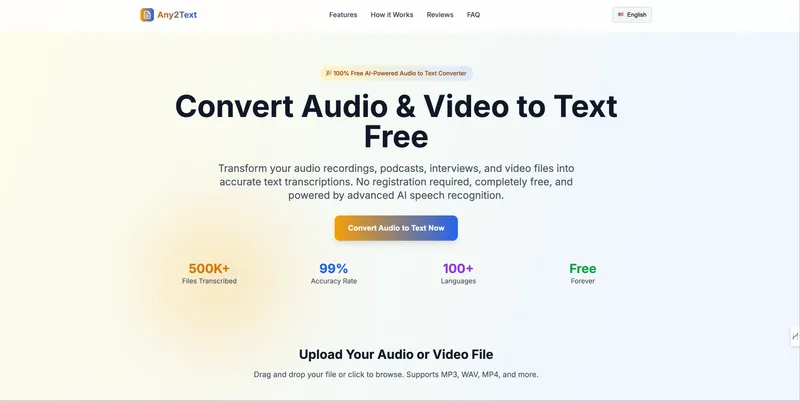
MP3 to Text is an AI-powered online tool that converts MP3 audio files into accurate written transcripts, supporting 90+ languages and offering export to multiple formats.
What is MP3 to Text?
MP3 to Text is a web-based AI transcription service that takes audio files (MP3, WAV, M4A, FLAC, etc.) and outputs text transcripts with optional timestamps and speaker labels. It runs entirely in the browser with no downloads required, and is developed by the team at mp3-to-text.org. Users upload files up to 5 GB and 10 hours long per file.
Key Features
- Lightning-Fast AI Transcription — Process audio in minutes, not hours, using AI technology.
- Batch Processing — Upload multiple MP3 files at once; each file transcribes independently.
- Industry-Leading Accuracy — Handles accents, background noise, and other audio challenges.
- Multi-Speaker Recognition — Automatically detects and labels speakers, ideal for meetings, interviews, and podcasts.
- Multi-Format Export — Export transcripts as TXT, DOCX, SRT, VTT, PDF, CSV, or Markdown.
- 90+ Languages Supported — Includes English, Chinese, Spanish, French, German, Japanese, Korean, and more with regional dialects.
- Free Tier — 60 minutes of transcription for free after sign-up; no credit card required.
Who is it for?
- Podcasters and broadcasters — Turn episodes into searchable show notes, SEO articles, and chapter timestamps with accurate speaker labels.
- Researchers and academics — Transcribe long interview recordings and lectures for qualitative analysis and citation.
- Journalists and media — Capture accurate quotes from interviews and press conferences to publish faster.
- Educators and trainers — Convert classroom recordings and webinars into accessible captions and handouts.
- Teams and professionals — Turn meeting recordings and client calls into searchable transcripts for action items and decisions.
- Students and learners — Transform lecture recordings into searchable notes for exam prep.
What can you do with MP3 to Text?
- Podcasters: Generate show notes and chapter timestamps for each episode.
- Journalists: Obtain verbatim quotes from interview audio.
- Researchers: Code and analyze interview transcripts with speaker labels.
- Educators: Create accessible captions for classroom recordings.
How does MP3 to Text work?
- Upload — Drag or select an MP3 (or other supported audio/video file) from your device. Files up to 5 GB and 10 hours are accepted.
- Transcribe — Click 'Transcribe' to start AI processing. Transcription typically completes in minutes.
- Export — Download the resulting transcript as TXT, DOCX, SRT, VTT, or other formats, with optional timestamps and speaker labels.
Pricing
MP3 to Text offers a free tier with 60 minutes of transcription. Paid annual plans include:
- Basic Annual — $3.00/month (billed $36/year) for 5 hours per month.
- Pro Annual — $5.00/month (billed $60/year) for 10 hours per month.
- Ultimate Annual — $20.00/month (billed $240/year) for 50 hours per month. One-time packs are also available for additional transcription volume. All paid plans include speaker identification, AI summary, bulk transcription, unlimited storage, and priority email support.
FAQ
Is MP3 to Text free?
Yes, free users receive 60 minutes of transcription after signing up and logging in. Paid plans unlock longer files, higher monthly volume, and advanced features like speaker recognition and bulk transcription.
What languages does MP3 to Text support?
MP3 to Text supports 90+ languages, including English, Spanish, French, German, Italian, Portuguese, Japanese, Chinese, Korean, and most major regional dialects.
How large can uploaded files be?
Each file can be up to 5 GB and 10 hours in length. For longer recordings, split them into shorter parts before uploading.
Can I export transcripts in different formats?
Yes, export to TXT, DOCX, PDF, CSV, SRT, VTT, and Markdown, with optional timestamps and speaker labels.
Can I cancel my subscription anytime?
Yes, cancel from your account settings at any time with no fees. Access continues until the end of the current billing period.