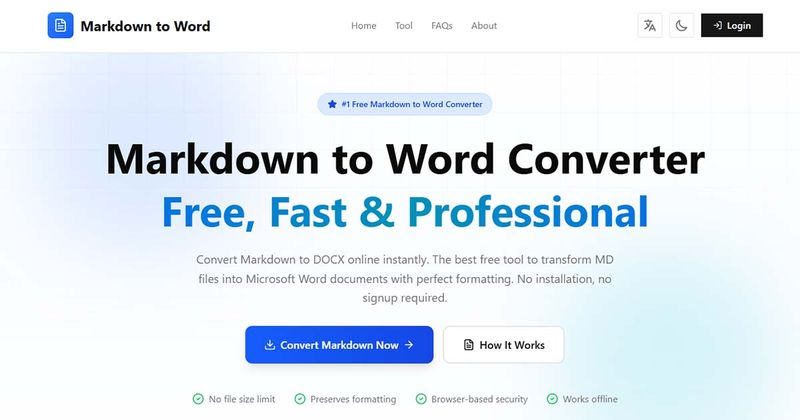
Markdown to Word is a free online browser-based converter that transforms Markdown text into professional .docx files with perfect formatting preservation.
What is Markdown to Word?
Markdown to Word (available at markdowntoword.dev) is a client-side web tool that takes Markdown content as input — either typed or pasted into its editor — and outputs a standard Microsoft Word (.docx) document. No installation, registration, or data upload is required; all processing happens locally in the browser. It supports all common Markdown syntax including GitHub Flavored Markdown and CommonMark.
Key Features
Instant client-side conversion — Markdown is processed entirely in your browser; no files are sent to any server, ensuring privacy.
Full Markdown syntax support — Headings (H1–H6), bold, italic, strikethrough, ordered/unordered lists, code blocks with monospace formatting, tables, blockquotes, links, images, and horizontal rules.
Real-time preview — See how your document will look in Word format before downloading, with professional Microsoft Word styling.
Intelligent image handling — Automatically embeds remote images (HTTP/HTTPS) and Base64 images; for local paths or broken URLs, a drag-and-drop upload manager lets you replace missing images.
No file size limit — The tool recommends keeping files under 10 MB for optimal performance, but there is no hard cap.
100% free — No registration, no premium tiers, no watermarks, and no usage limits.
Works offline — After the initial page load, conversion and editing can continue without internet (except for fetching remote images).
Who is it for?
Developers and technical writers who need to convert Markdown documentation (READMEs, API docs, wikis) into shareable Word files for non-technical stakeholders.
Students and academics writing papers or theses in Markdown who want a quick, clean export to .docx for submission or collaboration.
Content creators and bloggers who draft in Markdown and need to supply Word documents to editors or clients.
Anyone who wants to share Markdown-formatted content with users who don't use Markdown editors — simply paste, convert, and send a .docx.
What can you do with Markdown to Word?
Indie developers: Convert GitHub README.md files into formatted Word docs to include in project proposals or client handoffs.
Technical writers: Produce professional software documentation (with tables, code blocks, and images) directly from Markdown source without switching editing tools.
Educators: Transform Markdown lecture notes or assignments into Word documents for distribution to students.
How does Markdown to Word work?
The process follows a simple four-step workflow: (1) Paste or type your Markdown content into the built-in editor. (2) Preview the converted Word document in real time to verify formatting. (3) If your Markdown contains local or invalid image paths, upload replacement images via the drag-and-drop image manager. (4) Click “Convert to Word” to download a fully compatible .docx file.
FAQ
Is Markdown to Word really free?
Yes, it is 100% free with no hidden costs, subscriptions, or premium features. You can convert unlimited Markdown files to .docx without any restrictions on file size or usage frequency.
Do I need to install any software?
No. Everything runs in your web browser on Windows, Mac, Linux, and mobile devices. No downloads, plugins, or account creation are required.
What Markdown syntax is supported?
All standard syntax is supported, including headings (H1–H6), bold, italic, strikethrough, ordered/unordered lists, code blocks, inline code, tables, blockquotes, links, images, and horizontal rules. It also supports GitHub Flavored Markdown (GFM) and CommonMark specifications.
How are images handled during conversion?
Remote images (HTTP/HTTPS URLs) and Base64-encoded images are embedded directly into the Word document. For local file paths or invalid URLs, the image manager lets you upload replacement images to ensure visuals are included.
Is my data safe?
Yes. All processing occurs client-side in your browser. Your content never leaves your device, and no files are stored, tracked, or transmitted to any server.
What file format does the converter output?
It generates standard .docx files compatible with Microsoft Word 2007 and later, Google Docs, LibreOffice Writer, Apple Pages, and other word processors.
Are code blocks and syntax highlighting preserved?
Code blocks are converted to formatted text blocks with monospace fonts and proper indentation. Syntax highlighting is not supported in Word, but the code structure and formatting remain clear.
Can I convert Markdown tables to Word?
Yes, tables are converted to native Word tables with proper formatting, borders, and cell alignment, preserving headers and visual layout.
Is there a file size limit?
No strict limit, but for optimal performance files under 10 MB are recommended. Larger documents may take longer depending on your device.
Does the converter work offline?
Once the page is loaded, conversion works offline (except for fetching remote images, which require internet).