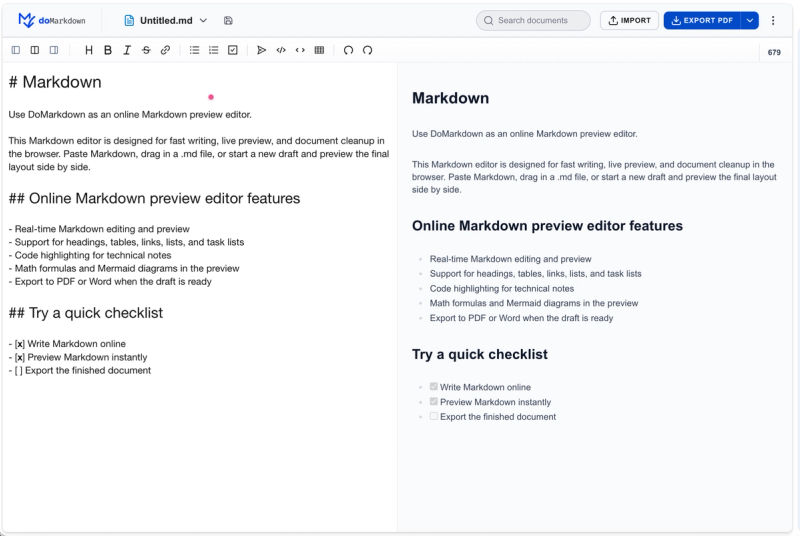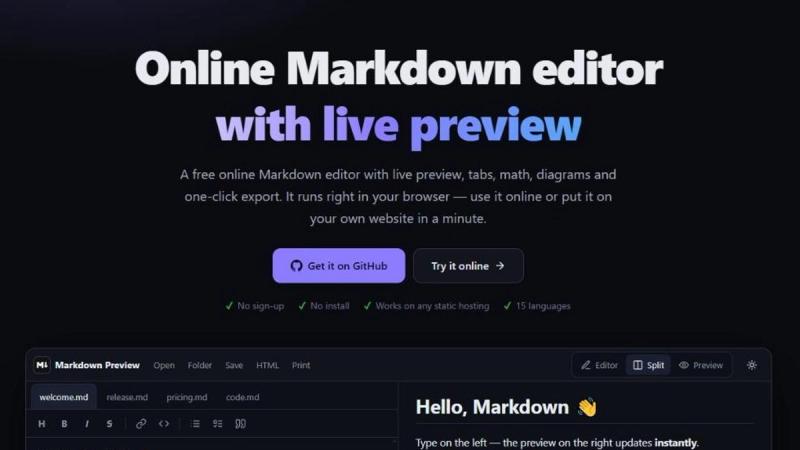
Markdown Preview Editor is a free, open-source Markdown editor that runs entirely in your browser. You type Markdown on the left and see the rendered result on the right, with synchronized scrolling between the two panes. There is nothing to install and no account to create.
Features
- GitHub-Flavored Markdown: tables, task lists, footnotes, alerts, front matter, emoji
- KaTeX math and Mermaid diagrams (flowchart, sequence, Gantt, state)
- Syntax highlighting for 35+ languages
- Multiple tabs with separate undo history; drag & drop files and folders
- Export to self-contained HTML, PDF and .md
- Light and dark themes, mobile layout, 15 interface languages
- Files are processed locally in the browser: no account, no uploads, no cookies, no analytics
- Open source (MIT); self-host with Docker, nginx, Caddy or shared hosting
Who it is for
Developers writing README files and documentation, technical writers, students taking notes with formulas, and anyone who needs to quickly check how a Markdown file will look on GitHub. It also works as a Markdown viewer: drop a .md file into the window to read it formatted.
Export and self-hosting
Documents can be saved as a single HTML file with styles included, printed to PDF, or downloaded as .md. The editor is a static web app, so you can host your own copy on any web server or with Docker.
Also includes: Markdown Viewer, Markdown to PDF converter, Mermaid Live Editor.
Source code: https://github.com/ovasendin/markdown_preview_editor