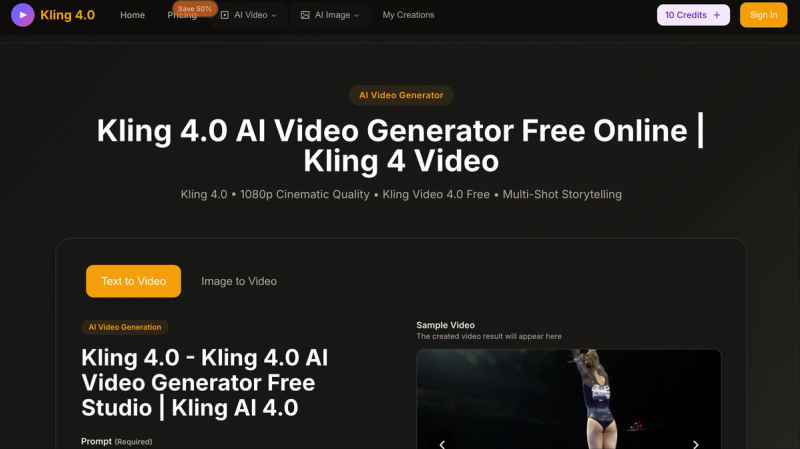
Kling 4.0 is an AI video generator that creates 1080p cinematic videos from text prompts or uploaded images. It runs entirely in a web browser and offers free starter credits.
What is Kling 4.0?
Kling 4.0 is a text-to-video and image-to-video AI model that produces 1080p MP4 clips up to 15 seconds long with multi-shot storytelling. It accepts text prompts (up to 800 characters with an optional smart expansion feature) or reference images as input, and outputs downloadable MP4 videos. The service is accessible through the Kling4.app website and is developed by the team behind the platform. It supports both 720p and 1080p resolution options.
Key Features
- Multi-Shot AI Director — Automatically interprets a script and generates complete multi-shot cinematic scenes with automatic camera control in a single click.
- Omni Native Audio — Generates character-driven dialogue with precise lip sync, supporting multilingual speech, dialects, and accents while keeping speakers clearly separated.
- Up to 15-Second Videos — Creates clips from 3 to 15 seconds in one generation, maintaining narrative flow. The UI offers 5-second and 10-second presets.
- Consistent Characters — Locks key characters and environments across shots so camera movement and scene changes do not break visual continuity.
- Flexible Storyboard Control — Builds videos from text prompts, reference images, or video inputs, and allows adjusting scenes by adding, editing, or removing elements at any time.
- Native-Level Text Rendering — Renders crisp, structured on-screen text without information loss, ideal for ads, subtitles, overlays, and e-commerce visuals.
- Smart Expansion — Auto-enhances short prompts to generate more detailed outputs (toggle on/off).
Who is it for?
- Social media managers — produce professional 1080p videos for platforms like Instagram, TikTok, and YouTube without needing video editing skills.
- Marketers and advertisers — create on-screen text overlays, product demos, and promotional clips with clean text rendering and lip-synced voiceovers.
- Content creators and storytellers — generate consistent character-driven narratives across multiple shots for short films or presentations.
- Business teams — produce internal training videos, pitch decks, or explainer videos with a commercial use license granted on paid plans.
What can you do with Kling 4.0?
- Generate social media videos — turn a product description or image into a 10-15 second 1080p clip with background music and voiceover for ad campaigns.
- Create storyboard sequences — write a multi-scene script and have the AI interpret shot composition, camera angles, and transitions automatically.
- Produce consistent character animations — maintain a character’s appearance across multiple shots by uploading a reference image and using the consistent character feature.
- Add multilingual dialogue — generate lip-synced speech in different languages or accents for localized marketing content.
How does Kling 4.0 work?
- Choose the Kling 4.0 generator and select text-to-video or image-to-video mode.
- Enter a text prompt (up to 800 characters, optionally enable Smart Expansion) or upload an image. Select aspect ratio (16:9, 9:16, 4:3, 3:4, 21:9, 1:1), video quality (720p HD or 1080p Full HD), and duration (5 or 10 seconds).
- Click “Generate with Kling 4.0” and wait typically under a few minutes (99.5% success rate). The generated video appears in the sample area for preview and download.
Pricing
Kling 4.0 operates on a freemium model. New users receive free credits upon signing in. Paid annual plans are offered at a 50% discount during the Christmas promotion:
- Basic — $9.9/month (billed yearly: 9600 credits/year, ~80 videos/month)
- Professional — $19.9/month (billed yearly: 24000 credits/year, ~200 videos/month)
- Enterprise — $49.9/month (billed yearly: 72000 credits/year, ~600 videos/month) All paid plans include commercial use, unlimited downloads, and permanent video history. Monthly billing is also available.
FAQ
Is Kling 4.0 free?
Yes, you can start with free credits by signing in on the website. Free users receive starter credits that allow a few video generations; paid plans refill credits monthly.
What video formats can I download?
All generated videos are downloaded in MP4 format, suitable for marketing, social media, and professional use.
How long does a generation take?
Generation is typically completed within minutes, with a 99.5% success rate reported by the service.
Can I use Kling 4.0 on mobile?
Kling 4.0 works in any modern mobile browser — no app is required.
Are there any limitations on free usage?
Free accounts have a credit limit; once exhausted, you must purchase a plan or wait for a new credit cycle. Free users may also have lower generation priority and watermarks (paid plans remove watermarks).