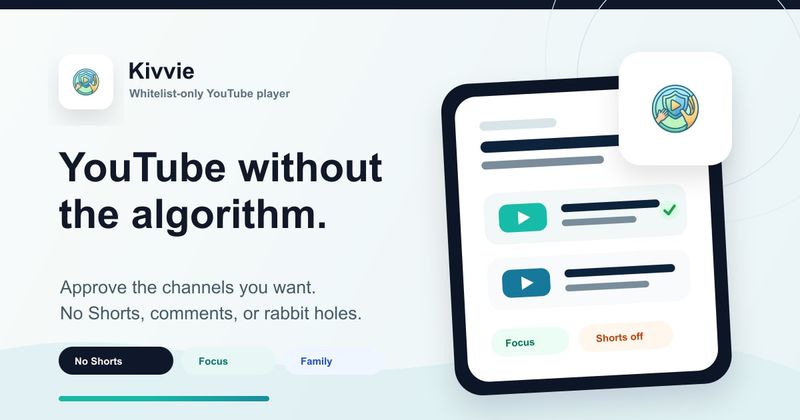
Kivvie is a whitelist-only YouTube player for kids that converts parent-approved channels and individual video playlists into a child's complete video feed on iOS and Android, leaving out the standard YouTube home, Shorts feed, comments, and open search.
What is Kivvie?
Kivvie is a parental-control video app for families who want YouTube's library without the open feed. Parents use the web dashboard at kivvie.app to create profiles and approve public YouTube channels or individual video links; the child app then shows only those approved channels and playlist videos. The child app runs on iOS and Android, while the dashboard works in any browser. The page does not name a maker or company behind the product. Google sign-in connects the parent dashboard to the child app.
What makes Kivvie stand out?
- Parent-set whitelist — Parents approve any public YouTube channel or start with pre-approved Channel Packs; new uploads from approved channels can appear automatically, and channels can be removed at any time.
- No standard YouTube surfaces — The child feed leaves out the standard YouTube home, Shorts tab and swipe feed, comments, and open search.
- Per-child profiles — Each child gets a separate channel list and playlists, so younger siblings do not inherit an older child's feed.
- Custom video playlists — On paid plans, parents paste specific YouTube video links into a named playlist, drag videos into order, and each playlist appears as its own row in the mobile app. Each playlist holds up to 20 videos, and videos three minutes or shorter cannot be added.
- Dashboard-to-app sync — Changes made on the web dashboard sync to the child's iOS or Android app right away.
- Free starting tier — The free plan covers one child profile and five approved channels per child without a credit card.
- Approval from any public, embeddable channel — Parents can approve channels that may not be available in YouTube Kids.
Who should use Kivvie?
- Parents of young children who watch specific channels: They approve channels such as Bluey, Numberblocks, science, drawing, or music channels and hand over a feed limited to those picks.
- Families with multiple children of different ages: They create separate profiles so a younger sibling receives only the channels and playlists chosen for that child.
- Parents replacing YouTube Kids' Approved content only mode: They use Kivvie when they want the child to browse only assigned channels and playlists rather than receive recommendations within an approved set.
- Parents who want to keep a child's favorite niche channels: They approve public hobby or interest channels that may not appear in YouTube Kids and let new uploads flow in automatically.
What can you do with Kivvie?
- Approve a channel whitelist: Choose public YouTube channels from the dashboard, optionally starting with parent-curated Channel Packs, and let new uploads appear automatically until you remove a channel.
- Build custom playlists of individual videos: On a paid plan, paste YouTube video links into a named playlist, drag them into order, and show that playlist as a separate row in the child app while the rest of the source channel stays blocked.
- Give each child a separate feed: Create independent profiles so each child sees only the channels and playlist videos assigned to them.
- Keep the YouTube library without the open feed: Retain music, stories, lessons, and niche interests while leaving out the standard home, Shorts feed, comments, and open search.
How does Kivvie work?
Parents sign in with Google in the web dashboard and create a child profile. They approve any public YouTube channel or add a Channel Pack, and on a paid plan they can paste individual video links into a playlist with drag-and-drop ordering. The child signs in on the iOS or Android app, selects the profile, and browses only the approved channels and playlist videos. Dashboard changes sync to the app right away.
Pricing
Kivvie is free for one child profile and five channels per child, with no card required. The Monthly plan costs $4.99 per month, the Yearly plan costs $49 per year and saves over 15 percent, and the Lifetime plan costs $99 as a one-time payment. Paid plans add unlimited child profiles, unlimited channels per child, custom playlists of individual videos, and priority support. All paid plans can be canceled anytime.
Alternatives
- YouTube Kids — Offers an Approved content only mode but still recommends within the approved set; Kivvie lets the child browse only the channels and playlists a parent assigned.
- WhitelistVideo — Mentioned on Kivvie's comparison link as another whitelist app with a different approach.
FAQ
What channels can I approve on Kivvie?
You can approve any public YouTube channel, including Khan Academy Kids, Bluey, Numberblocks, or hobby channels. You can start with pre-approved channels from Channel Packs or search YouTube from the parent dashboard and add your own. Each child profile keeps its own approved list.
Does Kivvie show YouTube Shorts and comments?
No. Kivvie does not include YouTube's Shorts tab or swipe feed, and comments are not shown. Children browse approved channels and playlists of individual videos instead of the standard YouTube home or open search. Videos three minutes or shorter cannot be added to a playlist.
How do custom playlists work on Kivvie?
A custom playlist is a private list of individual YouTube videos made for one child. In the parent dashboard, you name it, paste YouTube video links, and drag videos into order. It appears as its own row in the mobile app once it has at least one available video. Playlists are paid features, and each playlist holds up to 20 videos. You can use a video from a channel you have not approved while the rest of that channel stays blocked.
What devices does Kivvie work on?
Parents manage everything from kivvie.app in any browser on any device. Children watch on the Kivvie mobile app, available on iOS and Android. Changes made in the dashboard sync to the child's app right away.
Is Kivvie free to use?
Kivvie has a free tier for one child profile and five channels per child, with no card required, and it includes web and mobile access without a Shorts feed or comments. Unlimited profiles, unlimited channels, and custom playlists require the monthly, yearly, or lifetime plan.