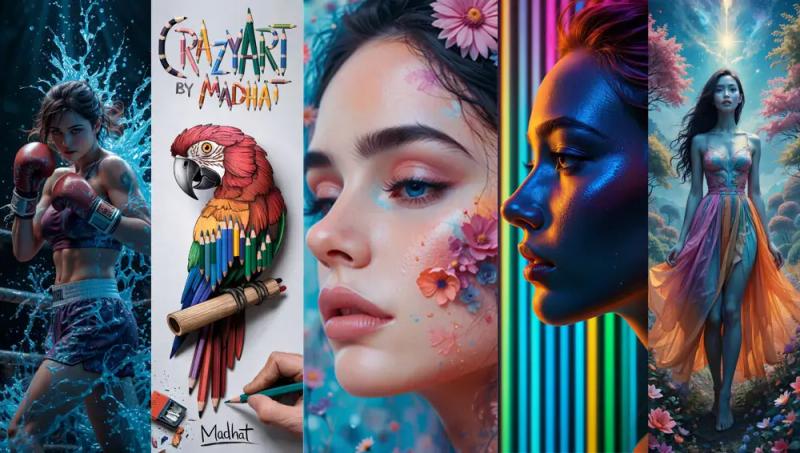
KI Bild erstellen is a web-based AI image generator that creates high-quality visuals from text descriptions, optimized for German-speaking users and offering a free trial without registration.
What is KI Bild erstellen?
KI Bild erstellen is an AI-powered platform that converts text prompts into images. Users input a detailed description, optionally select a style (realistic, comic, abstract, artistic, etc.), and the system generates a corresponding image within approximately 10 seconds. The platform is developed by a dedicated team focused on advanced AI systems and tools, with models specifically trained for German language and preferences. It runs entirely in the browser, requiring no downloads or technical setup.
Key Features
- Optimized German AI Models — Models are fine-tuned for German text inputs and cultural preferences, delivering precise and creative results tailored to local users.
- Intuitive Interface — A user-friendly design that requires no technical knowledge; anyone can generate images in a few clicks.
- Rapid Generation — Most images are produced in under 10 seconds, enabling quick iteration and immediate use.
- Multiple Style Support — Supports styles including realistic, comic, abstract, artistic, vintage, and more, specified via the text prompt.
- Free Trial Without Registration — Start creating immediately without creating an account; test all core features at no cost.
- No Watermark on Paid Plans — Subscriptions (Pro, Premium, Ultimate) remove watermarks; the one-time purchase option includes a watermark.
- Commercial Usage Rights — Paid plans allow commercial use of generated images for advertising, print, and digital projects.
- Credit-Based System — Each image generation costs 5 credits, video functions cost 20 credits; plans offer monthly credit allowances (600, 2000, or 4000 credits) with varying storage durations (7 or 30 days).
Who is it for?
- Content creators needing quick, custom visuals for social media posts or blog articles without hiring a designer.
- Marketers looking to generate on-brand images for campaigns, ads, or promotional materials with commercial rights.
- Designers seeking inspiration or base images to iterate on in their own creative workflows.
- Hobbyists and curious users wanting to explore AI-generated art with no upfront commitment.
What can you do with KI Bild erstellen?
- Generate marketing visuals: Create product images, social media graphics, or ad banners directly from descriptive text, then use them commercially.
- Illustrate concepts: Visualize abstract ideas or storyboards for presentations, pitches, or creative projects in seconds.
- Experiment with styles: Quickly compare how a subject looks in different artistic styles (e.g., realistic vs. comic) to find the perfect aesthetic.
How does KI Bild erstellen work?
- Enter a detailed text prompt describing the desired image, optionally specifying a style.
- Click generate; the AI processes the request and produces an image in about 10 seconds.
- Download the result or refine the prompt to generate variations. No registration is required for the free trial.
Pricing
KI Bild erstellen operates on a freemium model. The free trial provides limited usage without registration. Paid plans start at €6.90/month (Pro, billed yearly) for 600 monthly credits, €13.90/month (Premium) for 2000 credits, and €19.90/month (Ultimate) for 4000 credits. A one-time purchase of 400 credits (€8.88) is also available, though it includes watermarks. All paid plans remove watermarks except the one-time purchase. Credits are consumed per generation (5 for images, 20 for videos). Payments are accepted via major credit cards, Apple Pay, Google Pay, and more.
FAQ
Is KI Bild erstellen really free?
Yes, the platform offers a full-featured free trial that requires no registration. You can generate multiple images to test the quality and speed before committing to a paid plan.
Can I use generated images for commercial purposes?
Commercial usage is permitted only with paid plans (Pro, Premium, Ultimate, or the one-time purchase). The free trial may have restrictions on commercial use; check the terms for details.
What styles can I choose from?
The AI supports a wide range of styles including realistic, comic, abstract, artistic, vintage, and more. Specify your desired style directly in the text prompt.
Are my generated images stored permanently?
No, images are stored only for the duration specified in your plan (7 days for free and one-time, 30 days for paid subscriptions). Download them promptly to keep them permanently.
How many credits does each generation cost?
Each image generation uses 5 credits, while video functions cost 20 credits. Credits are deducted from your monthly or one-time allowance.