
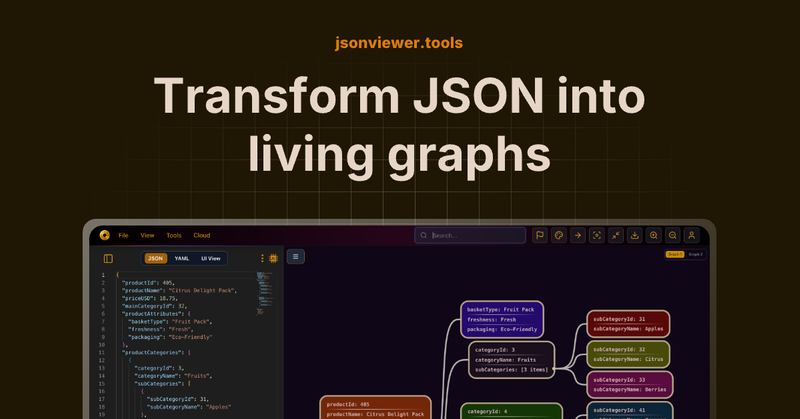
JSON Viewer is a free online tool that transforms JSON, YAML, XML, CSV, TOML, TOON, and Mermaid data into interactive visual graphs for developers and data analysts.
What is JSON Viewer?
JSON Viewer is a web-based application that converts structured data files (JSON, YAML, XML, CSV, TOML, TOON) and Mermaid diagram code into interactive visual graphs. It accepts raw input via paste, file upload, or URL and outputs navigable diagrams, tree views, tables, and charts. The tool runs in any modern browser and is also available as a Chrome extension and a VS Code extension. It is developed and maintained by jsonviewer.tools.
Key Features
- Multi-format input — Accepts JSON, YAML, XML, CSV, TOML, TOON, and Mermaid as input and converts them into interactive visual diagrams in seconds.
- Interactive graph visualization — Displays data as a zoomable, pannable graph with automatic layout; supports custom node colors and personalized themes (Pro).
- Compare JSON graphically — Side-by-side visual diff viewer for multiple JSON files, highlighting differences between versions at a glance.
- Edit JSON from diagrams — Modify node values directly in the graph view without switching to raw JSON text.
- AI-powered generation — AI assistant can generate JSON from images or create dummy JSON based on user prompts.
- Chrome & VS Code extensions — Free extensions let you visualize JSON instantly on any webpage or within the VS Code editor without copying and pasting.
- Mermaid diagram editor — Create flowcharts, sequence diagrams, and ER diagrams using Mermaid syntax with real-time preview and syntax highlighting.
- Export and sharing — Download diagrams as images (free, no watermark on Pro), save documents to secure cloud storage, and share via link (Pro).
Who is it for?
- — to explore and debug JSON API responses, compare configurations, and test REST endpoints with integrated diagram tools.







