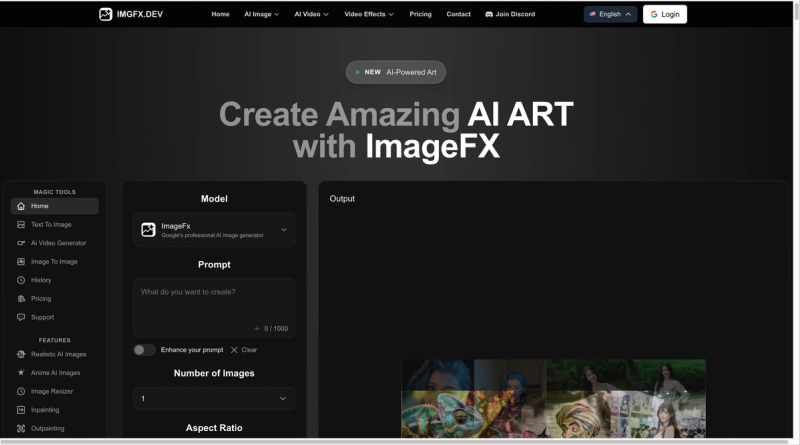
ImageFX is an AI-powered platform that generates high-resolution images and videos from text prompts or image inputs, offering over a dozen specialized models and a freemium pricing model with one-time purchase packages.
What is ImageFX?
ImageFX is a web-based AI image and video generation platform that accepts text descriptions or uploaded images as input and produces professional-grade visuals. It runs entirely in the browser and is developed by an independent team (imgfx.dev). The platform features a wide array of models, including Flux, Seedance, Wan, and Grok Imagine, each optimized for different styles and tasks.
Key Features
- Text-to-Image Generation — Convert written prompts into detailed, high-resolution images using models like Flux Schnell, Flux Dev, and Realistic AI.
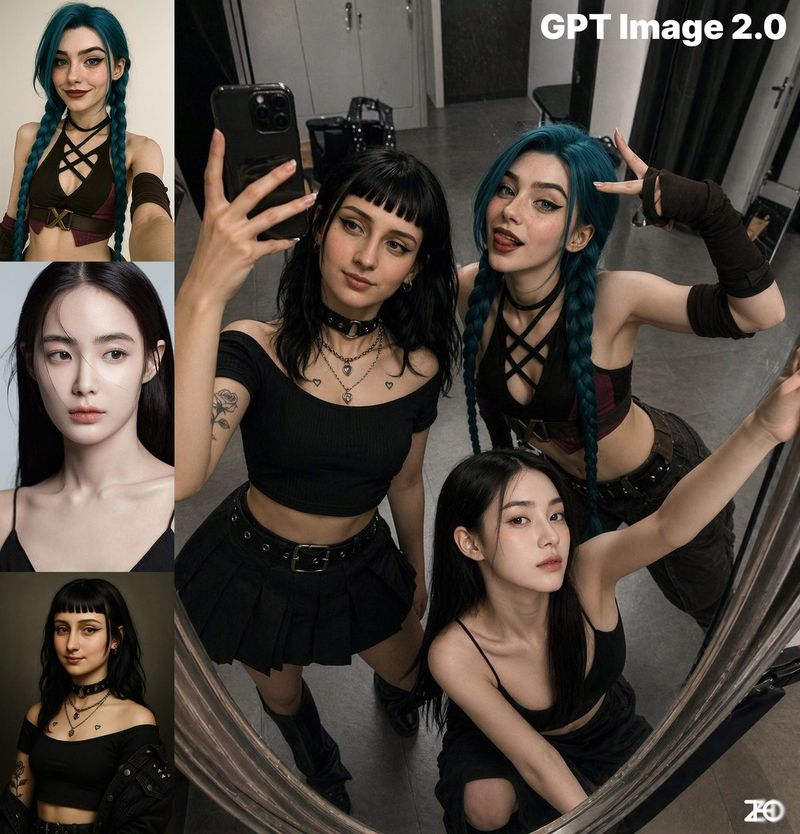
- Image-to-Image Transformation — Upload an existing image and transform it into a new style or composition with AI (e.g., anime, realistic, miniature).
- Video Generation — Create videos from text or image inputs using models such as Seedance 1 Pro, Veo 3, Hailuo 02, Kling 2.1 MasterPro, and Wan 2.5 (cost from 8 to 140 credits per video).
- Advanced Customization — Fine-tune aspect ratio, batch size (1–4), and prompt enhancement; choose from specialized models for anime, realistic, miniature, and more.
- Image Editing Tools — Includes AI-powered inpainting, outpainting, background removal, and image resizing (credit costs from 2 to 7 credits).
- Multiple AI Models — Over 15 models available, including Flux Kontext Pro, Imagen 4, Grok Imagine, and Seedream 4.0, each with specific credit costs (1–23 credits per image).
- Commercial Rights — All generated images come with commercial usage rights.
- Security — Enterprise-grade encryption for data and uploaded images.
Who is it for?
- Digital artists and illustrators — Generate concept art, style variants, and detailed compositions without manual rendering.
- Content creators and social media managers — Produce eye-catching visuals and videos for posts, ads, and stories quickly.
- Marketing and brand designers — Create product mockups, asset variations, and campaign materials at scale.
- Game artists and UI/UX designers — Iterate on character designs, environments, and interface mockups with rapid AI generation.
What can you do with ImageFX?
- Generate realistic product images for e-commerce listings using the Realistic AI model (1 credit/image).
- Create anime-style artwork for manga or game assets with the Anime AI model (1 credit/image).
- Transform landscape photos into miniature diorama-style scenes using the Miniatur AI model (2 credits/image).
- Produce short video clips from text descriptions, such as animated product demos or social media teasers, with models like Veo 3 (23 credits/video).
How does ImageFX work?
- Create a free account to access the generator and credits.
- Write a text prompt or upload an image for transformation.
- Select a model, adjust parameters (aspect ratio, batch size, style), and click Generate.
- Download or edit your creation; paid users can remove watermarks and save to history.
Pros and cons
- Pros: Wide variety of specialized models, integrated video generation, one-time purchase packages (no subscription lock-in), free tier available for testing.
- Cons: Free tier adds watermarks and lacks history saving; credits for advanced models can be expensive (e.g., Grok Imagine at 23 credits/image); some models require manual refinement.
Pricing
ImageFX operates on a freemium model with a free tier that includes basic features (watermarked images, limited credits). Paid options include one-time purchase packages (buy credits once, use anytime) and a Pro upgrade that unlocks additional features (e.g., watermarks removed, history saving, more models). Credit costs per image or video vary by model (1–140 credits).
Alternatives
- Midjourney — Subscription-based, no video generation, higher price point.
- DALL-E 3 — Integrated into ChatGPT, limited style control, no video.
- Stable Diffusion — Open-source, self-hosted, requires technical setup, but free.
FAQ
Is ImageFX free?
Yes, ImageFX offers a free tier with basic AI image generation, but images include watermarks and history saving is locked. Upgrading to a paid plan removes watermarks and unlocks premium features.
What models does ImageFX support?
ImageFX supports over 15 models, including Realistic AI, Anime AI, Flux Schnell, Flux Dev, Seedance 1 Pro, Veo 3, Hailuo 02, Kling 2.1 MasterPro, Wan 2.5, Grok Imagine, Imagen 4, and more, each with specific credit costs.
Can I use ImageFX commercially?
Yes, all images generated with ImageFX come with commercial usage rights, making them safe for professional projects, marketing, and monetization.
Does ImageFX have watermarks?
Yes, free tier images include a watermark. Paid plans (one-time packages or Pro) generate watermark-free images.
How many credits do I get with the free tier?
The free tier provides a limited number of credits (exact amount not listed on the site) to test the platform. Additional credits can be purchased via one-time packages.