
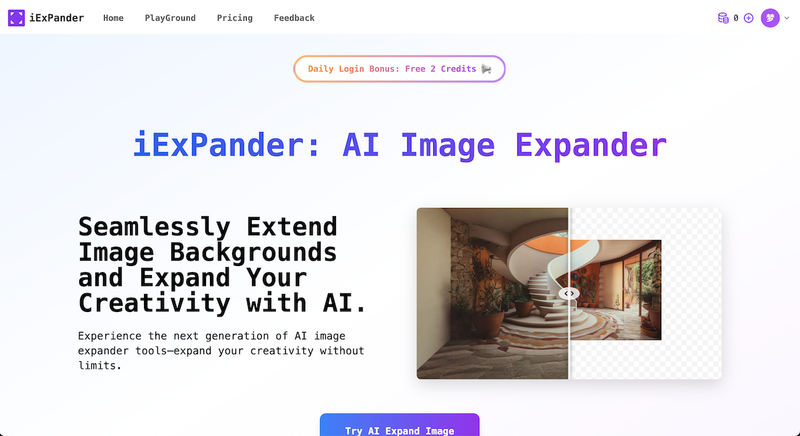
iExPander is an AI-powered image expander that runs in a web browser, letting users extend photos beyond their original borders to any aspect ratio without manual editing.
What is iExPander?
iExPander is an online AI image expander that uses context-aware artificial intelligence to generate new pixels outside the boundaries of an uploaded photo. It takes JPEG, PNG, or WebP images up to 8 MB and produces high-resolution, watermark-free extended versions that match the original's style, lighting, and texture. The tool was developed by iExPander (imageexpander.org) and operates entirely in the browser.
Key Features
- AI-Powered Outpainting — Analyzes the uploaded image's content and style to generate extensions that blend naturally, avoiding stretching or distortion.
- Multiple Aspect Ratios — Supports preset ratios including square 1:1, portrait 4:5, and landscape 16:9, plus custom dimensions to fit any platform requirement.
- One-Click Generation — After uploading and choosing dimensions, a single click triggers the AI; most expansions complete in under 15 seconds.
- Watermark-Free Downloads — All generated images are delivered in high resolution without watermarks, suitable for professional use.
- Batch Generation — Available on paid plans (Basic and Pro), allowing multiple images to be processed in one session.
- Cloud Storage & History — Expanded images are stored for 30 days, and users can manage their creation history online.
- Privacy & Security — Uploaded images are encrypted and automatically deleted after processing; they are not used for any other purpose.
Who should use iExPander?
- Social media creators and influencers — Adapt a single photo to the specific aspect ratios required by Instagram, TikTok, Facebook, and YouTube thumbnails.
- — Expand product images for Amazon, Shopify, or Etsy listings to fit banner ads or add contextual backgrounds.







