
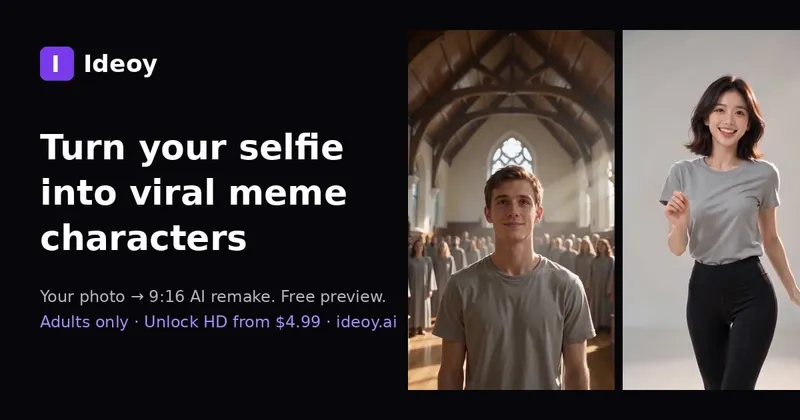
Ideoy is a browser-based AI video tool that turns a single uploaded selfie into a roughly 10-second, 9:16 vertical meme remake built from a small rotating set of trend templates.
What is Ideoy?
Ideoy is a web app that takes one front-facing photo of an adult and animates that person into a short AI-generated meme clip — the site's examples put your face in a choir remake, a two-step dance, the driver's seat of a flying roadster, or a glitch scene where a burning armchair crashes the frame. Output is a 9:16 MP4 of about 10 seconds, generated with MiniMax H3 via fal.ai and labelled as AI-generated. The product is in public beta and runs entirely in the browser with no install; paid checkout is paused while a merchant-of-record review finishes.
What makes Ideoy stand out?
- Template-first workflow — the feed lists six live templates, each card showing duration (~10s), aspect ratio (9:16) and price, with Closed on Sunday — AI Choir Remake as this week's primary template and Flying Car AI as a backup option.
- Free watermarked preview, paid HD — every template renders a free preview under a daily cap; the HD file without a watermark costs $3.99 for a single video or $6.99 with Unlock+.
- One wallet across every template — credits work on any template; 3-, 10- and 30-video packs start at $9.99 and the credits never expire.
- Photo rules stated up front — JPEG, PNG or WebP up to 5MB, one adult per photo, front-facing, soft even light; dark night shots and tiny crops fail.
- Stated data handling — uploaded photos are deleted after 30 days and failed renders are refunded to the wallet.
- No bundled copyrighted audio — Ideoy does not ship original music tracks; you add official TikTok or CapCut sounds yourself after the download.
- No face swap — the tool animates the person in your own upload rather than swapping faces onto someone else, and consent is required before generation; minors, public figures and other people's photos without permission are prohibited.
- Async by design — you can close the tab mid-render; the clip waits in My videos once you are signed in with Google or a one-tap email magic link, with no password.
Who should use Ideoy?
- Short-form creators on TikTok, Reels and Shorts: pick a trending template, upload a selfie and post a ready-made 9:16 MP4 without shooting or editing footage.
- Casual users joining a trend: get the current meme format in about two minutes for a free watermarked preview, then decide whether the $3.99 HD file is worth it.
- Pet owners: the photo guidance accepts a front-facing pet photo as well as a selfie, so an animal portrait can be pushed through the same templates.
- Social teams producing weekly trend content: buy a 10- or 30-video credit pack and spend credits across any template in the feed rather than paying per render.
What can you do with Ideoy?
- Trend-hopping creators: turn one selfie into a choir-remake or two-step-dance clip sized for TikTok and Reels, with official sounds added from CapCut afterward.
- Meme accounts: generate scene-based clips such as a highway roadster liftoff or a calm camping-chair shot with a pickup flying off a dune behind you, all from a single portrait.
- Testers on a budget: render the free daily preview, compare templates, and only pay $3.99 once a result is worth keeping — failed renders are refunded.
How does Ideoy work?
- Pick a template from the feed (~10 seconds); each card shows duration, aspect ratio and the unlock price.
- Upload your photo (~20 seconds) — front-facing selfie or pet, soft light, adults only, JPEG/PNG/WebP up to 5MB — and sign in with email or Google when you unlock so the clip is saved.
- Download and post (~1–2 minutes): the 9:16 MP4 is ready for TikTok, Reels and Shorts; the preview is free, and the HD version without a watermark comes after payment.
Pricing
Ideoy runs a freemium model: a short watermarked preview with a daily limit is free, and paid options are a $3.99 HD unlock for one video, $6.99 for Unlock+, 3/10/30-video credit packs from $9.99, and Basic or Pro monthly plans from $14.99. One credit equals one HD remake (Unlock+ uses two). Checkout is currently paused pending merchant-of-record approval, so paid unlocks are not live yet.
FAQ
Does Ideoy do face swaps?
No. Ideoy has no face-swap feature — it animates the person in your own uploaded selfie into a short AI-generated meme video made with MiniMax H3 via fal.ai and labels the output as AI-generated. Consent is required before generating, and minors, celebrities, public figures and other people's photos without permission are prohibited.
How long does a remake take?
Usually about one to two minutes from upload to finished clip, after roughly 10 seconds to choose a template and 20 seconds to add the photo. You can close the tab during rendering — the finished clip waits in My videos as long as you are signed in.
What photos work best?
A clear, front-facing selfie of one adult in soft, even light, ideally window daylight. JPEG, PNG and WebP files up to 5MB are accepted; dark night shots, blurry photos and tight crops tend to fail. Front-facing pet photos are also allowed.
Is there a free option?
Yes. Every template renders a short watermarked preview subject to a daily cap. HD output without a watermark requires payment, and 30 days after upload your source photos are deleted from the service automatically.
Do I need an account?
Only when you generate or unlock a video, so the clip is saved to My videos. Sign-in is Google or an email magic link — no password is stored.


