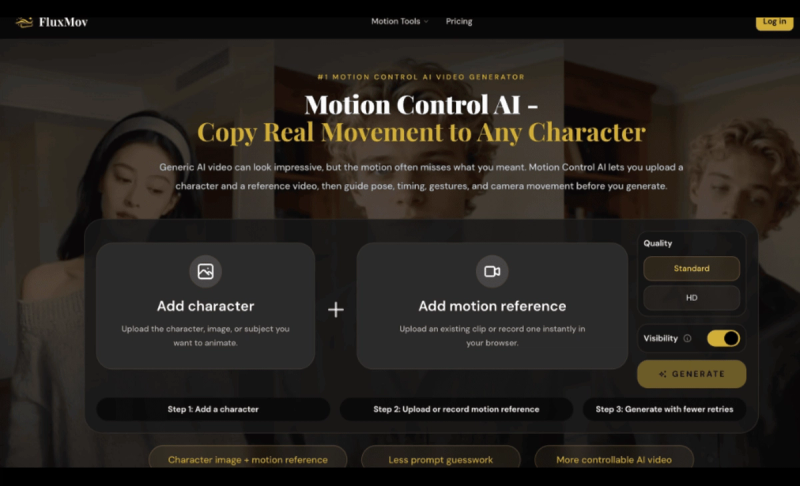
FluxMov is a web-based motion control AI video generator that copies real movement from a reference video onto any character image for controllable dance, avatar, and social clips.
What is FluxMov?
FluxMov is a motion control AI video tool that takes a character image (JPEG/PNG, max 10MB, 720px or higher) and a reference video (MP4/MOV, 5–10 seconds ideal, up to 30 seconds) to generate a new video where the character performs the reference motion. It runs entirely in the browser and is developed by FluxMov.
Key Features
- Character image input — Upload a clear front-facing or three-quarter subject with visible head, torso, and identity details. Simple backgrounds work best.
- Motion reference video — Upload or record a clip with one primary subject, stable framing, and readable body motion. 720p resolution or higher is recommended.
- Prompt guidance — Add a short 30–80 word scene brief to describe style, wardrobe, lighting, or camera feel without contradicting the motion reference.
- Reduced retries — A visible motion target cuts down on failed generations compared to text-only prompts.
- Character stability — The dedicated character image acts as an identity anchor, reducing drift during complex motion like dancing or gestures.
- Credit-based generation — New users get 120 free credits after login. Subscription plans (Starter, Growth, Pro) provide monthly credits for ongoing use.
Who should use FluxMov?
- Content creators making dance clips, avatar performances, or short-form social videos who need consistent character movement.
- VTubers and animators who want to apply real motion to digital characters without a full mocap pipeline.
- Marketing teams producing branded character videos, launch visuals, or explainer scenes with repeatable motion.
- Storyboard artists testing character actions and scene timing before full production.
What can you do with FluxMov?
- Dance videos: Turn a static character image into a dance clip by using a real dance reference.
- Avatar performance: Animate virtual influencers or mascots with natural body movement and expressions.
- Character replacement: Swap a character in an existing video while preserving original motion. Try the Replace Character workflow.
- Motion transfer: Apply a dance or walk cycle to a new character. Explore Motion Transfer for remixing motion across subjects.
How does FluxMov work?
- Add a character — Upload or drag in the character image you want to animate.
- Add motion reference — Upload an existing video clip or record one in your browser using the built-in recorder.
- Generate — Optionally write a style prompt, choose quality (Standard or HD), and generate the motion-controlled video.
Pricing
FluxMov offers a freemium model: 120 free credits after login. Paid tiers include Starter ($9.90/month for 1,000 credits), Growth ($29.90/month for 5,000 credits), and Pro ($59.90/month for 11,000 credits). Yearly billing provides a 20% discount. Pay-as-you-go credits are also available.
FAQ
Is FluxMov free?
New users receive 120 free credits after logging in, no credit card required. Additional credits require a subscription or one-time purchase.
What input formats are supported?
Character images must be JPEG or PNG (max 10MB). Reference videos must be MP4 or MOV (up to 30 seconds, ideally 5–10 seconds, 720p or higher).
Can FluxMov prevent character drift?
It reduces drift by using a clear character image as an identity anchor, but perfect consistency is not guaranteed, especially with extreme angles or heavy occlusion.
What are the best use cases?
Dance videos, avatar performances, character animation, branded social clips, and storyboard tests benefit most from motion control.