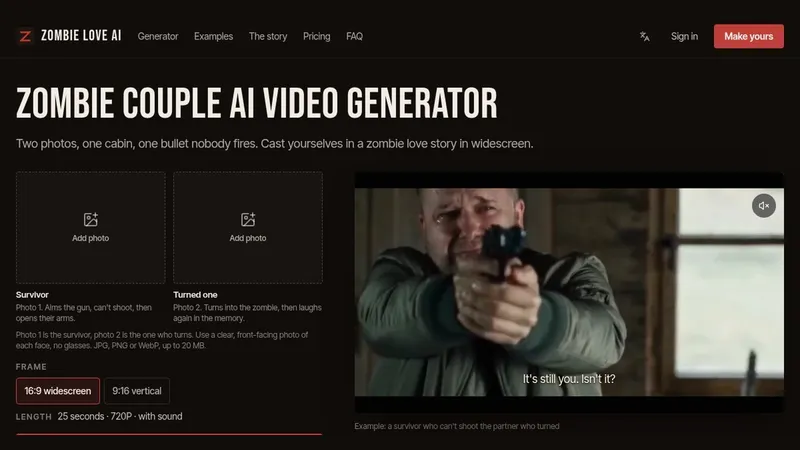
FaceSwapVideo is an AI-powered online tool that enables users to seamlessly swap faces in photos, videos, and GIFs with photorealistic results.
What is FaceSwapVideo?
FaceSwapVideo is a web-based AI face swap platform that takes a target media (photo, video, or GIF) and a source face (uploaded selfie) and outputs a swapped version with the source face replacing the original face. It runs entirely in the browser with no software installation required, and is developed by the team at faceswapvideo.net.
Key Features
- HD Quality Output — Supports up to 1080p resolution for photos and videos, with no watermark on paid plans.
- Instant Processing — Standard photo swaps complete in under 3 seconds; video processing is frame-by-frame but still fast.
- Multi-Format Support — Works with photos, videos (up to 120 seconds for Premium), and animated GIFs, with native GIF input and output.
- Privacy First — User photos are never used for training; data can be deleted anytime.
- Template Library — Hundreds of pre-made video presets, movie clips, memes, and photo templates available for one-click swaps.
- Personal Face Models — Save a face model for consistent, one-click swaps across multiple projects.
- Credit System — Each swap costs credits (3 free on sign-up, then paid tiers). Standard quality uses fewer credits than HD.
- Batch Processing — Not explicitly stated but implied by high credit allowances (e.g., 1200 credits/year for Standard).
Who is it for?
- Social media creators — Swap faces into trending memes or movie scenes for viral posts.
- E-commerce businesses — Replace model faces in product photos to cut photo shoot costs (testimonial: 60% budget cut).
- Marketing professionals — Create personalized campaign visuals or LinkedIn headshots without re-shooting.
- Meme and GIF enthusiasts — Quickly generate reaction GIFs for Discord, Twitter, or messaging apps.
What can you do with FaceSwapVideo?
- Improve LinkedIn headshots — Swap your face onto a professional photo template for a natural-looking result.
- Create funny memes — Replace the face in a popular meme GIF with your own in seconds.
- Swap faces in movie scenes — Insert yourself into a clip for a birthday or celebration post.
- Generate product photos — Use one model's body and swap different faces for each product variant.
How does FaceSwapVideo work?
- Pick a scene — Browse the template library or upload your own target photo, video, or GIF.
- Upload your face — Provide a clear, front-facing selfie. AI detects facial features instantly.
- Get your result — The AI generates the swapped media in seconds. Download and share directly.
Pricing
FaceSwapVideo operates on a freemium credit-based model:
- Free: 3 one-time credits, 720p output with watermark, videos up to 10 seconds, 50MB max upload.
- Standard ($4.99/month billed yearly): 1,200 credits/year, 1080p HD no watermark, videos up to 60 seconds, 200MB upload, priority support.
- Premium ($14.99/month billed yearly): 6,000 credits/year, 1080p HD, videos up to 120 seconds, 500MB upload, fastest processing, VIP support.
FAQ
Is FaceSwapVideo free?
Yes, it offers a free tier with 3 credits (no credit card required) for standard quality (720p) with watermark. For HD and more features, paid plans start at $4.99/month.
How long does face swap processing take?
Standard photo swaps are completed in under 3 seconds. Video and GIF processing may take longer but remains fast due to advanced AI.
What output quality does FaceSwapVideo provide?
Free tier outputs 720p with watermark. Paid plans support up to 1080p HD with no watermark.
Is my data safe with FaceSwapVideo?
Yes. The platform states that user photos are never used for training AI models, and users can delete their data at any time.
Can I swap faces in videos longer than 10 seconds?
Yes, but only on paid plans: Standard allows up to 60 seconds, Premium up to 120 seconds. Free tier is limited to 10-second videos.