
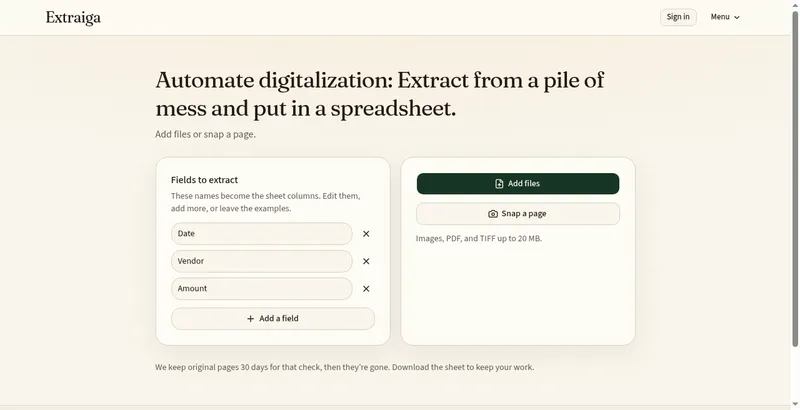
Extraiga is a website that turns documents and pages into a spreadsheet — typed forms, receipts, invoices, scans, printed text, and handwriting. Upload images, PDFs, or TIFFs (up to 20 MB each), type the fields you need as columns (for example Vendor, Date, Amount), and each file becomes one row. Review cells marked Needs review against the original page, then export to Excel, CSV, or Google Sheets. There is no fixed layout template: you name the fields yourself.
Pricing: Freemium. Free includes 10 pages a month with no card and no ads. Paid plans start at Starter for $9.99 a month (150 pages).
Built for small businesses, bookkeepers, VAs, and anyone who retypes piles into sheets.
How it works
- Upload images, PDFs, or TIFFs of invoices, receipts, forms, or scanned pages.
- Extract: type the field names you want as columns, such as Vendor, Date, or Amount. Each file becomes one spreadsheet row.
- Verify: cells marked Needs review are flagged so you can check them against the original page.
- Export to Excel, CSV, or Google Sheets.
Plans
Free: 10 pages a month, no card. Starter: $9.99 a month for 150 pages. Pro $19.99, Business $49.99, and High Volume $199.99 monthly plans are also available, with extra pages at $0.02 each on monthly plans. A one-time Pack is $4.99 for 50 pages (valid 12 months).
Originals stay available for 30 days for checking, then are deleted.


