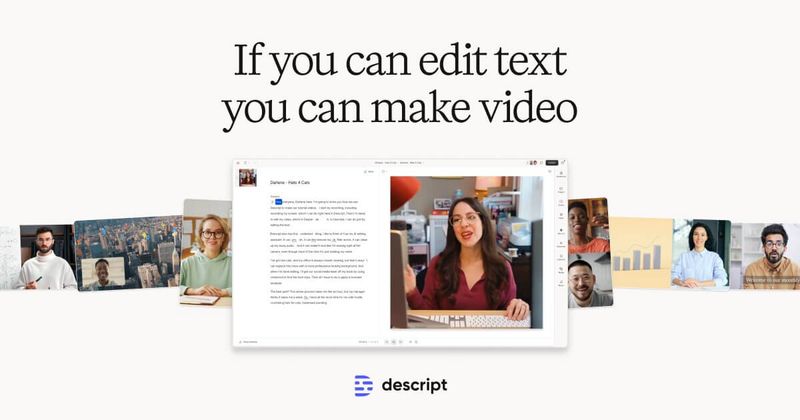
Descript is an all-in-one video and podcast editor that lets you edit multimedia content by manipulating the transcript, combining AI-powered tools with a traditional timeline for professional-quality output.
What is Descript?
Descript is a desktop and web-based video and podcast editor developed by Descript Inc. It takes audio and video files as input and produces edited, captioned, and enhanced media using text-based editing, AI transcription, and generative tools. It runs on Mac and Windows and also offers a web version for collaboration.
Key Features
Text-based editing — Import or record audio/video, receive an instant transcript, then delete, insert, or rearrange words to edit the media; changes automatically apply to both audio and video tracks.
Underlord AI Co-editor — A conversational AI agent that can write scripts, provide feedback, apply designs, and generate custom B-roll or full social videos from text prompts.
AI tools suite — Remove filler words, enhance audio with Studio Sound, correct eye contact, replace backgrounds with Green Screen, and translate videos into multiple languages.
Screen recording — Capture high-quality screen recordings directly in the app with optional webcam overlay.
Collaboration — Real-time team editing, comments, and shared projects with granular permissions.
Automatic transcription — Industry-leading speech-to-text with speaker labels; export transcripts or use them as the editing surface.
AI avatars and voice cloning — Choose from a gallery of avatars or create a custom one; generate voice clones for speech synthesis and video regenerate (correct words by typing).
Export options — Export up to 4K resolution, watermark-free on paid plans; direct publishing to social platforms.
Who is it for?
— Produce YouTube videos, TikTok clips, and social media content using AI-generated B-roll, auto-captions, and quick design templates.
Podcasters — Record, edit, and publish audio and video podcasts with multitrack editing, studio sound, and automated clip creation for promotional use.
Marketing teams — Create product launch videos, demos, and tutorials with screen recordings, green screen, and collaboration features for faster turnaround.
Learning and development professionals — Build internal training videos and instructional materials with captions, translation, and AI avatars for consistent delivery.
What can you do with Descript?
Edit a script collaboratively — Write or paste a script, ask Underlord for feedback, and let it apply edits to the video automatically.
Generate custom B-roll — Describe a scene or choose a style; Descript’s generative video engine creates footage tailored to your script.
Remove filler words in one click — Instantly cut all "ums," "uhs," and "likes" from a recording, saving hours of manual trimming.
Create short-form clips — Use AI to identify viral moments from long-form content and export them as polished clips for social media.
Translate and caption — Transcribe and translate audio into multiple languages, then add styled captions for accessibility and engagement.
Pricing
Descript operates on a freemium model with three tiers: Free (1 media hour/month, 100 AI credits, 720p export, watermark-free), Hobbyist ($16/month billed yearly, 10 media hours, 400 AI credits, 1080p export), and Creator ($24/month billed yearly, 30 media hours, 800 AI credits, 4K export, full AI tools). All plans include limited access to Underlord; higher tiers unlock more AI credits and advanced features like video generation and stock media.
FAQ
Is Descript free?
Yes, Descript offers a free tier that includes 1 media hour per month, 100 AI credits, and watermark-free 720p exports. It includes limited use of Underlord and AI tools.
What platforms does Descript support?
Descript is available on Mac and Windows, with a web version for collaborative workflows. The desktop app provides full editing capabilities.
Can I edit videos by editing text?
Yes. That is the core innovation: import a video, get an automatic transcript, then edit the transcript to trim, reorder, or remove sections. The video updates accordingly.
Does Descript include screen recording?
Yes, Descript has a built-in screen recorder for capturing tutorials, demos, or webinars, with options for webcam overlay and system audio.
What export formats does Descript support?
Descript exports to common video and audio formats, including MP4, MOV, WAV, and more. Resolution depends on your plan: Free up to 720p, Hobbyist up to 1080p, Creator up to 4K.