
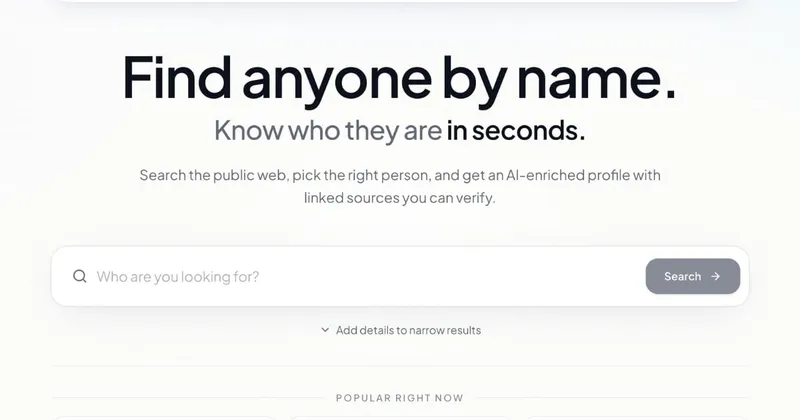
DeepSearch is a web-based people research tool that takes a name plus optional context such as company, job title, or location, and returns an AI-generated profile assembled from publicly indexed web sources — with each claim linked back to where it came from.
What is DeepSearch?
DeepSearch is a browser-based people search and research tool operated at deepsearch.bio. You enter a person's name, optionally narrow it by company, job title, or location, confirm the correct match from candidate profiles, and the tool produces a structured brief covering social profiles, professional background, likely location, education, web mentions, and a written summary with linked sources. It is a research product, not a background check or consumer reporting service.
What makes DeepSearch stand out?
- Source-linked AI brief — every claim in the generated summary carries a link to the indexed page it came from, so you can verify a detail before acting on it.
- Candidate matching — when several people share a name, DeepSearch shows matching profiles so you confirm the right individual before a brief is generated.
- Follow-up chat — after the profile is built you can ask targeted questions about roles, projects, or public mentions without starting a new search.
- Six profile sections — social profiles (LinkedIn, GitHub, X and others), professional background, location, education, web mentions, and the AI summary.
- Context narrowing — adding a location, company, or job title filters out same-name results; the FAQ suggests this when a search returns nothing useful.
- Private lookups — searches are not visible to the subject and DeepSearch does not notify the people you look up.
- Multi-source coverage — pulls from LinkedIn pages, GitHub repos, articles, conference bios, social posts, and other indexed sources rather than a single database.
How does DeepSearch work?
- Enter a person's name in the search box.
- Optionally add location, company, or job title to narrow results.
- Pick the right person from the matching profiles shown.
- DeepSearch generates a structured profile and summary, which you can then explore with follow-up questions in chat.
Who should use DeepSearch?
- Recruiters — researching passive candidates before outreach; one quoted recruiter describes finding a candidate's public footprint in under a minute instead of tab-hopping.
- Founders — assembling multi-source context on an investor or partner ahead of a call.
- Analysts and operators — mapping people in a market without alerting the subjects, since lookups are private.
Use cases
- Pre-interview candidate research: surface a candidate's LinkedIn roles, GitHub repositories, and conference talks in one profile before a screening call.
- Meeting preparation: build a sourced brief on an investor, partner, or prospect covering career arc, location, and public talks.
- Market mapping: research several named people in a sector to compare backgrounds and public output, with private lookups that the subjects are never notified about.
Pricing
DeepSearch is a paid subscription product; the homepage links to a pricing page with plans starting at $7.99 per week. No free tier is described on the homepage.
FAQ
Is DeepSearch free?
No. Access is sold as a subscription, with plans starting at $7.99 per week according to the site's pricing link. The homepage does not describe a free plan or trial.
Is DeepSearch a background check service?
No. DeepSearch aggregates only publicly available online information. It states it is not FCRA-compliant and should not be the sole basis for employment, credit, housing, or insurance decisions; formal screening should go through regulated providers.
Does DeepSearch tell people they were searched?
No. Searches are private, and DeepSearch does not notify the individuals you look up.
What if a search returns nothing?
Add location, company, or job title to narrow the matching profiles. DeepSearch notes that some people simply have a limited public web presence, so no profile may be available.
Where does the profile data come from?
From indexed public sources: LinkedIn pages, GitHub repositories, X accounts, articles, podcasts, conference bios, social posts, and company team pages, each linked so you can verify.


