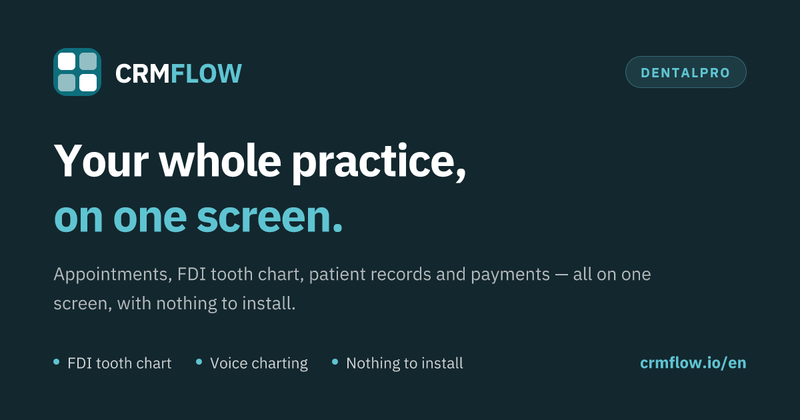
DentalPro is a browser-based dental practice management application by CRM FLOW that combines appointment scheduling, FDI tooth charting, electronic patient records, voice charting, and payment tracking in one subscription.
What is DentalPro?
DentalPro is the dental edition of the CRM FLOW platform, a practice management system that runs entirely in a web browser. It takes patient details, appointment slots, clinical findings, treatment notes, and payment records as input, and produces a day and week appointment book, an FDI-numbered tooth chart with per-surface status, searchable patient records, receipts, and per-patient balances. It works on reception desktops, tablets at the chair, and phones, with no server or per-computer installation. CRM FLOW positions it as one of nine trade-specific editions of the same platform.
What makes DentalPro stand out?
- FDI tooth chart — uses international FDI numbering, records status per tooth surface, keeps full treatment history, and lets you update a treatment plan with one tap from the chair.
- Appointment scheduling — day and week views, drag-and-drop rescheduling, a waiting list, and an instant view of who is in reception now.
- Electronic patient records — medical history, allergies, medication, radiographs, and visit notes on one searchable chart.
- Voice charting — dictate findings and treatments without a keyboard; the text lands in the correct chart field while gloves are still on.
- Payments and balances — treatment price list, receipts, instalments, per-patient balances, daily takings, and outstanding amounts.
- Team and roles — invite assistants, reception staff, and associate dentists with role-based permissions.
- No server, automatic backups — cloud-hosted on AWS inside the European Union, encrypted in transit and at rest, with daily automatic backups and GDPR compliance.
- No lock-in — export your data and cancel whenever you decide.
Who should use DentalPro?
- Solo practices: one dentist and one or two assistants replace the paper diary, takings spreadsheet, and filing cabinet without maintaining a server.
- Multi-chair practices and groups: several dentists share one reception but keep separate schedules; management sees finances across the practice.
- Practices moving off an old desktop system: run DentalPro alongside the old program for two weeks and migrate patients, phone numbers, and balances from an Excel or CSV export.
- Reception and associate dentists: use role-based permissions so each person sees only the schedule, records, or financial data they need.
What can you do with DentalPro?
- Chairside charting: dictate clinical findings and update the FDI tooth chart per surface from a tablet while the patient is still in the chair.
- Reception scheduling: manage the day and week appointment book, drag-and-drop reschedule, maintain a waiting list, and see who has arrived.
- Practice finance tracking: apply the treatment price list, take payments, record instalments, and check daily takings and outstanding balances without a second file.
- Practice migration: send an Excel or CSV export from your current system and have patients, phone numbers, and balances migrated before go-live.
How does DentalPro work?
- Create an account with email, practice name, and password; a working environment appears in under two minutes with the treatment price list already filled in.
- Add patients and schedule appointments, or create patients at the moment of the appointment; the chart builds itself as you work.
- Work from the chair: charting, voice notes, and taking payment happen on the same screen while the patient is in front of you.
Pricing
DentalPro uses a single paid subscription per practice, not per computer or per user. The complete plan costs €49.99 per month, or €499.90 per year (€41.66 per month, two months free) when paid annually; prices exclude VAT. A 14-day free trial is available with no card and no commitment. The subscription includes unlimited clients and records, appointment and job scheduling, client records with full history, voice capture, quotes, charges and payments, staff accounts, security and GDPR, updates, and support.
FAQ
Do I need to install anything on the practice computers?
No. DentalPro runs in the browser. You open the address, log in, and work from the reception desktop, a tablet at the chair, or your phone.
Can I migrate patients from my old program?
Yes. Send the export from your current system in Excel or CSV format, and CRM FLOW will migrate patients, phone numbers, and balances before you go live.
Does the tooth chart follow international numbering?
Yes. It uses FDI numbering, records status per tooth surface, and keeps the full history of work carried out.
How many people can use one subscription?
As many as you need. The subscription is per practice, not per user or per computer, so you can invite assistants, reception, and associates at no extra cost.
What happens to my data if I stop the subscription?
Your data stays yours. You can request a full export in a standard format at any time, and the provider notifies you well before anything is deleted.
Alternatives
Other dental practice management systems include Dentrix and Open Dental (open-source).