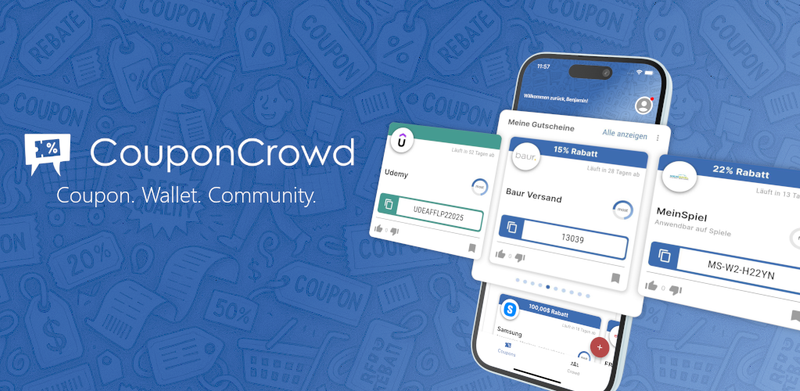
CouponCrowd is a mobile and web coupon wallet app that lets you collect, organize, and use discount codes from screenshots, emails, photos, and links in one place.
What is CouponCrowd?
CouponCrowd is a digital coupon wallet that replaces the chaos of screenshots, emails, and paper clippings with a single app. It works on iOS, Android, and as a browser extension (Chrome). Users add coupons by sharing a screenshot from social media or messaging apps, forwarding promo emails to [email protected], taking a photo of a paper coupon, or pasting a shop link to search for active codes. The app extracts the code, expiration date, and store details, then stores them in a personal wallet with expiration reminders.
Key Features
- Screenshot import – Save coupon codes from any social media post or message by taking a screenshot and sharing it with the CouponCrowd app. The code is extracted and stored within seconds.
- Email forwarding – Forward promotional emails to
[email protected]; the app parses the email and adds the coupon to your wallet automatically. - Photo capture – Take a photo of paper coupons from flyers, receipts, or billboards. CouponCrowd reads barcodes and extracts all relevant details.
- Shop link integration – When browsing online, share a shop link with the app to check for existing active coupons, or save a coupon code from a webpage.
- Community sharing – Coupons are private by default, but you can choose to publish them for other users. The community contributes the majority of coupons.
- AI scanning – The app’s AI continuously scans the web for new coupon codes to supplement community submissions.
- Expiration reminders – Get notified before saved vouchers expire, so you never miss a deal.
- Barcode support – Extracts and stores barcodes from photos, useful for in-store discounts.
Who is it for?
- Everyday shoppers who receive promo emails or newsletters and want to keep the codes accessible without cluttering their inbox. They can forward the emails to
[email protected]and delete the original messages. - Social media users who see coupon codes on Instagram, Facebook, WhatsApp, or LinkedIn. Taking a screenshot and sharing it with the app captures the deal instantly.
- People who receive paper coupons via postal mail, on receipts, or from loyalty programs. A quick photo saves the coupon digitally, so the paper can be recycled.
- Online bargain hunters who want to check for active coupons before checkout. Sharing a shop link with CouponCrowd immediately returns available codes.
What can you do with CouponCrowd?
- Save coupons from social media posts – Take a screenshot of a post containing a coupon code, share it with CouponCrowd, and the code is stored in your wallet.
- Organize promo emails – Forward unwanted promotional emails to
[email protected]; the app extracts any coupons and adds them to your collection, allowing you to delete the email. - Digitize paper coupons – Photograph a coupon from a flyer or receipt; CouponCrowd reads the text and barcode, then stores it digitally with an expiration reminder.
- Find coupons for a specific shop – Paste a shop link (e.g.,
https://list.couponcrowd.app/coupons/ebay) into the app to see all active coupons for that store, both from the community and AI discoveries.
How does it work?
The app offers four input methods: (1) screenshot – share an image containing a coupon code; (2) email – forward the email to [email protected]; (3) photo – take a picture of a paper coupon; (4) link – paste a shop URL to search for active coupons. In each case, CouponCrowd extracts the code, store, and expiry, then saves it to your personal wallet. The wallet sends notifications before vouchers expire.
FAQ
Do I need an account to use CouponCrowd?
Yes, currently an account is required. A guest mode is under development. To browse coupons without registering, visit list.couponcrowd.app/coupons.
Can other users see the coupons I add?
Coupons are private by default. You can choose to publish them for the community if you want to share the deal.
Does CouponCrowd really have all coupons?
No single platform can guarantee every coupon. CouponCrowd combines community-submitted codes, AI web scraping, and affiliate offers. The majority come from users who share their unique, personal coupons.