Newsletter
Join the Community
Subscribe to our newsletter for the latest news and updates
Anchor your notes to anything.
Submit your own product to reach creators and founders looking for the next tool to try.

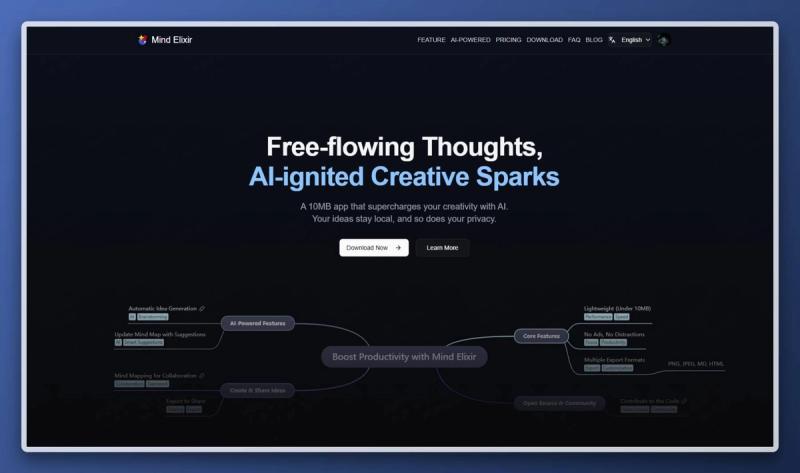
Avmira is a next-generation AI-powered digital education platform designed to help students, educators, and organizations learn, create, and build with modern technology.

Pay-to-rank leaderboard, claim your spot or get outbid

AI-powered digital wardrobe: catalog your clothes, compose outfits, and buy/sell secondhand on the community marketplace.

Remove hidden Unicode characters, zero-width spaces, and Markdown formatting residue from drafts in your browser. Scan text for free to prepare clean copy.

Strip invisible Unicode spaces, zero-width tags, and unwanted markdown before pasting into docs. Inspect exact residue counts to keep formatting clean.

A browser-based text utility to strip zero-width characters, clean messy Markdown artifacts, and reconstruct repetitive phrasing into clear, natural prose.

End-to-end encrypted iPhone photo backup that organizes your family's memories and never trains AI on your photos.

300+ free online tools for PDF, images, text, developers, calculators and media. Toolyconvert processes your files directly in your browser, so there are no uploads, no sign-up, and no limits. Fast, private and easy-to-use tools for everyday tasks.
Here's a slightly expanded version, just over 1200 characters, same plain tone and no dashes:
Caspian is a note-taking app for notes that belong to a specific place on something visual.
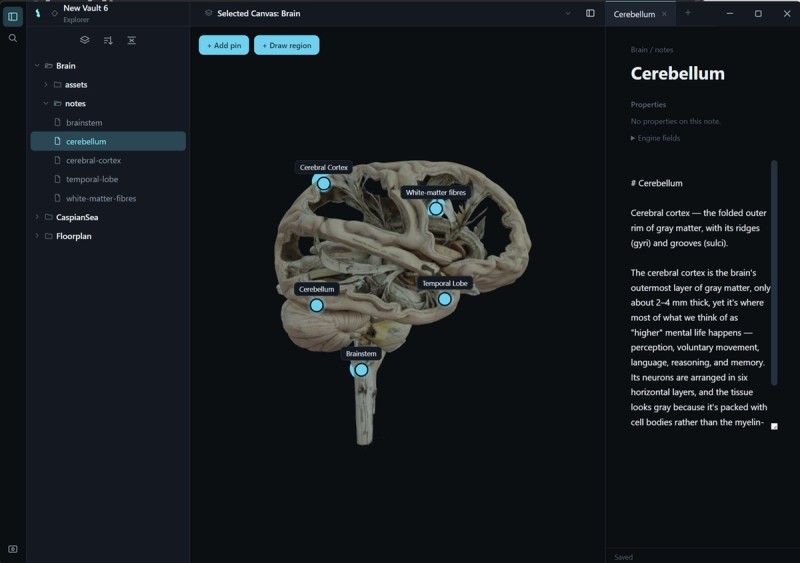
Most tools store notes in folders or a graph, disconnected from whatever they're actually about. Caspian works the other way around. You import a picture, a map, a 3D model, or a webpage, drop a pin or draw a region directly onto it, and write your note in plain Markdown right there. To find a note later, you click its anchor on the image instead of searching through folders.
The same anchoring system works across every canvas type. A flat floor plan and a rotating 3D model both plug into the same underlying contract, so pinning a note behaves the same way whether the surface is 2D or 3D. Caspian doesn't try to standardize how a canvas looks, only how it links out to your notes.
Your notes stay yours. Every note is a plain Markdown file on your own disk, readable in any text editor. There's no account, no cloud requirement, and no lock-in. On first launch, you pick a vault folder, an ordinary directory on your machine, and that's the entire setup. Every note Caspian creates from then on lives inside that folder as a file you can open anywhere.
Caspian is early. This is version 0.1. Windows and Linux are available now, and macOS is coming soon.