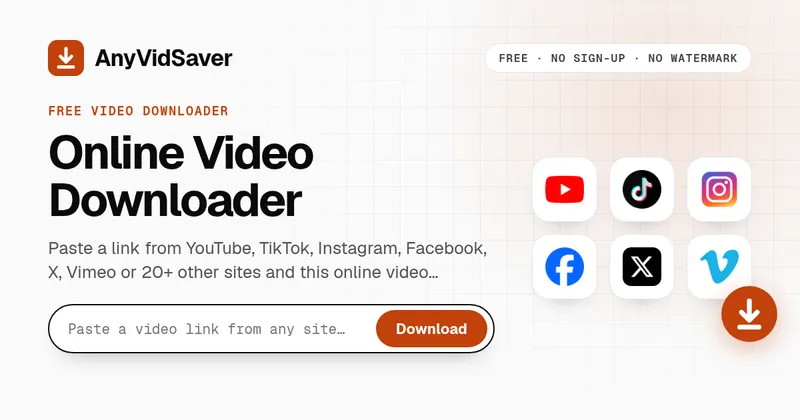
AnyVidSaver is a free browser-based video downloader that takes a public video page or share link from YouTube, TikTok, Instagram, Facebook, X, Vimeo or 20+ other sites and saves it to your device as an MP4 file.
What is AnyVidSaver?
AnyVidSaver is an online video downloader that runs entirely in a web browser — no account, app, browser extension or download manager. You paste a video URL into a single box, the page recognises which site the link belongs to, and it shows a preview listing every quality the original upload offers, from 360p up to 4K where the uploader posted it. You then pick a quality and the file is saved to your browser's Downloads folder. The page states that files are served straight from the source site's own servers and never pass through AnyVidSaver's own servers, and that no watermark is added.
What makes AnyVidSaver stand out?
- One box, 24 sites — YouTube, TikTok, Instagram, Facebook, X (Twitter), Vimeo, LinkedIn, Pinterest, Threads, Snapchat, Twitch, Dailymotion, Bilibili, Rumble, IMDb, Josh, Snack Video, Tumblr, Reddit, SoundCloud, Mixcloud, Kick, Loom and Streamable, each with its own dedicated page.
- Original qualities only — the preview lists 4K (3840×2160), 1440p, 1080p, 720p, 480p and 360p as published by the uploader; nothing is upscaled or re-compressed.
- Audio-only and image output — M4A or MP3 for SoundCloud and Mixcloud links, plus separate tools for Threads photos and Tumblr GIFs.
- Short links and pasted text — youtu.be, vm.tiktok.com, fb.watch, pin.it, b23.tv and dai.ly links work, and a link buried inside a pasted message is extracted automatically.
- No sign-up, no daily limit — the page states a free price, no account or email required, no watermark added and no daily cap.
- Portrait-preserving short-form — TikTok, Instagram Reels, YouTube Shorts, Snapchat Spotlight, Josh and Snack Video clips are saved in their upright 9:16 shape.
How does AnyVidSaver work?
- Copy the video link using the site's Share button or the address bar.
- Paste it into the downloader box and press Download; a preview loads with every available quality.
- Choose a quality and press "Download video" to save the MP4 to your browser's Downloads folder.
Who should use AnyVidSaver?
- Commuters and travellers: save a lecture, recipe or workout video before a flight or a patchy-signal commute for offline viewing.
- Creators backing up their own posts: keep MP4 copies of uploads from several platforms in one folder without requesting a data export from each app.
- Journalists and analysts: archive public clips before a post is edited or taken down.
- iPhone and Android users: the page documents the extra step of moving the file from Files › Downloads or the Download folder into Photos or Gallery.
Use cases
- Offline viewing: download a 1080p or 4K copy of a public YouTube or Vimeo talk to watch without a connection.
- Audio extraction: paste a SoundCloud or Mixcloud link to get the sound as MP3 or M4A instead of a video file.
- Social clip saving: grab a TikTok, Instagram Reel or Facebook Reel at its original upright aspect ratio for personal reference.
Is AnyVidSaver free?
The service is free with no sign-up, no watermark and no stated daily limit. There is no paid tier listed on the page.
FAQ
Can AnyVidSaver download private or paid videos?
No. Only videos anyone can watch without signing in can be saved; private, friends-only and paid content cannot be downloaded, and DRM-protected films on paid streaming services cannot be saved either. The page notes that most failed downloads come from private or deleted videos — if a link will not open in a private browser window, it cannot be saved.
What format and quality do downloads come in?
Videos download as MP4 at whatever qualities the uploader published, up to 4K on YouTube and Vimeo when the original was uploaded in 4K. Audio-only downloads from SoundCloud and Mixcloud come out as MP3 or M4A. Nothing is upscaled or re-compressed, since the file comes from the source site's servers.
Does AnyVidSaver work on iPhone?
Yes, it runs in Safari with nothing to install. After downloading, tap the download icon next to the address bar, open the file, tap Share and choose Save Video to place it in Photos.
Why does a downloaded file play instead of saving?
Some browsers open media files in a new tab rather than downloading. The page advises long-pressing the Download button on mobile, or right-clicking on a computer, then choosing Download Linked File or Save link as.