
AI Plant Identifier is a browser-based plant identification tool that answers "what plant is this?" by comparing an uploaded photo or written plant description against visual traits and returning a shortlist of possible species. No account or payment is required to use the core identification function.
What is AI Plant Identifier?
AI Plant Identifier is a free web app that takes either an uploaded plant photo or a plain-language description and returns a list of possible species matches with a plant profile for each. It runs entirely in the browser at aiplantidentifier.net, requires no registration, and asks users to submit non-sensitive photos or text. The site frames its output as possibilities to help you investigate rather than a confirmed or safety-graded identification.
What makes AI Plant Identifier stand out?
- Dual input mode — identify a plant from a photo, from a written description, or from both combined; the text field accepts up to 600 characters.
- Photo format and size limits — accepts JPG, PNG, and WebP images up to 5 MB, covering leaf, flower, bark, fruit, stem, or a full-plant shot.
- Structured context filters — before submitting, you can tag plant type (houseplant, flowering plant, tree or shrub, fern or palm, wild plant), where it was found (indoors, garden, park or trail, roadside, near water), and growing context (potted, full sun, part shade, woodland, wet area).
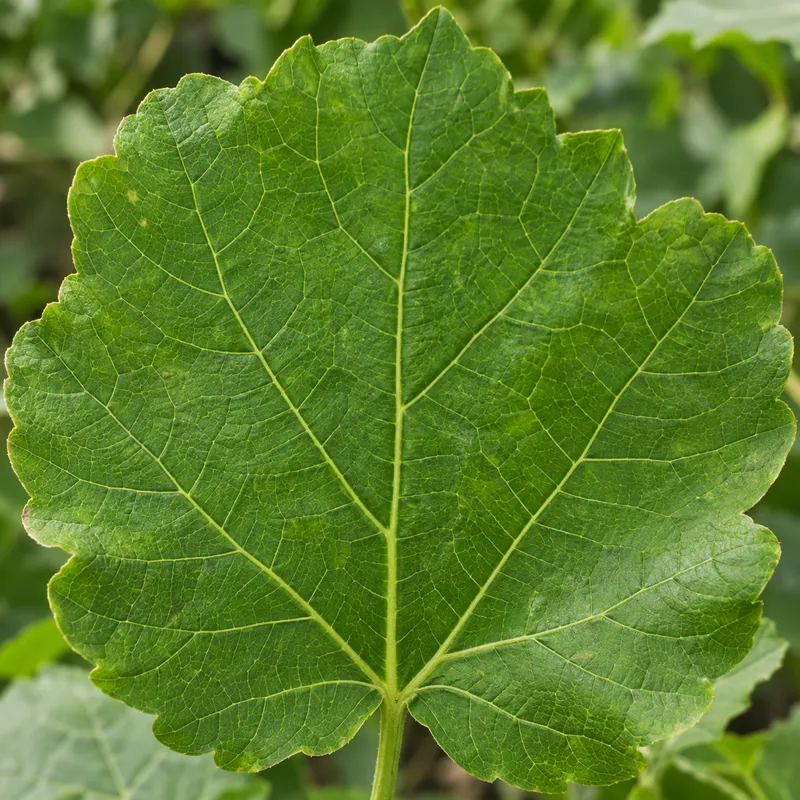
- Trait-based comparison guidance — results are explained through leaf arrangement, venation and margins, flower structure, stem texture, bark, fruit, and growth habit so you can compare a suggestion against the living plant.
- No-account access — the identification tool is free with no login, signup, or payment step.
- Image-free description path — users without a camera or photo can submit shape, texture, color, size, season, and habitat in words.
- Safety framing built in — the tool explicitly directs edible, toxic, medicinal, invasive, and protected-plant decisions to a qualified local expert.
Who should use AI Plant Identifier?
- Home gardeners and houseplant owners: identify an unfamiliar plant on a windowsill or in a border from a single leaf or flower photo, then read its profile.
- Hikers and foragers: shortlist a wildflower or tree spotted on a trail using a photo plus the "park or trail" location tag, then cross-check against public botanical references before acting.
- Students and curious beginners: submit a description when no photo is available and learn which traits — leaf edges, venation, bud structure — separate look-alike species.
- Writers and content researchers: pull plant group examples (garden flowers, ferns and foliage, houseplants, trees and leaves, close-up details) as a starting point for comparison.
What can you do with AI Plant Identifier?
- Houseplant triage: upload a photo of a struggling indoor plant, tag it as a houseplant grown indoors, and get possible matches to look up care conditions.
- Field observation: photograph a roadside or waterside plant, add the location tag, and compare the suggested species against leaf and flower details in the plant profile.
- Photo-free identification: describe a plant's size, flower color, bark, and habitat in under 600 characters when you cannot take a picture.
- Trait study: use the browse-by-traits galleries (dog rose, leaf veins, lavender, allium, lady fern, purple coneflower, snake plant, oak acorn, red maple) as field-note prompts for what to look at next.
How does AI Plant Identifier work?
Upload a JPG, PNG, or WebP image up to 5 MB or type a description of up to 600 characters, optionally adding plant type, location, and growing context. The input is sent to an AI processing service that returns possible matches with notes on which visible characteristics support each one. You then compare results against the living plant and verify anything consequential with an expert or reference source.
FAQ
Is AI Plant Identifier free?
Yes. The public identification tool is free to use with no account, registration, or payment required. Users are asked to submit only non-sensitive photos and descriptions, since input is sent to a third-party AI processing service.
Can I identify a plant without a photo?
Yes. The description mode accepts up to 600 characters covering leaf shape and arrangement, flower color, stem, bark, fruit, size, habitat, and season. More specific observations produce a tighter shortlist of possible matches.
What image files does it accept?
Photos must be JPG, PNG, or WebP and no larger than 5 MB. Sharp, well-lit shots of a leaf, flower, bark, fruit, stem, or whole plant work best, and a second angle helps when look-alike species are likely.
Can I use the result to check if a plant is edible or toxic?
No. The site states that an AI match must never be the sole basis for food, medicine, pet safety, allergy, toxic-plant, invasive-species, or protected-species decisions. Confirm any such identification with a qualified local expert.