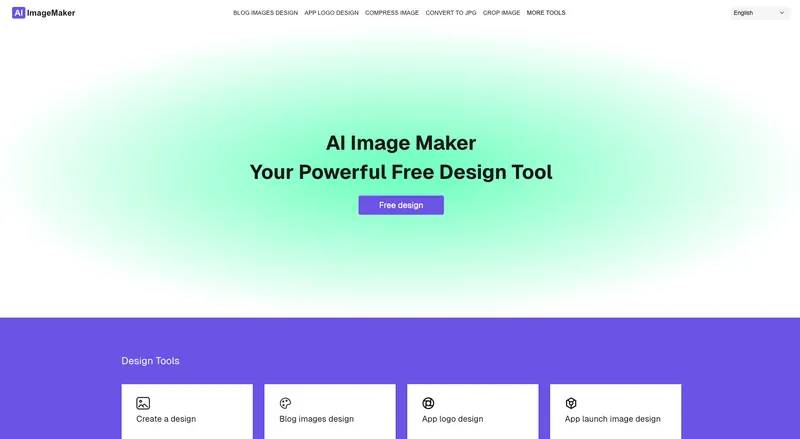
AI Image Maker is a free, browser-based image editing and design platform that lets you create posters, blog covers, app icons, remove backgrounds, and handle more than 20 common image tasks without installing software or creating an account.
What is AI Image Maker?
AI Image Maker is a web application that combines more than 20 image tools—design canvas, format conversion, background removal, compression, resizing, watermarking, and QR code generation—into one interface. You input images or start from built-in templates, edit them visually, and export finished files in formats like JPG, PNG, WEBP, GIF, and PDF. It runs entirely in the browser, so there is no software to install and no account needed to start editing. The same product is sold as a ready-to-deploy template for developers, with full source code and a commercial license.
Key Features
- Design Canvas — Create blog covers, app icons, and App Store screenshots using templates and text tools.
- Image Compression — Reduce file size while preserving visual quality for faster loading and sharing.
- Resize & Crop — Adjust dimensions and crop to any aspect ratio with simple controls.
- Add Watermark — Protect images with custom text or logo watermarks.
- Format Conversion — Convert between JPG, JPEG, PNG, BMP, WEBP, GIF, and PDF.
- Grid Split — Split images into 9-grid or 3-panel layouts for Instagram and other social media.
- Video to GIF — Turn short video clips into lightweight animated GIFs.
- QR Code Generator — Create customizable QR codes for links, text, and more.
- Background Removal — Remove image backgrounds automatically in one click.
- Batch Processing — Process multiple images at once to speed up repetitive work.
Who is it for?
- Content creators — Quickly design blog covers, social graphics, and video thumbnails from the built-in templates.
- Indie hackers and solo founders — Use the free platform to prototype image tools, or buy the template to launch a full-featured SaaS of their own in hours.
- Developers building weekend projects — Deploy a production-ready image editor with minimal setup, thanks to the React/Next.js codebase and one-click hosting on Vercel/Cloudflare.
- Small business owners — Resize product photos, remove backgrounds, and add watermarks to prepare listings without hiring a designer.
Use Cases
- E-commerce sellers: remove backgrounds from product photos and resize them to marketplace specifications.
- Social media managers: split long images into a 9-grid for Instagram and add branded watermarks.
- App developers: generate app icons and App Store screenshots with the dedicated canvas templates.
- Marketers: convert video clips into GIFs for emails and social posts, and create QR codes for event flyers.
Pricing
AI Image Maker is free to use at AI Image Maker. For developers who want their own deployable version, the full template is available for a one-time payment of $49 (early bird price, from a list price of $79). The template includes the complete source code, all 20+ tool pages, the design canvas module, format conversion engine, background removal, SEO-optimized layout, responsive design, commercial license, and free updates. No subscriptions or recurring fees.
FAQ
Is AI Image Maker free to use?
Yes, the online platform at aiimagemaker.net is free and does not require registration. The paid option is only for developers who want to purchase the underlying source-code template to deploy their own version.
What image tools are included?
The product includes 20+ tools: design canvas, format conversion (JPG, PNG, WEBP, GIF, PDF, etc.), background removal, image compression, resize and crop, watermarking, grid splitting, video-to-GIF conversion, QR code generator, and batch processing.
Can I use the template commercially?
Yes, the $49 one-time purchase includes a commercial license, so you can build and sell your own image-tools SaaS using the template.
Do I need design skills to use it?
No. The built-in templates and visual editing interface are designed for beginners—you can create professional-looking images by choosing a template and modifying text and images. The template is also pre-styled with Tailwind CSS, so developers can customize the look without deep design experience.
Do I get updates?
Yes, the template purchase includes free updates.