
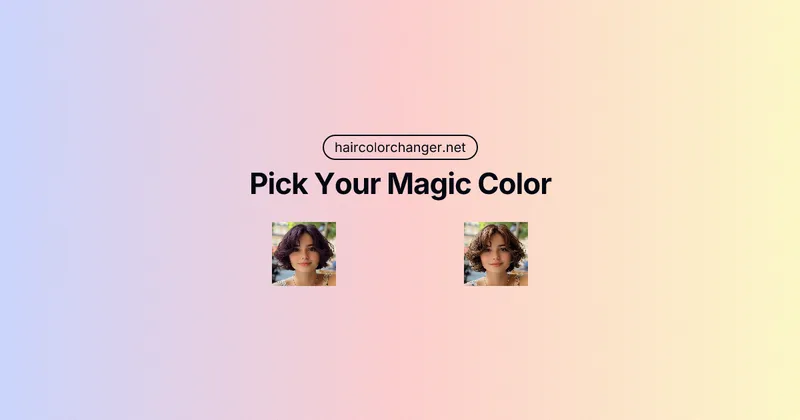
AI Hair Color Changer is a free, browser-based virtual hair try-on tool that uses AI to realistically recolor hair in uploaded selfies, letting users preview dozens of shades before committing to a salon visit.
What is AI Hair Color Changer?
AI Hair Color Changer is a web-based tool that lets you upload a selfie and instantly see yourself with a different hair color. It uses AI (powered by Gemini Nano Banana) to isolate your hair and render natural-looking shades that respect your hair's texture and lighting. The tool is free to use without signup for basic previews, and it runs entirely in your browser on any device—phone, tablet, or laptop.
Key Features
- Realistic Results — The AI analyzes your photo's lighting and hair texture to blend new colors seamlessly, producing photorealistic previews that look like actual dyed hair.
- Endless Shades — Choose from classic colors (blonde, brunette, auburn, black) or fashion hues (rose gold, purple, teal, pastel pink). A custom color picker and text prompt let you create or describe any shade.
- Instant Makeover — Results appear in seconds, allowing you to try multiple looks in minutes without any waiting or downloads.
- No Damage — Experiment with any color risk-free—no bleach, no dye, no salon costs. Your real hair stays untouched.
- Easy Web-Based Interface — No app installation required. Simply upload a photo and tap colors to preview. Works on all modern browsers.
- Privacy-Focused — Uploaded photos are not saved or shared; the tool processes them locally and discards them after use.
- Supports Up to 4 Colors and 2 Hairstyles per Generation — You can combine multiple swatches and styles in a single transformation for a complete look.
Who is it for?
- Individuals considering a hair color change — Preview how you'd look as a blonde, redhead, or fantasy color before making a permanent decision.
- Salon clients — Show your stylist an accurate preview of your desired shade, reducing miscommunication and regret.
- Social media enthusiasts — Create share-worthy transformations with trendy colors and post your virtual makeover for friend feedback.
- Anyone hesitant about dyeing — Test bold looks like pastel pink or bold blue without the commitment or damage.
How does it work?
- Upload a photo — Use a clear, well-lit selfie where your hair is visible. The tool works best with high-quality images.
- Choose colors and styles — Pick up to 4 color swatches and up to 2 hairstyles from the menu, or use the custom color picker and text prompt.
- Preview and share — In seconds, the AI applies your selections to your hair. Download the result or share it directly on social media.
What can you do with it?
- Try before you dye — Compare multiple shades on your own photo to find the perfect color before visiting a salon.
- Experiment with fantasy colors — Test purple, teal, rose gold, or any custom hue without damaging your hair.
- Create social media content — Generate fresh looks for Instagram, TikTok, or other platforms and get opinions from friends.
- Plan seasonal or event looks — Match your hair color to a party, holiday, or special occasion with zero commitment.
Pricing
AI Hair Color Changer offers a freemium model. Basic usage (previewing colors on one photo with limited credits) is free. Paid tiers unlock more credits and priority rendering:
- Try On Package — $5.9 one-time, includes 50 credits, HD exports, and watermark removal.
- Pro Monthly — $4.99/month (100 credits) or $8.33/month (200 credits), both with faster rendering, HD exports, and priority support.
FAQ
Is this really free to use?
Yes, the basic preview function is free. You can upload a photo and try colors without paying. However, generating high-definition exports or using advanced features consumes credits, which are available via paid plans.
Do I need to download an app or create an account?
No download is required—the tool works entirely in your browser. An account is only needed to purchase or use paid credits; you can preview colors without signing up.
How realistic are the results?
The AI uses advanced masking and color blending to match your hair's texture and lighting. Many users report results that look like actual dyed hair, not a superficial filter.
Can I try on any hair color?
Yes, you can choose from dozens of preset shades or use the custom color picker and text prompt to describe any color. The tool supports both natural and fantasy colors.
Is my photo safe?
Your photos are processed locally and are not saved or shared. The tool discards uploaded images after the session, ensuring your privacy.


