
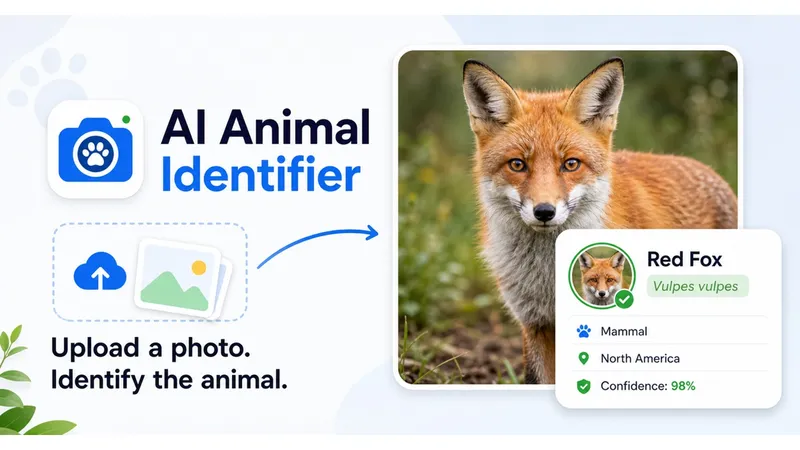
AI Animal Identifier is a browser-based animal photo identification tool that uses AI to match uploaded images to likely species, then explains the visible clues, safety considerations, and habitat facts behind each result.
What is AI Animal Identifier?
AI Animal Identifier is a web-based tool that accepts an animal photo as input and returns a likely animal name, a confidence level (low, medium, or high), visual evidence, safety reminders, and a compact encyclopedia card containing habitat, diet, behavior, region, and fun facts. It runs entirely in the browser — no app installation or account is required — and is designed for mobile photo upload. The tool is made for everyday wildlife sightings, backyard visitors, pet comparisons, school projects, and quick curiosity.
Key Features
- Photo upload — Accepts JPG, PNG, or WEBP images up to 10 MB via click-to-upload or drag-and-drop.
- AI identification result — Returns the most likely common name with a confidence level based on distinctive visual traits.
- Visual clue explanation — Details visible evidence such as body shape, coat or plumage, color pattern, beak or snout, tail, ears, wings, legs, and habitat context.
- Safety reminder — Summarizes whether the animal may be venomous, toxic, aggressive, disease-carrying, protected, or simply best observed from a distance.
- Compact encyclopedia card — Provides a short summary of habitat, diet, behavior, region, and fun facts for the identified animal.
- Photo quality assessment — Notes when blur, darkness, partial bodies, or distance lower the certainty of the identification.
- Uncertainty and look-alikes — Explains when a photo only supports a broader animal group and which look-alike species may be confused.
- Group-specific clues — Adjusts the analysis for mammals, birds, reptiles and amphibians, and insects and small animals.
Who should use AI Animal Identifier?
- Trail camera users — Upload photos from trail cameras to identify captured wildlife and learn about its behavior and safety considerations.
- Parents and homeschool teachers — Turn children's animal photos into a mini encyclopedia lesson covering habitat, diet, and behavior.
- Backyard wildlife watchers — Identify birds, insects, or pond visitors and check whether they need to keep a safe distance.
- Students and nature enthusiasts — Use the visual evidence and look-alike notes to compare species and deepen their understanding of local wildlife.
- Pet owners — Get a starting point on an unfamiliar pet or compare visual traits with breed look-alikes.
What can you do with AI Animal Identifier?
- Quick field identification: Upload a clear photo right after a sighting to get a likely species, confidence level, and safety note in one readable result.
- Wildlife education: Transform any animal photo into a structured learning card with habitat, diet, behavior, region, and fun facts.
- Safety awareness: Check whether an animal may be venomous, toxic, aggressive, or disease-carrying before approaching.
- Photo improvement: Learn when an image is too dark, too distant, or missing key parts, so you can retake it for a better result.
How does AI Animal Identifier work?
- Upload a clear animal photo (PNG/JPG/WEBP, under 10 MB).
- The workspace returns the likely animal name, confidence, visual evidence, uncertainty, and a safety note.
- Read the encyclopedia card and compare the result with your own observation or a second photo if needed.
The analysis checks visible traits like body shape, color, markings, head shape, beak or snout, tail, wings, feet, posture, and the surrounding environment. It also flags when the image is too dark, too distant, or missing important details.
Pros and cons
- Pros — Provides visual evidence and confidence level for each identification; includes safety reminders for hazardous animals; generates an encyclopedia card with habitat, diet, behavior, and fun facts; works in a mobile browser without installing an app.
- Cons — Accuracy depends on photo quality; blurry or distant photos may only yield a broader animal group. The result does not replace local wildlife or veterinary advice.
FAQ
Can an AI animal identifier identify every species exactly?
No. A single photo can strongly suggest an animal, but distance, blur, lighting, age, season, and look-alike species can change the result. The tool explains the visible evidence and uncertainty so you can use the identification responsibly.
What kind of animal photo works best?
Use a clear, well-lit photo where the animal fills a useful part of the frame. Try to include the head, body shape, tail, legs, markings, and some habitat context. For birds, the beak, wing pattern, and posture are especially helpful.
Does the result include safety advice?
Yes. The animal identifier summarizes whether the animal may be venomous, toxic, aggressive, disease-carrying, protected, or simply best observed from a distance. It does not replace local wildlife or veterinary advice.
Can I use it for pets, birds, insects, reptiles, or wildlife?
Yes. You can upload common pet, bird, mammal, reptile, amphibian, fish, and insect photos. When the image does not support a precise species, the result may identify a broader animal group instead.
Is this an animal identifier app for mobile?
It runs in your browser and is designed for mobile photo upload. You can take or choose a picture, review the result, and read safety notes without installing an app.


