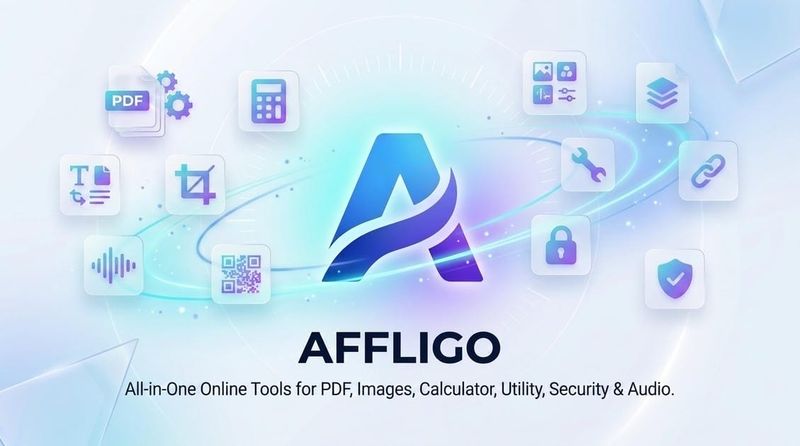
AFFLIGO is a free, browser-based collection of 56 online tools for PDF editing, image processing, calculators, and everyday utilities, usable without an account.
What is AFFLIGO?
AFFLIGO is a website hosting 56 free browser tools split across six categories: 21 PDF tools, 11 utility tools, 8 calculators, 8 image tools, 5 audio and video tools, and 3 security tools. It accepts PDFs, images, Word, Excel, PowerPoint, audio, video, or pasted text, and returns merged, split, compressed, converted, edited, or generated results as a downloadable file. It runs on Chrome, Safari, Firefox, and Edge on desktop, tablet, or phone with no app install, and is listed on Product Hunt and SaaSHub; the site does not name a maker.
What makes AFFLIGO stand out?
- On-device processing by default — 54 of the 56 tools run entirely in the browser so files never leave the device, while 2 cloud converters auto-delete files after processing (elsewhere the page refers to 3 cloud converters).
- No signup, watermark, or daily limit — every listed tool is described as unlocked and free, with no account, subscription, or gated feature mentioned.
- Paired format conversions — separate tools cover PDF to Word, Word to PDF, PDF to PowerPoint, PowerPoint to PDF, PDF to Excel, Excel to PDF, PDF to image, and image to PDF.
- Image toolkit — enhance, compress, convert, upscale, remove backgrounds, and extract text from images.
- Security tools — protect PDFs with a password, remove passwords, and generate strong passwords.
- Audio and video tools — audio format conversion, text-to-speech, and speech-to-text.
- AFFLIGO Studio (coming soon) — a single workspace where PDF actions such as compress, watermark, and page numbering can be chained before download.
- Guides blog — step-by-step tutorials accompany tools such as the PDF merger, image compressor, age calculator, QR code generator, and background remover.
Who should use AFFLIGO?
- Office and admin staff: merge, split, or organize contract PDFs and convert Word or Excel documents to PDF for distribution.
- Students: compress lecture PDFs for email attachment limits and convert slide decks to PDF for submission.
- Designers and marketers: remove image backgrounds, compress photos for web use, and generate QR codes for links, Wi-Fi, or contact cards.
- Privacy-conscious users: process sensitive PDFs and images in the browser so the files are never uploaded to a server.
What can you do with AFFLIGO?
- Job seekers: merge a résumé and cover letter into one PDF, then compress it to fit email attachment limits.
- Small businesses: combine scanned invoice images into one PDF and extract tables to Excel for bookkeeping.
- Content creators: make memes, build QR codes for videos and Wi-Fi access, and convert audio formats before publishing.
- Everyday users: calculate exact age, BMI, or unit conversions, format JSON, and pick colors from the utility set.
How does AFFLIGO work?
Using AFFLIGO takes three steps: choose a tool from the category grid or search for it, upload or paste the input, then download the output. Most tools process the file on the device itself so results appear without an upload wait, while the cloud converters upload to a server and delete the file once conversion finishes.
Is AFFLIGO free?
AFFLIGO is free to use, with no subscriptions, registration, or daily usage limits stated on the site. Every tool is described as fully unlocked with no watermarks, and the page lists no paid tier or credit system.
FAQ
Does AFFLIGO upload my files to a server?
Mostly no. 54 of the 56 tools run entirely in the browser, so PDFs and images stay on the device. The cloud converters do upload files, but the site states those files are auto-deleted right after processing.
Do I need an account to use AFFLIGO?
No. AFFLIGO requires no signup, login, or email address, and it states there are no daily limits that an account would be needed to bypass.
Which browsers and devices does AFFLIGO support?
AFFLIGO is fully web-based and works in Chrome, Safari, Firefox, and Edge on desktop, tablet, and phone. No app download or installation is required to use any tool.
How many tools does AFFLIGO offer?
The site lists 56 free tools: 21 PDF tools, 11 utility tools, 8 calculators, 8 image tools, 5 audio and video tools, and 3 security tools, with new tools added over time.
Can AFFLIGO edit PDFs and images?
Yes. PDF tools cover merging, splitting, compressing, organizing pages, converting, protecting, and annotating; image tools cover enhancing, compressing, converting, upscaling, background removal, and text extraction.
What is AFFLIGO Studio?
AFFLIGO Studio is listed as coming soon. It is described as one workspace for PDFs where actions such as compress, watermark, and page numbering can be chained together before downloading. It is not yet available.