
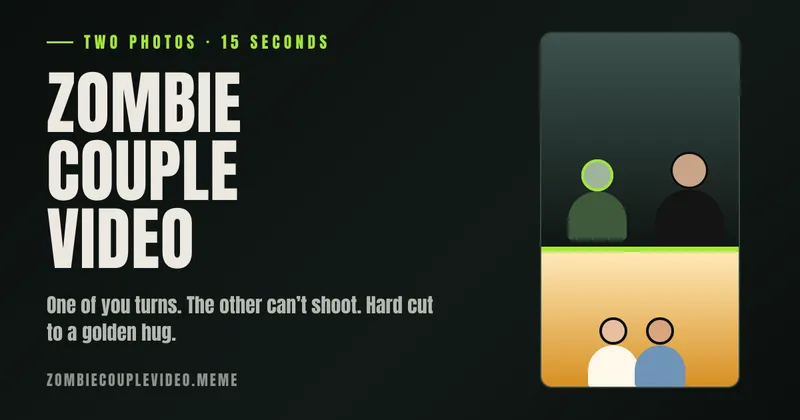
Zombie Couple Video Maker is a browser-based AI video generator that turns two uploaded portrait photos into a 15-second vertical zombie love-story clip — cold standoff, mid-leap hard cut, golden hug — with score and sound effects already mixed in, for $8.99 per video.
What is Zombie Couple Video Maker?
Zombie Couple Video Maker is a single-purpose web app that accepts two photos — the partner who becomes a zombie in slot 1 and the survivor with the rifle in slot 2 — and renders one 15-second 9:16 vertical MP4 at 720p. It runs entirely in the browser: no app install, no account, and a browser cookie links you to your videos for 30 days. The story is fixed, not prompted: 9 seconds of rain-soaked standoff that ends mid-air, a single-frame hard cut at 0:09, then 6 seconds of a sunlit wheat-field hug. One order costs $8.99 once and loads 150 credits.
What makes Zombie Couple Video Maker stand out?
- Two-photo input, one file out — accepts JPEG, PNG or WebP up to 10 MB each, with one person per photo facing the camera; no prompt writing, timeline or editor involved.
- Fixed 15-second structure — 9 seconds of cold take (stagger, recognition, arms open, leap), a single-frame hard cut at 0:09, then 6 seconds of golden memory.
- Sound baked into the file — one of 4 original instrumental scores that swells to its peak exactly on the cut, plus rain, footsteps, a growl, a rifle drop, wind and laughter.
- Output ready to post — 9:16 vertical 720p MP4 that fills TikTok, Instagram Reels and YouTube Shorts screens uncropped.
- Role switching before you pay — a "Switch roles" button flips which photo becomes the zombie; nothing is generated until you press start.
- Consent gate with content rejection — uploads require confirming both people are 18 or older, agreed to appear and are not celebrities or public figures; the system rejects minors and public figures.
- Automatic credit return — a failed or blocked render returns the 150 credits once so you can retry; returned credits are not a card refund.
- Handled privacy — photos are deleted within 24 hours of the video finishing or failing, unused drafts within 24 hours, and the finished file is removed after 7 days. Photos go to one processor, Kie.
Who should use Zombie Couple Video Maker?
- Couples posting the trend — pair two separate portraits into the "would you still choose me if I turned" prompt that dominates the autumn 2026 trend.
- Long-distance couples — you only need one photo of each person, never a shared photo, so it works when you live apart.
- Best friends and adult siblings — cast the goofy one as the zombie for a comedy-first clip, or settle family arguments about who would protect whom.
- Halloween and anniversary posters — produce a season-fitting, sweet-ending clip without a costume budget or an editing session.
What can you do with Zombie Couple Video Maker?
- Partners: turn two phone portraits into a 15-second scored clip, then post it with the kit's captions such as "If I turned, would you lower the rifle or run?"
- Friends: cast the troublemaker as the zombie for a group-chat joke that lands as comedy first, friendship second.
- Gift-givers: show the golden half at a birthday dinner or anniversary and let the six-second memory beat carry the message.
- Short-form creators: download the MP4 with its cleared original score, or mute it and lay a trending sound underneath before labelling it as AI.
How does Zombie Couple Video Maker work?
- Drop the person who turns into Photo 1 and the survivor into Photo 2, then confirm the consent box.
- Press "Start Our Zombie Couple Video"; if the browser has no credits, you pay $8.99 on a Stripe Checkout page first, and the status page reports each render stage.
- Download the finished 9:16 720p MP4 with its sound and share it, switching on the platform's AI label when you post.
What does a zombie couple video cost?
Pricing is paid, one-time per video: $8.99 loads the 150 credits a single video spends, with nothing recurring. Card payments run through Stripe Checkout, so card numbers never reach the site's servers. If a render fails or is blocked, the 150 credits return to your balance automatically so you can retry. The download link stays valid for 7 days.
Pros and cons
- Pro: no editing, prompting or timeline work — two uploads and one button produce the finished clip.
- Pro: the score is original and cleared for your posts, so you can publish the file as-is or swap in another sound.
- Pro: no account, no gallery, no feed; your clip is visible only in the browser that made it or through a link you save.
- Con: the story, location, outfits and length are fixed — there is no control over scene, wardrobe or duration, unlike doing it by hand.
- Con: likeness is not guaranteed; hair, hands and motion vary between renders.
- Con: pets are not supported by this template, and the finished video is deleted after 7 days, so it must be downloaded in time.
Alternatives to Zombie Couple Video Maker
Building the same clip manually needs an image generator, an image-to-video tool such as Kling, Seedance or Veo, and an editor such as CapCut — a route the site itself compares against, noting it costs credits or subscriptions across two or three apps but gives total control over location, outfit and length. For other trend formats on the same site, Hotel Lobby AI and Bulin 47 AI are offered.
FAQ
How long is a zombie couple video and what format is it?
15 seconds as a 9:16 vertical 720p MP4 — 9 seconds of standoff ending mid-air, a hard cut, then 6 seconds of golden memory. The vertical frame fills TikTok, Instagram Reels and YouTube Shorts without cropping.
Can we choose who becomes the zombie?
Yes. Photo 1 always turns and Photo 2 always holds the rifle, and the "Switch roles" button flips the two photos before you pay. Nothing is generated until you press start, so the decision is free to change.
Will the video look exactly like us?
Usually close, rarely perfect. Clear, front-facing, evenly lit photos make the biggest difference, and AI video is not a photocopier — hair, hands and motion vary between renders, so a perfect likeness is not guaranteed.
Do we have to label the video as AI when posting?
Yes. The clip is realistic and AI-made: TikTok requires labels on realistic AI-generated video, YouTube asks Shorts creators to disclose altered or synthetic content, and Instagram offers an AI label during sharing.
What happens to our photos?
Photos are used only for your video and deleted within 24 hours of it finishing or failing, with unused drafts removed within 24 hours of creation. The finished video is deleted 7 days after it is ready, and photos are processed by the AI provider Kie under its own retention terms.


