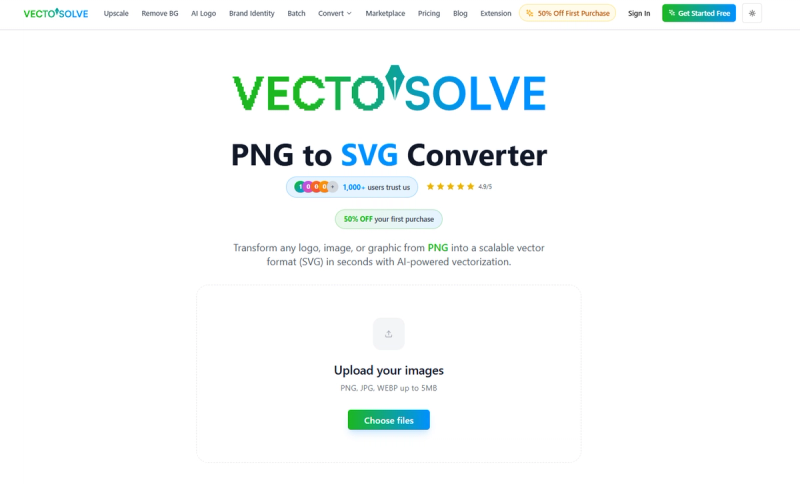
VectoSolve is an AI-powered online raster-to-vector converter that turns PNG, JPG, WEBP, and GIF images into clean, scalable SVG files in under three seconds.
What is VectoSolve?
VectoSolve is a web-based image toolkit focused on converting pixel images to vector graphics. It accepts common raster formats (PNG, JPG, JPEG, WEBP, GIF) up to 25 MB and outputs optimized SVG vectors, with optional export to PNG, DXF, PDF, and EPS. The platform runs entirely in the browser, requires no software installation, and offers a free first conversion without signup. Beyond conversion, VectoSolve includes an AI logo generator, text-to-SVG tool, image upscaler, and SVG animator. The service processes images in memory, meaning originals are not stored on servers, and is available at vectosolve.com.
Key Features
- AI vectorization — Automatically traces edges and colors to create clean vector paths from PNG, JPG, WEBP, or GIF inputs (up to 25 MB per image).
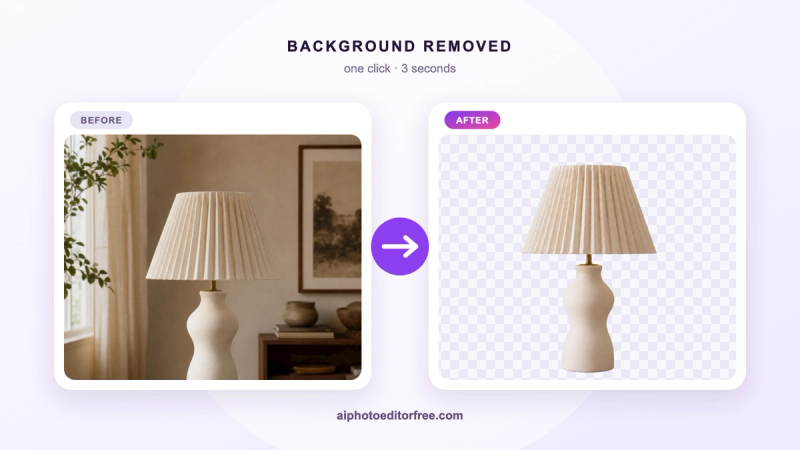
- Background removal — Removes backgrounds during conversion, ideal for logos and cut files.
- Color and path editing — Lets you edit SVG colors and paths directly in the browser after conversion.
- Multiple export formats — Download results as SVG, PNG, DXF, PDF, or EPS, covering web, print, and CNC workflows.
- Batch conversion — Convert multiple images at once (supported in the upload workflow).
- Cricut and Silhouette compatibility — Produces optimized SVG cut files for Cricut Design Space, Silhouette Studio, and other cutting machines.
- No watermarks, commercial use OK — Converted SVGs are free to use in commercial projects; no watermarks are applied.
- Privacy-focused — Images are processed in memory and not stored; the site uses TLS encryption and is GDPR-compliant.
Who is it for?
- Designers — Convert client logos and icons to scalable vectors for web, print, and branding.
- Crafters using Cricut and Silhouette — Turn JPG or PNG images into cut-ready SVG files with clean paths and background removal.
- E-commerce sellers — Optimize product photos or logos into vector graphics for scalable listing images and packaging.
- Web developers — Generate lightweight SVG assets that reduce page load times compared to high-res PNGs.
- Laser cutting and CNC hobbyists — Use the Image to DXF converter to produce vector files for Glowforge, xTool, and CO2 lasers.
What can you do with VectoSolve?
- Convert a pixelated logo to vector — Upload a small PNG logo and receive a crisp SVG that scales from favicon to billboard without quality loss.
- Prepare Cricut cut files — Convert a JPG of a design into an SVG with background removed, ready to use in Cricut Design Space.
- Vectorize hand-drawn sketches — Use the sketch-to-vector converter to digitize a drawing into an editable vector.
- Create DXF for laser cutting — Convert an image to DXF format for use with laser cutters and CNC machines.
- Upscale images — The built-in Image Upscaler enhances resolution without losing quality, complementing the conversion workflow.
How does VectoSolve work?
- Upload or drag-and-drop a PNG, JPG, or WEBP file (batch conversion supported).
- VectoSolve's AI analyzes the image, detects edges, colors, and shapes, and generates optimized vector paths.
- Download the resulting SVG file, or edit colors/paths and export to PNG, DXF, PDF, or EPS.
Pricing
VectoSolve offers a free first conversion with no signup required. After that, paid options include credit packs starting at $6.99 for 25 conversions (credits never expire) and monthly subscription plans: Starter at $7.99/month for 25 conversions, Pro at $14.99/month for 100 conversions, and Unlimited at $29.99/month for 250 conversions. An annual Starter plan is available at $49/year.
FAQ
Is VectoSolve free to use?
Yes, your first conversion is completely free — no signup, no watermarks, and no credit card required. After that, you can purchase credit packs (starting at $6.99 for 25 conversions) or subscribe to a monthly/annual plan. Credits never expire.
What image formats can I convert to SVG?
VectoSolve accepts PNG, JPG, JPEG, WEBP, and GIF images as input. The output is always a clean, optimized SVG file, with optional export to PNG, DXF, PDF, or EPS.
Can I use VectoSolve for Cricut?
Yes. VectoSolve produces clean SVG files that are compatible with Cricut Design Space, Silhouette Studio, and all major cutting machines. The converter includes background removal and produces cut-ready paths.
How long does a conversion take?
Most conversions complete in 2-5 seconds. Complex images with many colors or fine details may take up to 10-15 seconds, but the average conversion time is under 3 seconds.
Does VectoSolve add watermarks to converted files?
No. All converted SVGs are watermark-free and can be used for commercial projects, client work, and merchandise without licensing restrictions.