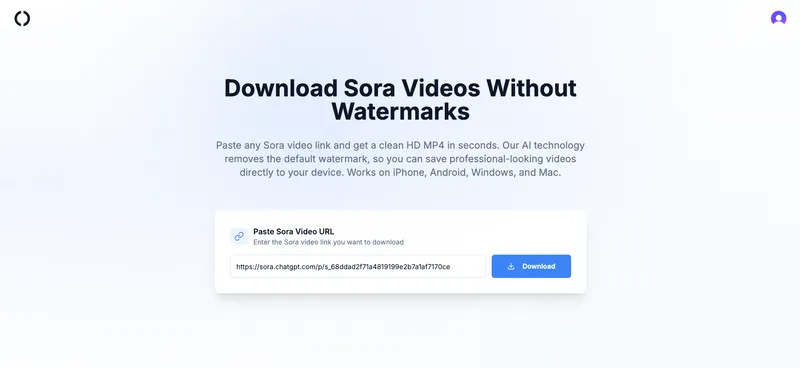
The Sora Video Downloader is an AI-powered web tool that removes watermarks from Sora-generated videos and outputs clean, high-definition MP4 files directly in your browser.
What is Sora Video Downloader?
It is an online service that takes a Sora video URL as input and produces a watermark-free MP4 video as output. The tool runs entirely in the browser on any device (iPhone, Android, Windows, Mac) with no software installation required. It uses AI models to detect and remove the visible Sora watermark while preserving the original resolution and frame rate.
Key Features
- AI watermark removal – Automatically detects and removes Sora’s visible watermark from any Sora-generated video file (MP4). The AI adapts to different scene complexities for a clean result.
- Original quality preservation – Downloads videos in their original HD resolution without compression or quality loss. Only the watermark is removed; all other details, frame rate, and clarity remain intact.
- Cross-platform compatibility – Works on any modern browser (Chrome, Safari, Edge) across iPhone, Android, Windows, and Mac. No apps, plugins, or account creation needed.
- Quick processing – Most videos are processed in under a few minutes; short clips are ready almost instantly. Processing time depends on video length and complexity.
- Secure and private – Videos are not tracked or stored on servers. All uploaded files are automatically deleted after processing and download is complete.
Who is it for?
- Content creators – who need watermark-free Sora clips to edit into YouTube videos, social media posts, or other projects.
- Professionals – preparing clean video assets for presentations, marketing materials, or client work (with adherence to OpenAI’s terms of service).
- Casual users – who want to save Sora-generated videos for personal viewing without the default watermark overlay.
What can you do with it?
- Social media managers: Download watermark-free Sora videos to post directly to Instagram, TikTok, or Twitter without visible branding.
- Editors: Quickly obtain clean MP4s from Sora for use in Adobe Premiere, Final Cut Pro, or DaVinci Resolve without needing to manually crop or overlay.
- Presenters: Save professional-looking video clips for PowerPoint or Keynote slides without distracting watermarks.
How does it work?
- Copy the video link – Open the Sora app or a shared Sora video link and copy the URL.
- Paste into the downloader – Paste the link into the input field on the Sora Video Downloader site.
- Download in HD – The AI automatically removes the watermark and provides a clean MP4 file for download within moments.
FAQ
Is it really watermark-free?
Yes. The AI removes the visible watermark, giving you a clean MP4. In rare cases with very complex scenes, results may vary slightly, but the tool is optimized to keep videos natural and clean.
Does it work on mobile devices?
Yes. The downloader works on iPhone and Android through any modern browser, just paste the link and download.
Is the download process secure?
Yes. Videos are not tracked or stored on servers. All files are automatically deleted after download, ensuring privacy.
Do I need to install software?
No. Everything works online in your browser with no installation required.
Pricing
The service uses a credit pack system, allowing users to pay per use without subscriptions. It is freemium—basic usage may be available for free or via purchased credits (specific dollar amounts are not disclosed on the page).