Newsletter
Join the Community
Subscribe to our newsletter for the latest news and updates
The fastest native macOS app for batch compressing images and videos with complete privacy.
Traffic, search & AI signals for shrinkpad.app.
Third-party traffic estimate · Updated Sep 9, 2026
Submit your own product to reach creators and founders looking for the next tool to try.
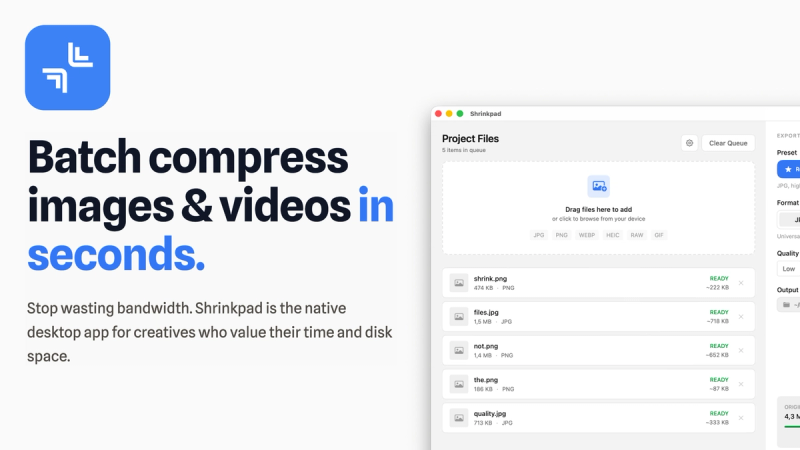
Shrinkpad is a native macOS app for batch compressing images and videos locally, offering one-click optimization of thousands of files without cloud uploads.
Shrinkpad is a native macOS desktop application (version 1.2.7, requires macOS 14+ with full support for Apple Silicon M1-M4 and Intel) that compresses images and videos in bulk. It accepts drag-and-drop files or entire folders and outputs optimized files with reduced size while preserving visual quality. Developed by an independent team, Shrinkpad prioritizes privacy by running all processing on-device.
Drag files or folders onto the app. Shrinkpad automatically detects all supported media, analyzes each file's complexity, and applies the best compression settings. You can review estimated savings (e.g., 2.4 GB from 847 files) and then compress with one click. Processing is local and multi-threaded.
Free Starter: Standard compression, 10 files per batch, common formats (JPG, PNG), max 1GB file size, no video compression. Personal: $14 one-time, 1 device, unlimited batches, all formats, mixed image/video, no size limit. Team: $35 one-time, 10 devices, priority support. Download for Mac | View Plans
Yes, there's a free tier with up to 10 files per batch and standard compression for JPG/PNG only. For unlimited batch processing and all formats, purchase a Personal or Team license.
Images: JPEG, PNG, WebP, HEIC, TIFF, GIF, BMP, and many RAW formats (Canon CR2/CR3, Nikon NEF, Sony ARW, etc.). Videos: MP4, MOV, M4V, AVI, MKV.
No. All compression happens locally on your Mac. Your files never leave your device, ensuring complete privacy.
Free tier: up to 10 files per batch. Personal and Team licenses: unlimited files per batch.
No, video compression is only available on Personal ($14) and Team ($35) licenses.