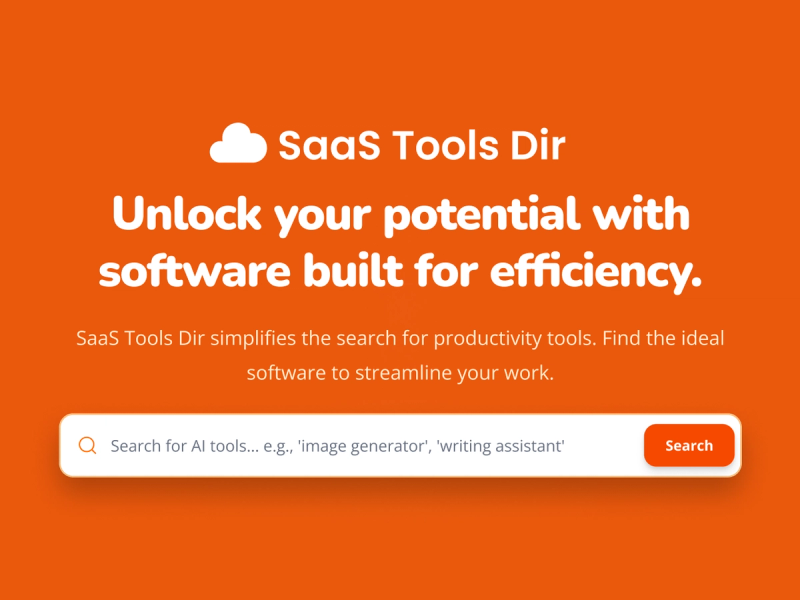
SaaS Tools Dir is a structured SaaS directory that organizes subscription software across over 50 categories and multiple pricing models to enable side-by-side comparison.
What is SaaS Tools Dir?
SaaS Tools Dir is a web-based directory that curates and categorizes subscription-based software products. It takes in product listings from submissions and editorial curation, and outputs a browsable, filterable directory organized by category (e.g., AI Assistants, Marketing, Business & Finance) and pricing model (Free, Freemium, Free Trial, Paid). The directory is free to use and is maintained by an editorial team that updates listings multiple times per week.
Key Features
- Category-based organization — Products are grouped into over 50 categories like AI Assistants, Marketing, and Business & Finance, with each category page listing relevant products.
- Pricing model filtering — Every product is tagged with its pricing model (Free, Freemium, Free Trial, Paid), allowing users to filter by budget.
- Product detail pages — Each listing includes a product name, logo, short description, a website link, category and pricing tags, and often a featured image.
- Free to browse — Using the directory itself costs nothing; all features are available without signup.
- Submission system — Creators can submit their SaaS products through a dedicated submission page for editorial review.
- Featured products section — A rotating set of highlighted products appears at the top of the homepage.
Who is it for?
- Founders and operators — Discover comparable tools in their category to evaluate options before starting free trials.
- Teams evaluating software — Use the category and pricing filters to build a shortlist of solutions that match their workflow and budget.
- Developers and SaaS creators — Submit their own products to gain visibility among a targeted audience searching for structured comparisons.
Use cases
- Comparing marketing automation platforms — Browse the Marketing category to list all products tagged with that category and filter by pricing (e.g., Paid or Free Trial) to quickly compare options.
- Evaluating helpdesk software — Navigate to the Customer Support category to see available tools, read their descriptions, and visit their sites for further evaluation.
- Finding an analytics dashboard — Use the Analytics & Data category with a Freemium filter to identify tools you can test before committing.
FAQ
How is SaaS Tools Dir organized?
Products are grouped by category, pricing model, and use case so you can compare SaaS tools in a more structured way.
Who is SaaS Tools Dir for?
The directory is useful for founders, operators, and teams that want a faster way to sort software options by fit and budget.
Is SaaS Tools Dir free to use?
Yes. Browsing the directory, viewing listings, and comparing products is completely free. Individual products listed may have their own pricing, but using SaaS Tools Dir costs nothing.
How often is the directory updated?
New products and updates are added multiple times per week by the editorial team to keep the directory current and accurate.
Can I submit a SaaS product?
Yes. You can submit a SaaS product through the submission page, and it will be reviewed before being added to the directory.