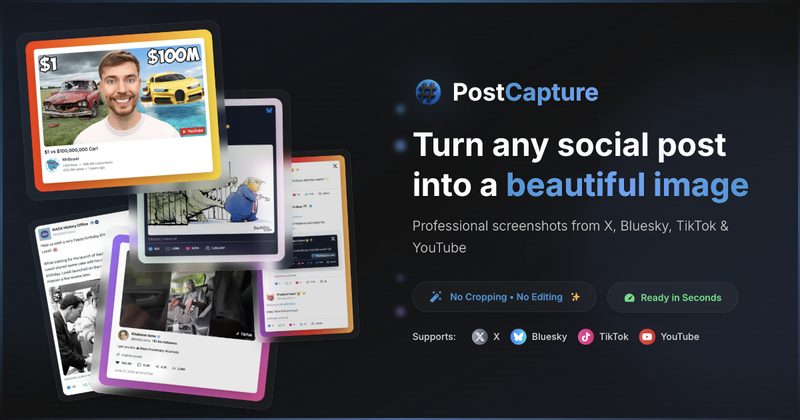
PostCapture is a web-based tool that transforms links from social media platforms (X, Bluesky, TikTok, YouTube) into polished, customizable screenshots, eliminating the need for manual editing.
What is PostCapture?
PostCapture is a web-based screenshot generator that accepts URLs from X (formerly Twitter), Bluesky, TikTok, and YouTube (including Shorts) and outputs high-resolution images with customizable themes and backgrounds. It runs entirely in the browser with no software installation required. The tool was created by PostCapture (no founder named on site).
Key Features
- Customizable backgrounds — solid colors, gradients, patterns, dotted, or transparent, plus no background option.
- Light and dark themes — switch themes to match your brand, with all elements designed for both modes.
- Thread support — automatically detects and captures entire X and Bluesky conversations in one image, including replies, quoted posts, and media.
- Engagement metrics — optionally include like, repost, and reply counts on screenshots.
- No watermarks — all paid plans (credit packs and monthly subscription) remove watermarks from generated images.
- Scale factor up to 4x — paid users can generate images at 4x resolution; free users are limited to 2x.
- One-click capture — paste any supported URL and get a screenshot in seconds; thread capture counts each post as separate credits.
- API access — credit packs and monthly subscriptions include API access for automated workflows.
Who is it for?
- Social media managers — quickly create professional-looking posts for client reports or social feeds without manual editing.
- Content creators — capture viral moments, threads, or video screenshots to share across platforms with consistent branding.
- Marketers and brands — maintain a polished, uniform look for social media evidence or campaign screenshots.
- Journalists and analysts — screenshot important tweets, Bluesky posts, or YouTube content with clean formatting and full context.
How does PostCapture work?
The process takes under 30 seconds: copy a post URL from X, Bluesky, TikTok, or YouTube; paste it into the PostCapture dashboard; customize the screenshot using theme, background, scale, and optional engagement metrics; then download or copy the generated image. Each action (loading a post and generating a screenshot) consumes credits. Re-downloading previously generated images is free.
Pros and cons
Pros: Saves time by automating screenshot creation; supports four major platforms; offers extensive customization (backgrounds, themes, scale); thread capture preserves conversation flow; no watermarks on paid plans; API available for automation. Cons: Free tier limited to 10 credits total; free images include a watermark; free users can only scale up to 2x; credits are consumed per load and per generation (2 credits per API call); credit packs expire 12 months after purchase; unused monthly subscription credits do not roll over.
Pricing
PostCapture offers a free tier with 10 credits to start. Paid options include a 100-credit pack ($5), a 1,000-credit pack ($30), and a monthly subscription ($14/month for 1,200 credits). All paid plans remove watermarks, unlock 4x scaling, thread support, and API access. Credit packs expire after 12 months; monthly subscription credits reset each month.
FAQ
What is PostCapture?
PostCapture is a web tool that creates beautiful, customizable screenshots from social media post URLs. It supports X, Bluesky, TikTok, and YouTube.
Is PostCapture free?
Yes, it offers 10 free credits. After that, you must purchase credit packs or subscribe monthly.
What platforms does PostCapture support?
It supports X (Twitter), Bluesky, TikTok, and YouTube (including Shorts). More platforms are planned.
How do credits work?
Loading a post costs 1 credit; generating a new screenshot costs another credit. Re-downloading is free. API calls cost 2 credits (load + generate in one step).
What features are included in paid plans?
Paid plans remove watermarks, allow 4x scale factor, load full threads, provide dark theme, and include API access. Monthly subscription also gives 6 months screenshot history.