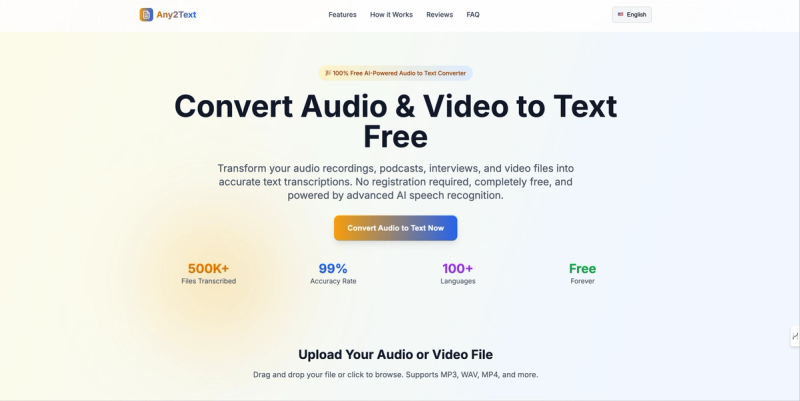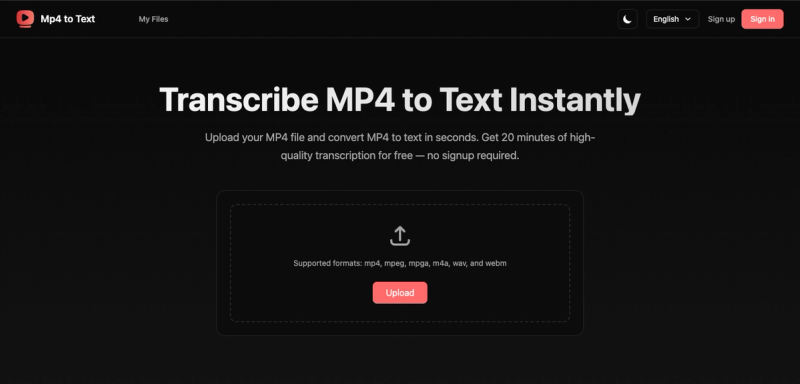
Mp4 to Text is an online transcription tool that converts video and audio files into text, subtitles, and translated transcripts. It supports a wide range of formats including MP4, AVI, MOV, MKV, FLV, WebM, MPG, MP3, WMV, WAV, AAC, M4A, OGG, and WMA. The service runs entirely in the browser and is provided by mp4totext.com.
What is Mp4 to Text?
Mp4 to Text is a web-based speech-to-text service that transcribes audio and video files into written text. It accepts uploads up to 500 MB for free users and produces transcripts with speaker labels, timed subtitles (SRT/VTT), and translations into dozens of languages. The platform is developed and maintained by mp4totext.com, with no desktop app required.
Key Features
- Speaker Diarization — Automatically detects and labels different speakers in interviews, meetings, and podcasts for clear voice identification.
- Timed Subtitles — Generates subtitle files with precise timestamps, exportable in SRT or VTT format.
- Multilingual Transcription — Transcribes audio in multiple languages including English, Chinese, Spanish, French, and Japanese.
- Video Translation — Translates transcripts into multiple languages and creates multilingual subtitles for global audiences.
- Built-in Subtitle Editor — Modify subtitle text and timing with a built-in editor and preview changes instantly.
- Export Options — Download transcripts in DOCX, XLSX, SRT, and TXT formats (XLSX and DOCX exports are listed as coming soon).
Who is it for?
- Meeting attendees — Get searchable transcripts so you can skip note-taking and focus on conversations.
- Content creators — Turn MP4 files into blog posts, captions, or summaries without starting from scratch.
- Journalists — Quickly transcribe interviews or press calls for faster quoting and story filing.
- Podcasters — Add transcripts and subtitles so listeners can read, search, and share episodes easily.
What can you do with Mp4 to Text?
- Transcribe meetings and interviews — Upload a recording and receive a speaker-labeled transcript for review and archiving.
- Generate subtitles for videos — Export SRT or VTT files synced to the original audio timestamps.
- Translate content for global audiences — Select a target language during upload to get an automatically translated transcript and subtitles.
- Edit and export transcripts — Use the built-in editor to adjust text and timing, then download in DOCX, XLSX, or TXT.
How does Mp4 to Text work?
- Upload — Drag and drop or click to select a video or audio file (supported formats include MP4, MP3, WAV, and more).
- Choose Language — Select the language of the original file for higher accuracy.
- Choose Target Language — Optionally pick a language for automatic translation.
- Transcribe — Click the transcribe button to convert the file into text and subtitles.
Pricing
Mp4 to Text operates on a freemium model. Free users can transcribe up to 30 minutes of video without signing up; registered users receive an additional 60 minutes of free transcription. Free accounts have a file size limit of 500 MB. Paid tiers offer larger file uploads and higher usage limits (specific prices are not listed on the page).
FAQ
Is Mp4 to Text free?
Yes, you can transcribe up to 30 minutes of video for free without any signup. Registered users get an extra 60 minutes free.
What file formats are supported?
Mp4 to Text supports MP4, AVI, MOV, MKV, FLV, WebM, MPG, MP3, WMV, WAV, AAC, M4A, OGG, WMA, and more.
How accurate is the transcription?
The AI-powered speech recognition delivers up to 98% accuracy depending on audio quality and background noise.
How long are files stored?
Uploaded files for free users are stored for up to 24 hours before being automatically deleted.
Can I translate the transcript into another language?
Yes, you can select a target language when uploading your file or translate the transcript afterward with a single click.