
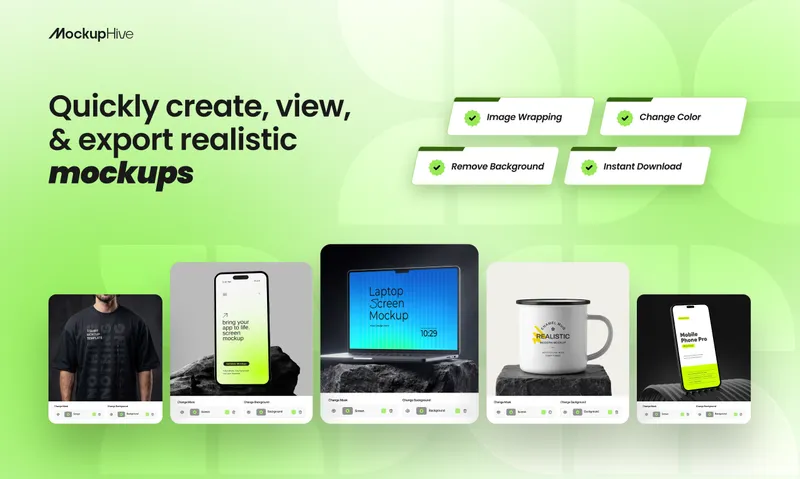
MockupHive is an online mockup library paired with a drag-and-drop mockup generator, letting designers drop their own artwork into pre-built device, apparel, packaging and print scenes and export high-resolution images. It runs entirely in a web browser, with additional Figma plugin and Adobe Express add-on integrations, and offers both a free tier and paid subscription plans.
What is MockupHive?
MockupHive is a web-based mockup catalog and editor that takes a user's design file as input and outputs a high-resolution image of that design rendered inside a realistic scene, such as a phone screen, a t-shirt or a packaging box. The library is organized into nine browsable categories with published counts: Device Mockups, Branding Mockups, Apparel Mockups, Social Media Mockups, Stationery Mockups, Print Mockups, Packaging Mockups, Magazine Mockups and Vehicle Mockups. Templates are downloadable in PSD form or edited online, and premium Figma assets are available. The maker of the site is not named on the page.
Key Features
- Category-based mockup library — roughly 2,400 templates spread across device, apparel, branding, packaging, print, stationery, social media, magazine and vehicle scenes, each with a detail page and preview image.
- Online mockup editor — drag-and-drop placement of a design into a template without a layer-by-layer Photoshop workflow, then a high-resolution export.
- PSD downloads — the site states users can download free PSD mockups that are editable in Photoshop alongside the browser editor.
- Figma plugin and Adobe Express add-on — MockupHive ships as a Figma Community plugin and an Adobe Express add-on so mockups can be applied inside those tools.
- AI generator with credit allowances — a separate AI generation tool consumes credits allocated per plan (10 one-time on Free, 100 per year on Pro, 300 per year on Unlimited, 500 one-time on Lifetime); the Unlimited and Lifetime tiers also list GPT Image access.
- Commercial license on every tier — the pricing table marks "Commercial license included" for Free, Pro, Unlimited and Lifetime alike.
- Curated feeds — Featured, Trending and Explore sections surface individual templates such as a floating iPhone screen mockup, a MacBook Pro screen mockup and a Samsung Galaxy Ultra mockup with S Pen view.
Who should use MockupHive?
- Freelance designers who need to show a logo or packaging concept to a client the same day, using a Packaging or Branding template and exporting a high-resolution image.
- UI/UX designers presenting app screens inside Device Mockups (iPhone, MacBook, Samsung, tablet) rather than as flat screenshots.
- Apparel and merch sellers previewing t-shirt, hoodie and polo designs on front-and-back model views before a print run.
- Social media marketers producing Instagram-style post mockups with floating cards and phone displays for campaign decks.
What can you do with MockupHive?
- Brand identity presentations: drop a logo file into a Branding or Stationery mockup to produce client-ready visuals of business cards, signage and letterheads.
- App launch assets: render onboarding screens into a phone or laptop mockup for a landing page hero image or App Store screenshot set.
- Print and outdoor advertising pitches: place a poster design into a bus-stop lightbox, metro station or wall billboard mockup to show placement at scale.
How does MockupHive work?
- Choose a mockup from the category gallery, Featured, Trending or Explore feeds.
- Drag and drop your design into the template in the online editor, adjusting backgrounds, colors and shadows where the template supports it.
- Download the high-resolution result or save it for sharing; the Figma plugin and Adobe Express add-on apply the same templates inside those tools.
Pricing
MockupHive is freemium, with a Free tier and three paid tiers listed against an annual toggle. Free allows 1 high-res download per day and 10 one-time AI credits; Pro allows 30 high-res downloads each day and 100 AI credits per year; Unlimited allows unlimited downloads and 300 AI credits per year plus GPT Image; Lifetime is a one-time purchase with unlimited downloads and 500 one-time AI credits. All four tiers list access to every template, online editing, Figma and Adobe add-on access, and a commercial license; support escalates from priority email to priority email and chat.
FAQ
Is there a free plan?
Yes. The Free tier costs nothing and includes access to every mockup template, but caps downloads at 1 high-res file per day and grants 10 AI credits as a one-time allowance rather than a recurring monthly allotment.
Can I use MockupHive images commercially?
The pricing table lists "Commercial license included" on the Free, Pro, Unlimited and Lifetime plans, so commercial use is covered from the free tier upward according to the site's own plan comparison.
Does MockupHive work inside Figma or Adobe Express?
Yes. MockupHive publishes a Figma Community plugin and an Adobe Express add-on, both listed as included features, so templates can be applied without leaving those design tools.
What formats do downloads come in?
The site advertises high-resolution image downloads from the online editor and editable PSD mockup files, plus premium Figma assets for template work that stays inside Figma.
Alternatives
Placeit, Smartmockups, Mediamodifier.


